- 17 -
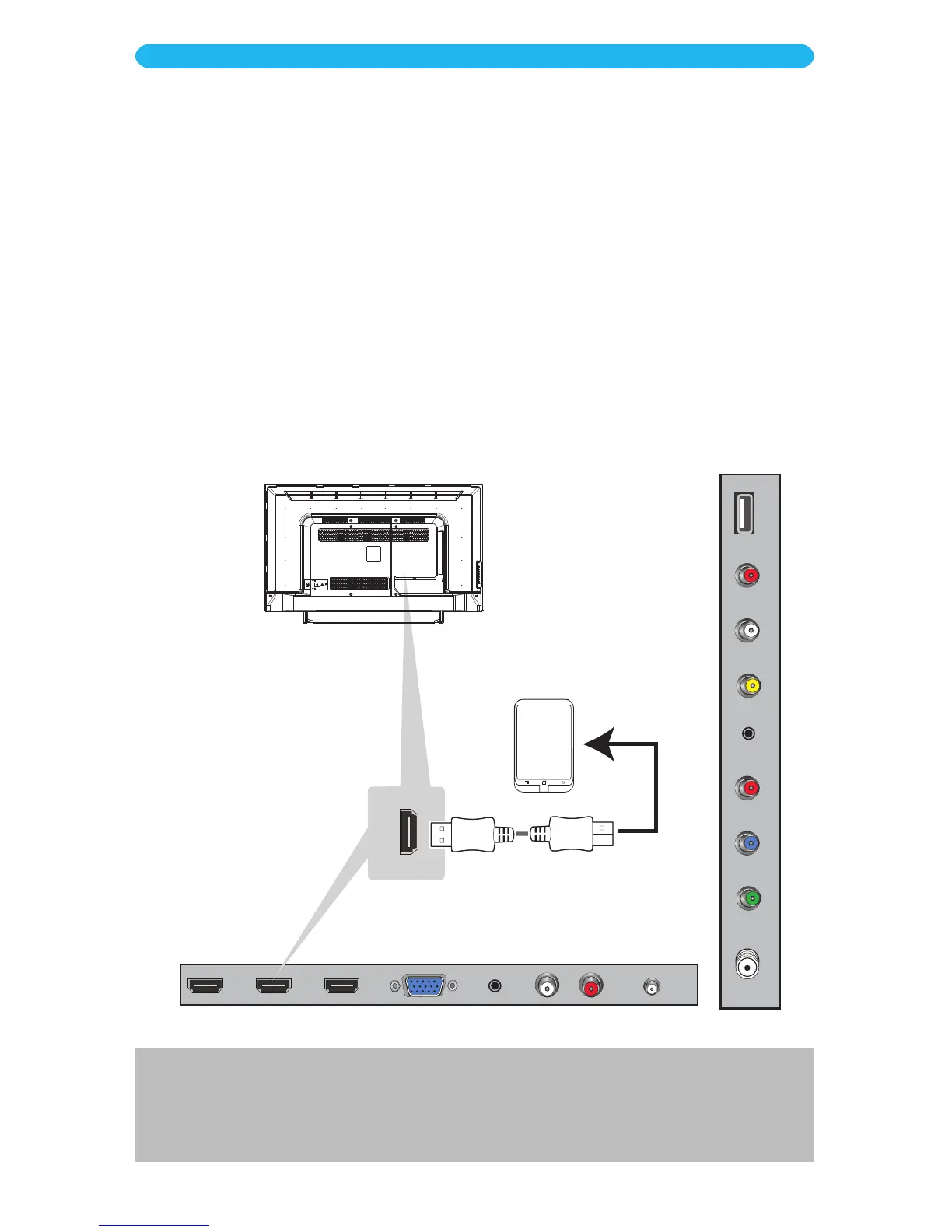
This unit has an MHL HDMI jack which allows mobile devices with this option to connect to
this TV.
1
Make sure the power is off on the TV and mobile device.
2
Connect using an MHL Cable, see your mobile device’s owner’s manual for the
correct cable.
3
Turn on the TV.
4
Press the SOURCE button and then select HDMI2 using the Navigation q/p
buttons. Conrm by pressing the OK button.
Mobile Device or
other Device Compatible
with MHL Function
(Not Included)
NOTES:
• If you do not get the signal, make sure a) you are using the correct cable according to your mobile device’s owner’s
manual and b) HDMI2 source is selected.
• MHL is a technology that enables the TV to communicate with an MHL compatible device.
INSTALLATION
MHL HDMI Connection



 To Next Page