- 33 -
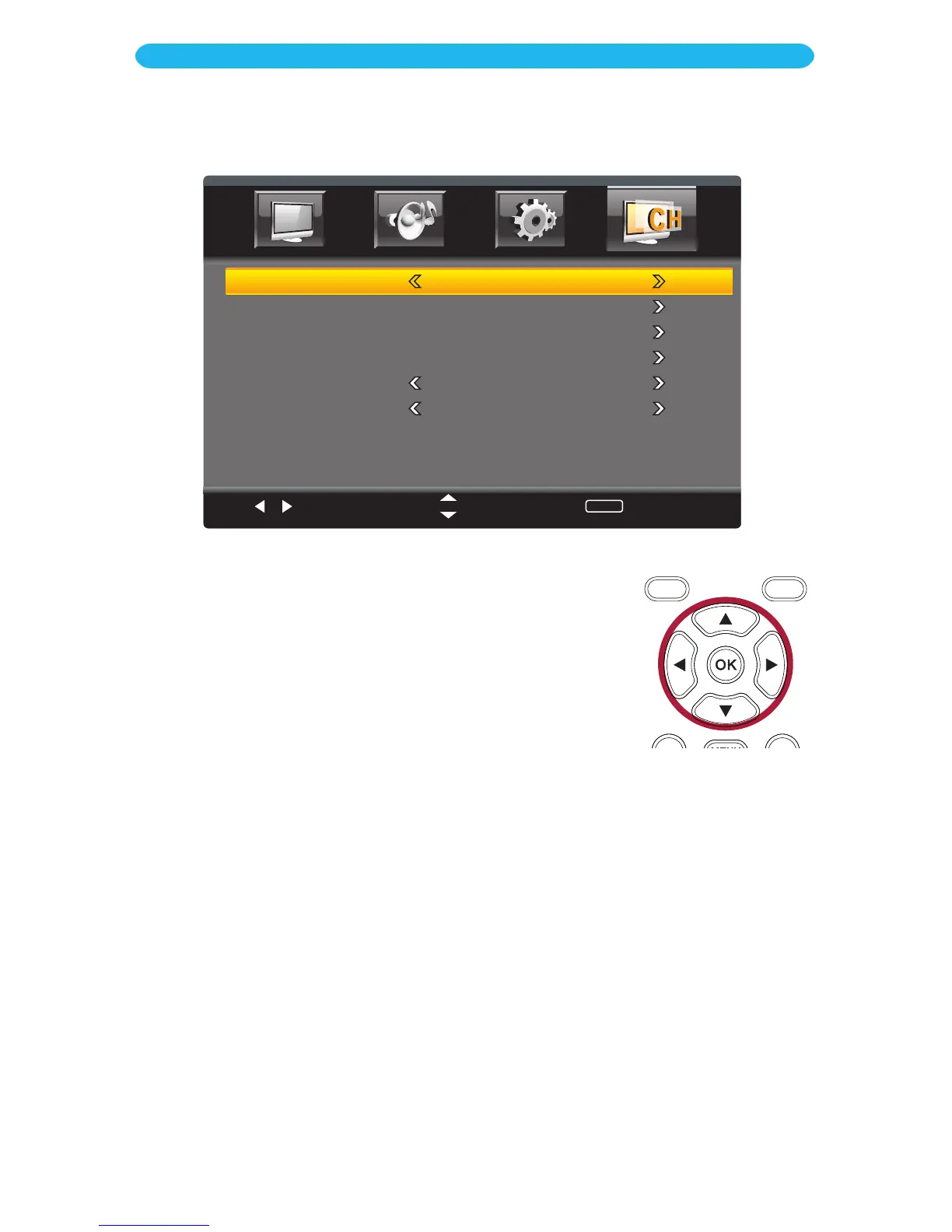
ANTENNA: Select Air (if using an antenna) or Cable (if using cable).
AUTO SCAN: This will start Auto Scanning the channels and will save any strong
broadcasting channels for easy selection using the Channel Up/Down buttons.
FAVORITE
:
Enter your favorite channels on this screen.
SHOW/HIDE
:
Select which channels will be shown or hidden. Select Show for a
channel that was not recognized in Auto Scan. Select Hide to skip a channel previously
recognized in Auto Scan.
CHANNEL NO.
:
Select a Channel Number to show or hide directly from the menu.
CHANNEL LABEL
:
Allows you to change the channel labeling and name them as
desired.
DTV SIGNAL
:
Displays the signal intensity of Digital TV programming.
Select
Move
MENU
Return
AirAntenna
Auto Scan
Favorite
Show/Hide
Channel No.
Channel Label
DTV Signal :
1 Press the MENU button to bring up the On-Screen menu.
2 Press the t/u buttons to select Channel.
3 Press the q button to select a setting (i.e. Antenna, etc.).
4 Press the t/u buttons to adjust the setting, or press the OK
button to enter certain settings.
5 Press the t/u buttons to adjust the setting.
6 When done, press the EXIT button to exit the menus or press
the MENU button to return to the previous menu.
ON SCREEN DISPLAY
Channel Menu (must be in TV Mode)



 To Next Page