- 38 -
FUNCTION BUTTON OPERATION:
Many of the same TV buttons (Volume, Mute,
etc.) work with the USB, but the eight bottom
buttons (and INFO button) provide functions
as shown below. Note that many of these
functions can also be accessed from the
screen by selecting the respective icon using
the Navigation buttons y and pressing the
OK button x.
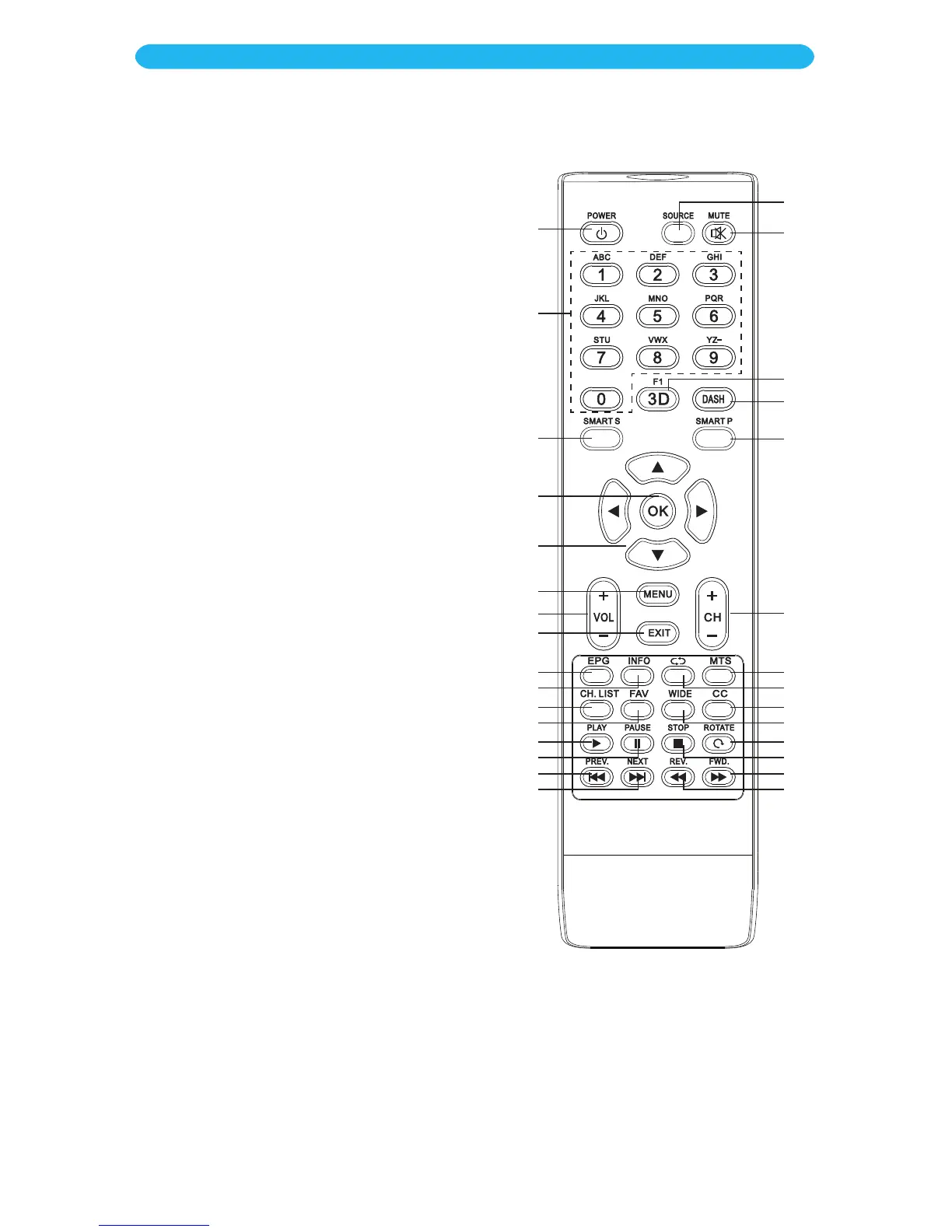
PLAY Button am: Press to start a slideshow in
the Photo mode or start playback in the Music
mode.
PAUSE Button an: Press to pause the
slideshow or music.
STOP Button br: Press to stop the slideshow
or music.
ROTATE Button bq: Press to rotate the image
on the screen, if le can be rotated. The
on-screen rotate allows the picture to rotate
clockwise or counter-clockwise.
Previous 9 Button ao: Press to skip to the
previous photo/le.
Next : Button ap: Press to skip to the next
photo/le.
Reverse 7 Button ct: Press to search
backwards.
Forward 8 Button bs: Press to search
forwards. Press the Play button am to resume
normal playback.
INFO Button at: Press to view the information
on the selected/playing photo/le.
EXIT Button W: Not Used.
MENU Button U: Not Used.
1
2
3
9
10
11
12
13
14
15
16
23
24
25
26
27
28
29
30
22
21
20
19
18
17
7
4
5
6
8
OPERATION
USB Media Operation



 To Next Page