38
DISPLAY/
CALL
TV/DVD
CH
CH
MUTE
SETUP/
TV MENU
DVD MENU
RETURN
INPUT
SELECT SLEEP
PLAY MODE
SLOW
PLAY
SKIP SKIP
JUMP
TV/CAP/TEXT
REPEAT A-B
STOP
ANGLEAUDIO
TOP MENU
OPEN/CLOSE
VOLUME
SUB TITLE
QUICK VIEW/
ZOOM
SEARCH SEARCH
POWER
SLOW
MARKER
PAUSE/STILL
123
456
0
789
+
Ð
CANCEL
SELECT/
ENTER
To change the parental level
1
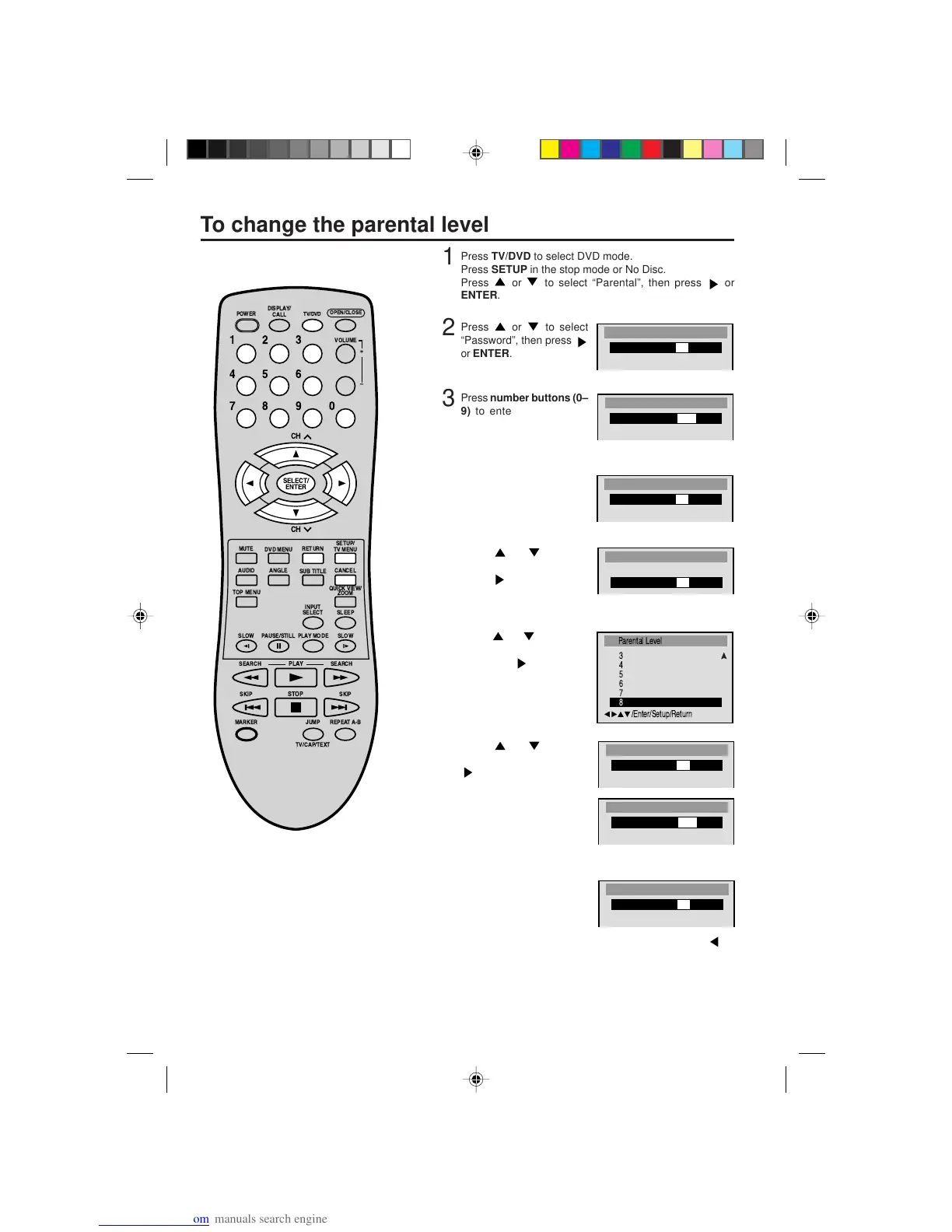
Press TV/DVD to select DVD mode.
Press SETUP in the stop mode or No Disc.
Press
or to select “Parental”, then press or
ENTER.
2
Press or to select
“Password”, then press
or ENTER.
3
Press number buttons (0–
9) to enter the password
you have stored.
• If you input a wrong number, press CANCEL.
4
Press ENTER.
The password is now Off.
5
Press or to select
“Parental Level”. Then
press
or ENTER. The
Parental Level screen is dis-
played.
6
Press or to select a
level from Off or 1–8 and
then press
or ENTER.
7
Press or to select
“Password” and then press
or ENTER.
8
Press number buttons (0–
9) to enter a 4-digit pass-
word.
Note: You can enter a new password.
9
Press ENTER.
The parental level is now
changed and locked.
• If you want to return to the previous menu, press
or
RETURN.
10
Press SETUP to remove the parental control screen.
NOTE:
Do not forget the password. If you forget
the password, contact the dealer that you
purchased the unit from.


 To Next Page