31
ESPAÑOL
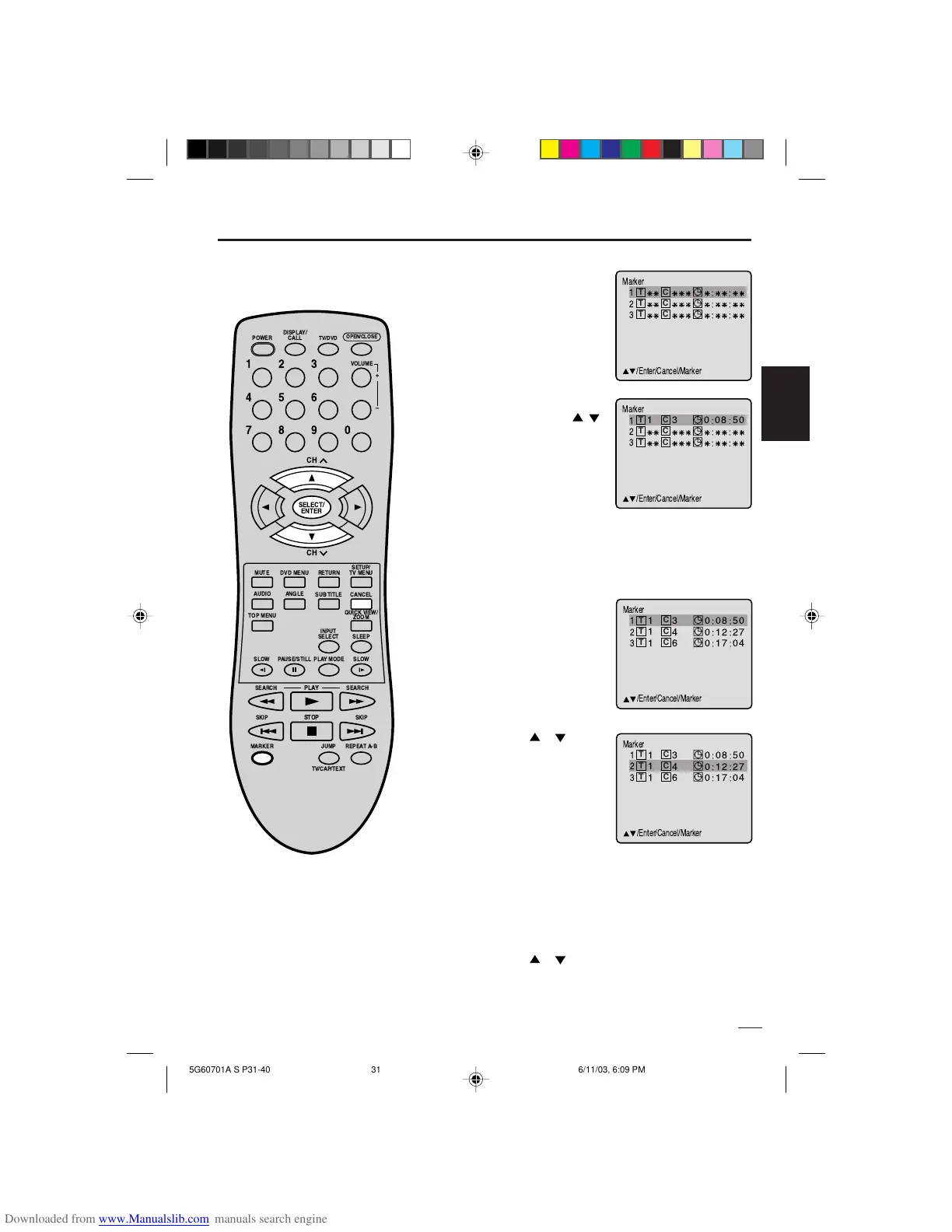
Marcado de escenas deseadas
El TV/DVD almacena los puntos que
usted desee ver de nuevo. Puede volver
a iniciar la reproducción a partir de esa
escena.
1
Presione MARKER
durante la reproducción.
Marcado de escenas deseadas
2
Seleccione el marcador
en blanco usando
/ ,
y a continuación presione
ENTER en la escena
deseada.
• Se pueden seleccionar
hasta 3 escenas.
• Repita el mismo
1
Presione MARKER
durante el modo de
reproducción o el de
parada.
Para volver a las escenas
2
Presione o para
seleccionar el marcador
1-3.
3
Presione SELECT.
La reproducción comienza a partir de la escena marcada.
1
Presione MARKER .
2
Presione o para seleccionar el marcador 1-3.
3
Presione CANCEL
.
Para cancelar la marca
NOTAS:
La marca se cancela cuando abre la
bandeja del disco o apaga el aparato.
Algunos subtítulos grabados alrededor
del marcador puede que no aparezcan.
[DVD]
•
•
3
Presione MARKER para eliminar esta pantalla.
procedimiento para establecer las otras 2 escenas.
DISPLAY/
CALL
TV/DVD
CH
CH
MUTE
SETUP/
TV MENU
DVD MENU
RETURN
INPUT
SELECT SLEEP
PLAY MODE
SLOW
PLAY
SKIP SKIP
JUMP
TV/CAP/TEXT
REPEAT A-B
STOP
ANGLEAUDIO
TOP MENU
OPEN/CLOSE
VOLUME
SUB TITLE
QUICK VIEW/
ZOOM
SEARCH SEARCH
POWER
SLOW
MARKER
PAUSE/STILL
123
456
0
789
+
Ð
CANCEL
SELECT/
ENTER


 To Next Page