36
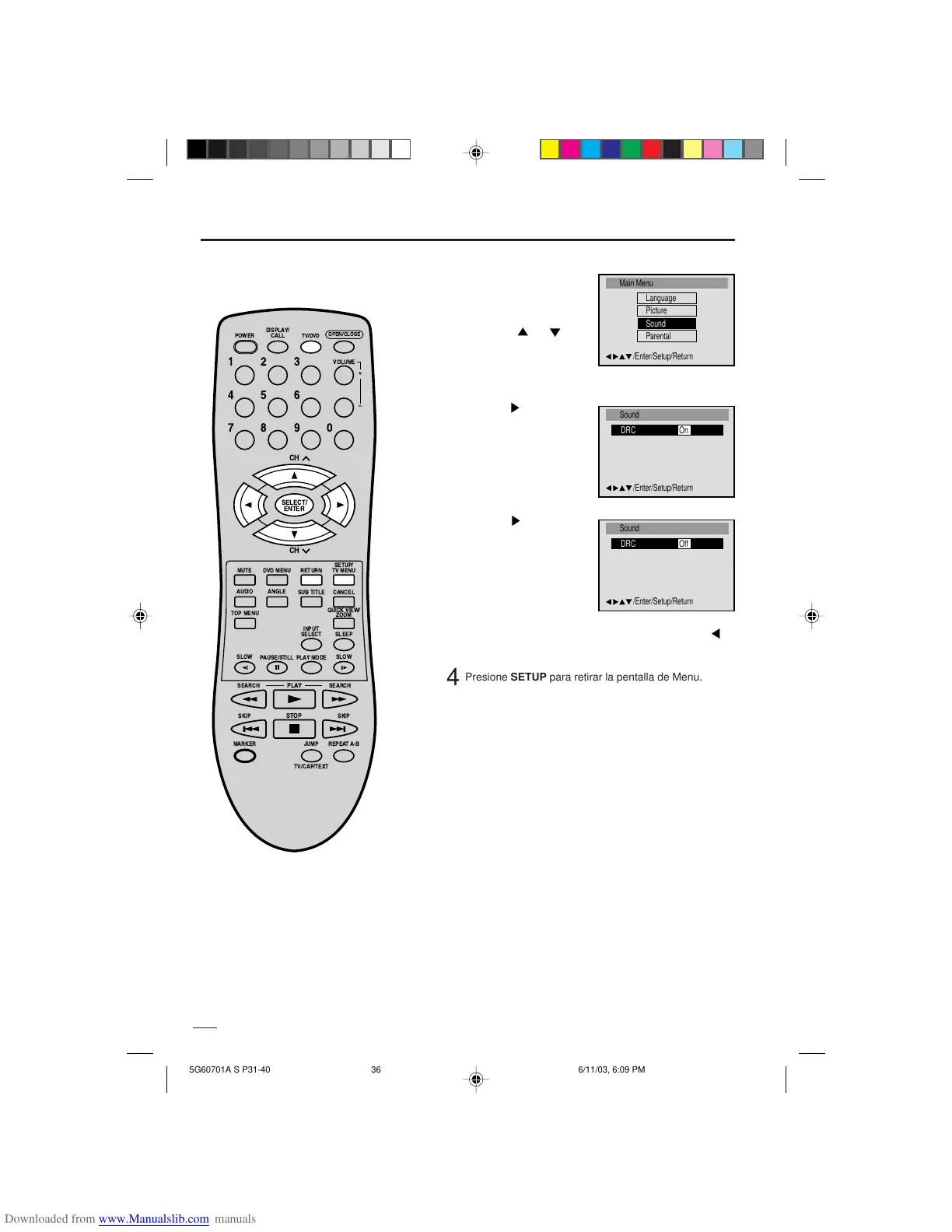
Control de Gama Dinámica
Presione o ENTER para
seleccionar “On” o “Off”.
1
Presione TV/DVD para
2
3
El DRC (Control de Gama Dinámica) le
permite controlar la gama dinámica
para lograr un sonido conveniente
para su equipo.
• Si desea volver al menú anterior, presione o
RETURN.
Presione
o ENTER para
seleccionar DRC.
Notas:
• DRC funciona sólo con la reproducción de
grabaciones Dolby Digital.
• El nivel de DRC puede variar según el disco
de vídeo DVD.
seleccionar mode de TV.
Presione SETUP en el
modo de parada.
Presione
ó para
seleccionar “Sound”.
DISPLAY/
CALL
TV/DVD
CH
CH
MUTE
SETUP/
TV MENU
DVD MENU
RETURN
INPUT
SELECT SLEEP
PLAY MODE
SLOW
PLAY
SKIP SKIP
JUMP
TV/CAP/TEXT
REPEAT A-B
STOP
ANGLEAUDIO
TOP MENU
OPEN/CLOSE
VOLUME
SUB TITLE
QUICK VIEW/
ZOOM
SEARCH SEARCH
POWER
SLOW
MARKER
PAUSE/STILL
123
456
0
789
+
Ð
CANCEL
SELECT/
ENTER
4
Presione SETUP para retirar la pentalla de Menu.
5G60701A S P31-40 6/11/03, 6:09 PM36


 To Next Page