25
ENGLISH
12
POWER
CHANNEL
MENU
ENTER
CANCEL
AUTO
TRACKING
SLOW
PAUSE/STILL
STOP
PLAY
REW/
REC/OTR
SKIP
SEARCH
3
45
6
789
0
/F.FWD
SET
TIMER REC TV MONI.
CALL
TV/VCR
AUDIO
SPEED
EJECT
CLOCK/
COUNTER
COUNT
RESET
ZERO
RETURN
INPUT
SELECT
INDEX
SLOW
2
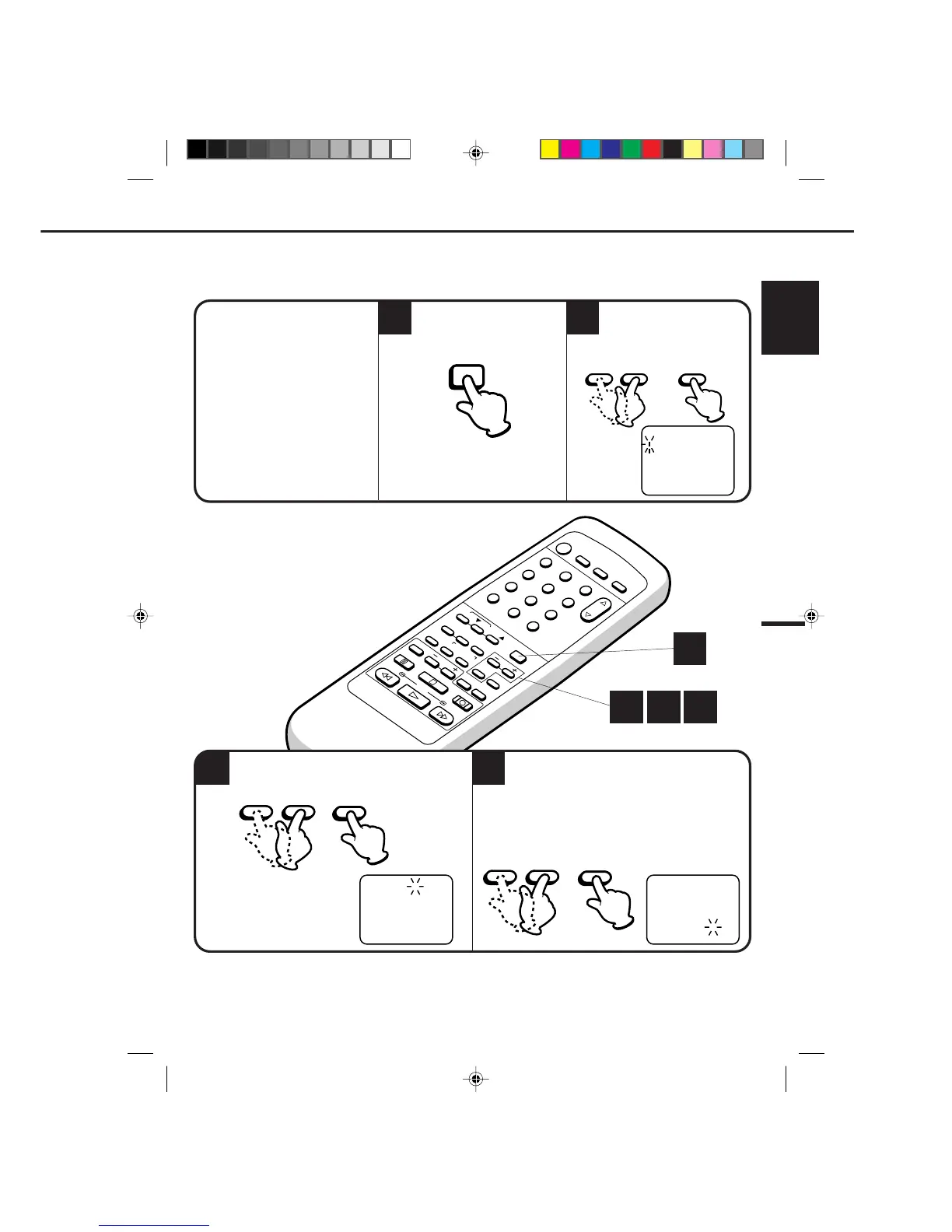
EXAMPLE: Setting the clock to "8:30 AM" March, 23(TUE), 1999.
3
• After a power failure or disconnection of the power, the timer settings will be lost. In this case, reset the
present time.
• Press the CH. SKIP/CANCEL button to move cursor backward for correction.
• If you want to corret time or date while the clock is functioning, press the MENU button, then press
SET + or – button to select the SYSTEM SET UP option, then press the ENTER button.
To make any adjustments perform steps 2 through 4.
4
〈
+
/
–
/ENTER/CANCEL/MENU
〉
MONTH
DAY
TIME
YEAR
3
1
12
(WED)
: 00 AM
2000
SETTING THE CLOCK
1
CHECK BEFORE YOU BEGIN
• Turn ON the TV and set to the
video channel 3 or 4.
• Turn ON the VCR POWER button.
• Press the TV/VCR selector button
to select the VCR mode.
When a TV is connected with an
audio/video cable, turn the TV and
this VCR on, and select the video
input mode on the TV.
Press the MENU button.
option, then press the ENTER
button.
Press the SET + or – button
to select the CLOCK SET
Press the SET
+ or – button to set the month,
then press the ENTER button.
Set the day, year and time as in Step 3.
• The day of the week will automatically appear
when you set the year.
• Press and hold down the button to increase/
decrease the minute by 10.
• Auto date and time start functioning when
you finish setting.
NOTE:
2 3 4
1
ENTER
– SET + ENTER


 To Next Page