32
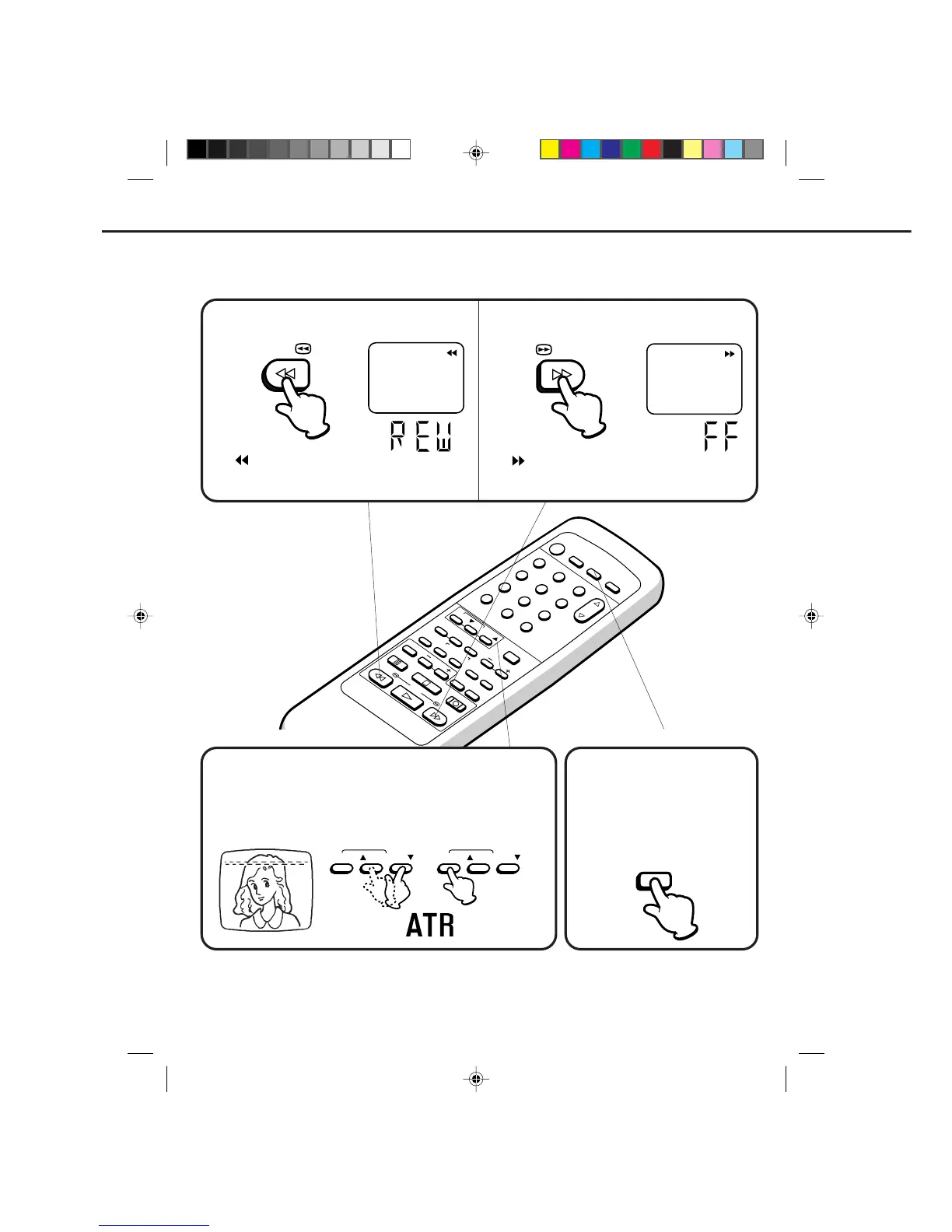
The " " will appear on the screen and display about
4 seconds.
The F.FWD indicator will light in the display about 4 second.
12
POWER
CHANNEL
MENU
ENTER
CANCEL
AUTO
TRACKING
SLOW
PAUSE/STILL
STOP
PLAY
REW/
REC/OTR
SKIP
SEARCH
3
45
6
789
0
/F.FWD
SET
TIMER REC TV MONI.
CALL
TV/VCR
AUDIO
SPEED
EJECT
CLOCK/
COUNTER
COUNT
RESET
ZERO
RETURN
INPUT
SELECT
INDEX
SLOW
DIGITAL TRACKING CONTROL
FORWARD/REVERSE PICTURE SEARCH
If you want to see the tape program during REW (F.FWD) mode, press and hold the REW (F.FWD) button again.
The backward (forward) visual search picture will be seen on the screen. Release to return to the REW (F.FWD)
mode.
TO REWIND OR FORWARD THE TAPE RAPIDLY
When a tape is played, the Digital Auto Tracking System automatically
adjusts the tracking to obtain the best possible picture. If noise bars
appear during playback, adjust the tracking manually:
• Press the Manual TRACKING ▲ or ▼ button to obtain the best
possible picture. To resume automatic tracking, press the AUTO
Tracking button.
AUTO TRACKING
AUTO TRACKING
Press the TV MONI.(Monitor) button
while in the playback mode. The
video tape will continue to play while
the picture switches to the TV
channel selected on the TV channel
selected on the VCR. Press the
button to return to the playback
picture.
TO MONITOR A TV PROGRAM
PLAYBACK (CONTINUED)
The " " will appear on the screen and display about
4 seconds.
The REW indicator will light in the display about 4 second.
Press the REW button in the STOP mode.
Press the F.FWD button in the STOP mode.
TV MONI.
REW/
/F.FWD
4C90301A-E(P30-37) 26'04'1999, 10:50 AM32


 To Next Page