34
SLOW MOTION PLAYBACK
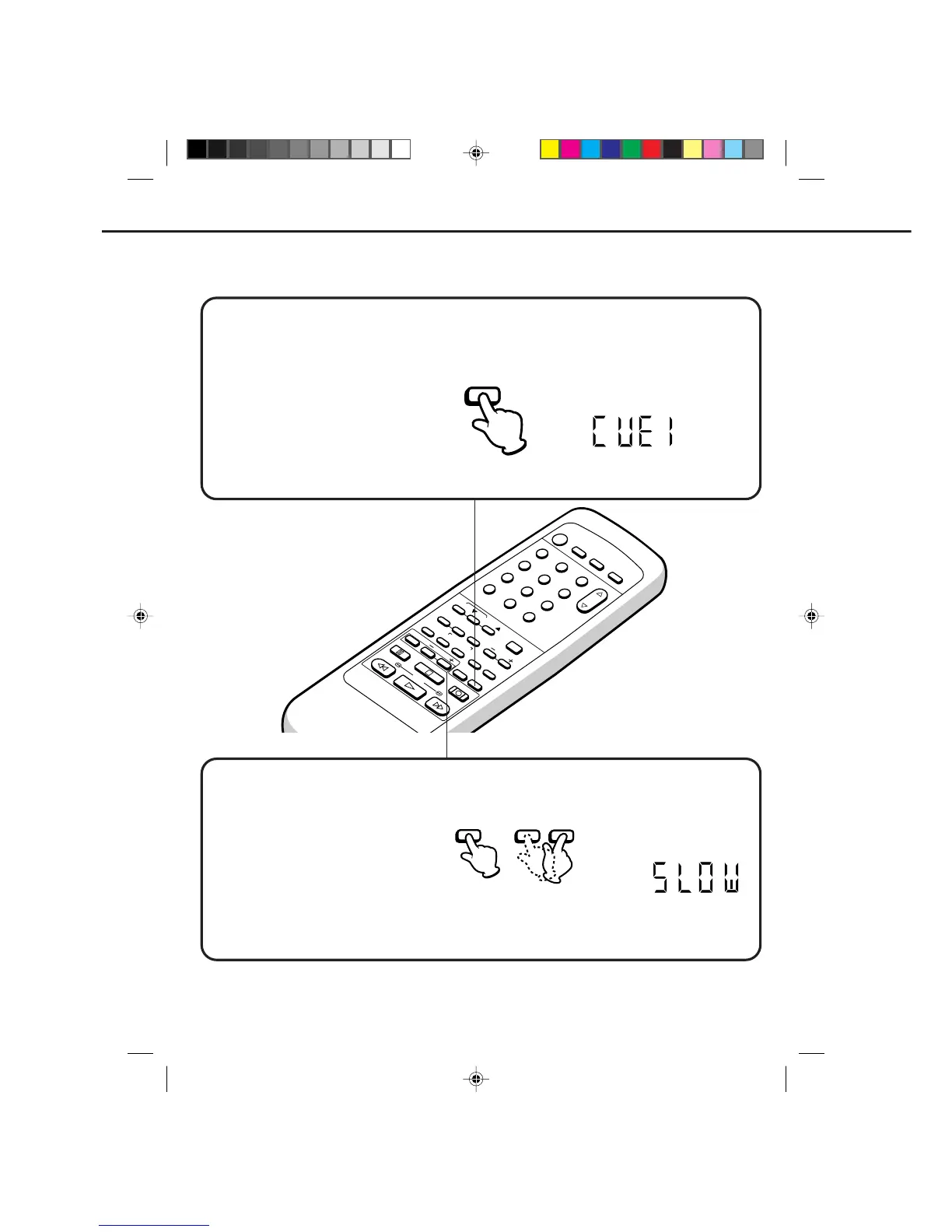
Press the SLOW button in the PLAYBACK mode. Playback will proceed at 1/10th of the normal speed.
Slow motion speed can be changed by using SLOW + or – button.
+
...
Press to speed up slow motion playback up to 1/5 normal playback speed.
–
...
Press to speed down slow motion playback down to 1/30 normal playback speed.
The SLOW indicator will light in the display about 4 seconds.
Press the PLAY button again to resume normal playback.
NOTE: SLOW TRACKING AND VERTICAL LOCK ADJUSTMENT
If noise bars appear in the picture during slow motion, press the Manual TRACKING ▲ or ▼ button to reduce
the noise bars.
If the still picture jitters excessively, press the Manual TRACKING ▲ or ▼ button to stabilize the still picture.
SKIP SEARCH
Press the SKIP SEARCH button in the PLAY mode. The VCR will search forward through approximately 30
seconds of the tape (e.g. unwanted commercial time) for each press of the SKIP SEARCH button (maximum
six presses) and then resume normal playback. The number of presses will appear on the display in place of
the channel number.
For example:
1 press: 30 seconds of tape
2 presses: 60 seconds of tape
3 presses: 90 seconds of tape
The CUE 1 indicator will light in the
display. (For example : 1 press.)
SPECIAL PLAYBACK (CONTINUED)
12
POWER
CHANNEL
MENU
ENTER
CANCEL
AUTO
TRACKING
SLOW
PAUSE/STILL
STOP
PLAY
REW/
REC/OTR
SKIP
SEARCH
3
45
6
789
0
/F.FWD
SET
TIMER REC TV MONI.
CALL
TV/VCR
AUDIO
SPEED
EJECT
CLOCK/
COUNTER
COUNT
RESET
ZERO
RETURN
INPUT
SELECT
INDEX
SLOW
– SLOW +
SLOW
SKIP
SEARCH
4C90301A-E(P30-37) 26'04'1999, 10:50 AM34


 To Next Page