ES-405-9800 Manual Rev A Page 11
2.4 Electrical Connections
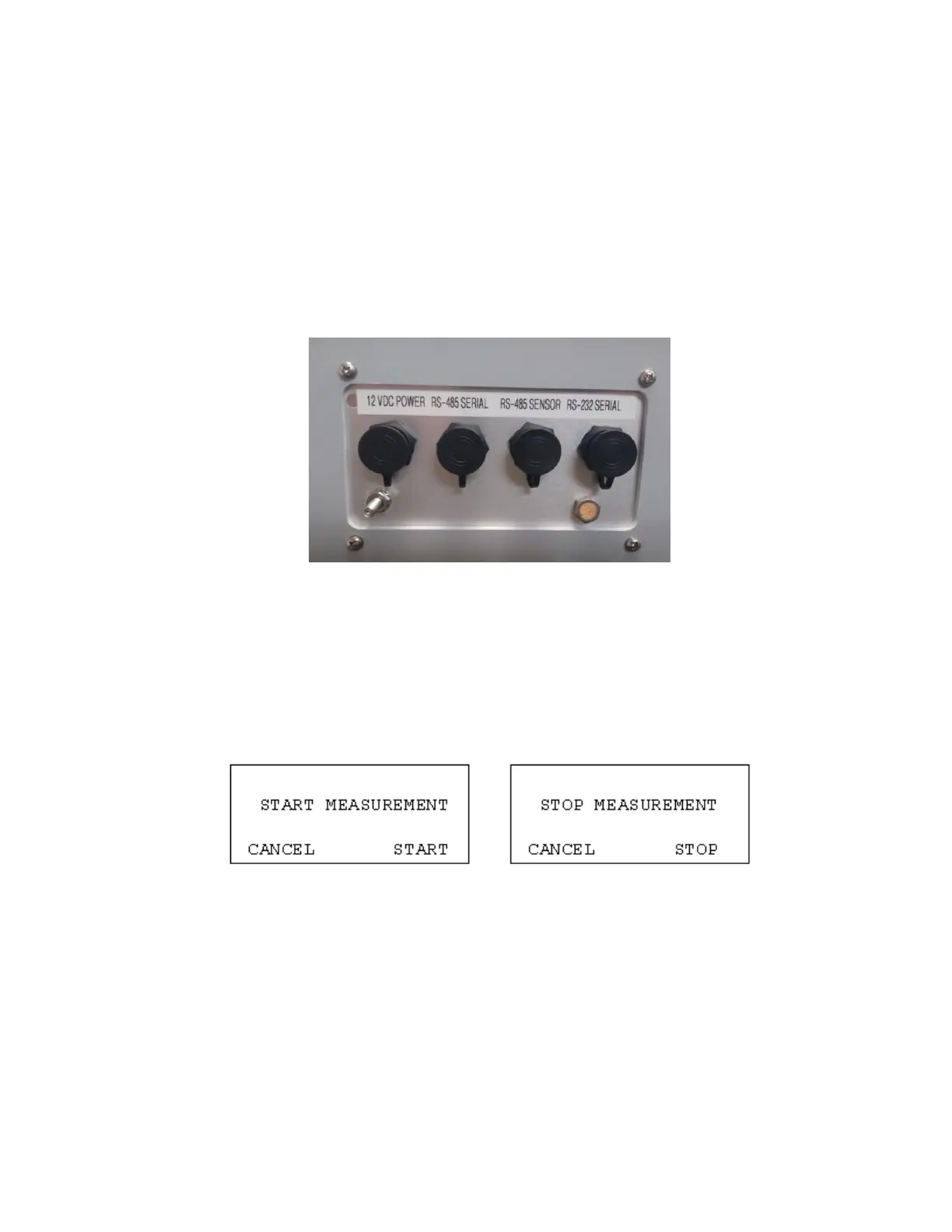
The ES-405 has four weatherproof connectors on the bottom of the enclosure. These
connectors provide the connections for the power supply, external sensors and communications
options. Each connector has a different pin configuration to prevent plugging cables into the wrong
connector. The ES-405 will turn on automatically whenever a 12V power source is connected
to the power input.
The RS-485 SERIAL connection is for an optional CCS Modem or optional RS-485 half-duplex
cable. The RS-485 SENSOR connection is for an optional MET Sensor. The RS-232 SERIAL
connection is for RS-232 communications.
2.5 Power-Up and Starting Operation
As soon as power is applied to the ES-405, the unit will boot up and display ES-405 and company
website for a few seconds.
The ES-405 will then default to the OPERATE screen as shown below and begin sampling.
Pressing the Enter key on the keypad will bring up the START or STOP screen depending on
whether or not the unit is currently sampling.


 To Next Page