ES-405-9800 Manual Rev A Page 16
4.2 Using the Main Sampling Screen
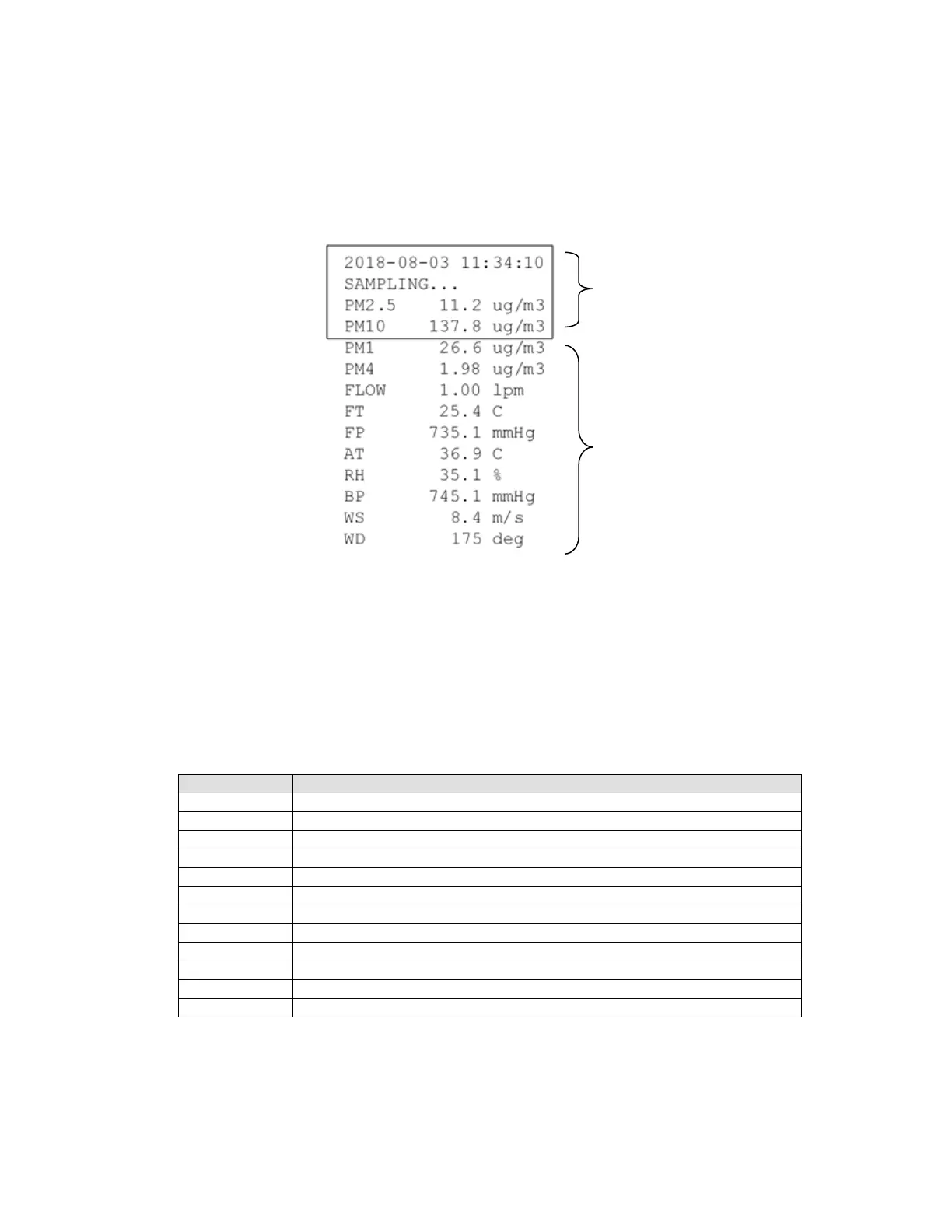
The ES-405 display shows the Operate screen when the unit is in normal operation. The active
display area shows the current date and time and most recent measurement concentration. Not
all the parameters monitored by the ES-405 can fit on the screen, press the down ▼ arrow to view
the remaining parameters. The date and time will remain at the top of the display at all times.
Main Sampling Screen
Below is a table which describes the parameters visible in the main sampling display as shown
above. These are all the logged parameters in the ES-405. The active display shows the 1-second
real-time value for each parameter, while the stored data shows the average value over the user-
selected logging interval. AT, RH, BP, WS and WD are only visible if an external digital MET
sensor is attached.
Real-time particulate concentration, in micrograms per cubic meter.
Real-time particulate concentration, in micrograms per cubic meter.
Real-time particulate concentration, in micrograms per cubic meter.
Real-time particulate concentration, in micrograms per cubic meter.
Real-time sample flow rate, in actual liters per minute.
Internal temperature in degrees C.
Internal barometric pressure in mmHg.
External ambient temperature in degrees C (if equipped).
External ambient relative humidity (if equipped).
External ambient barometric pressure in mmHg (if equipped).
Wind speed in meters per second (if equipped).
Wind direction in degrees (if equipped).
Scroll down ▼ to view
the other current sensor
parameters
Visible display area
showing current
parameters


 To Next Page