ES-405-9800 Manual Rev A Page 15
4 ES-405 USER INTERFACE and MENU SYSTEM
This section describes the ES-405 user interface system, and describes the functions of the main
menu options, including how to view data and errors.
4.1 The User Interface - Keypad and Display Functions
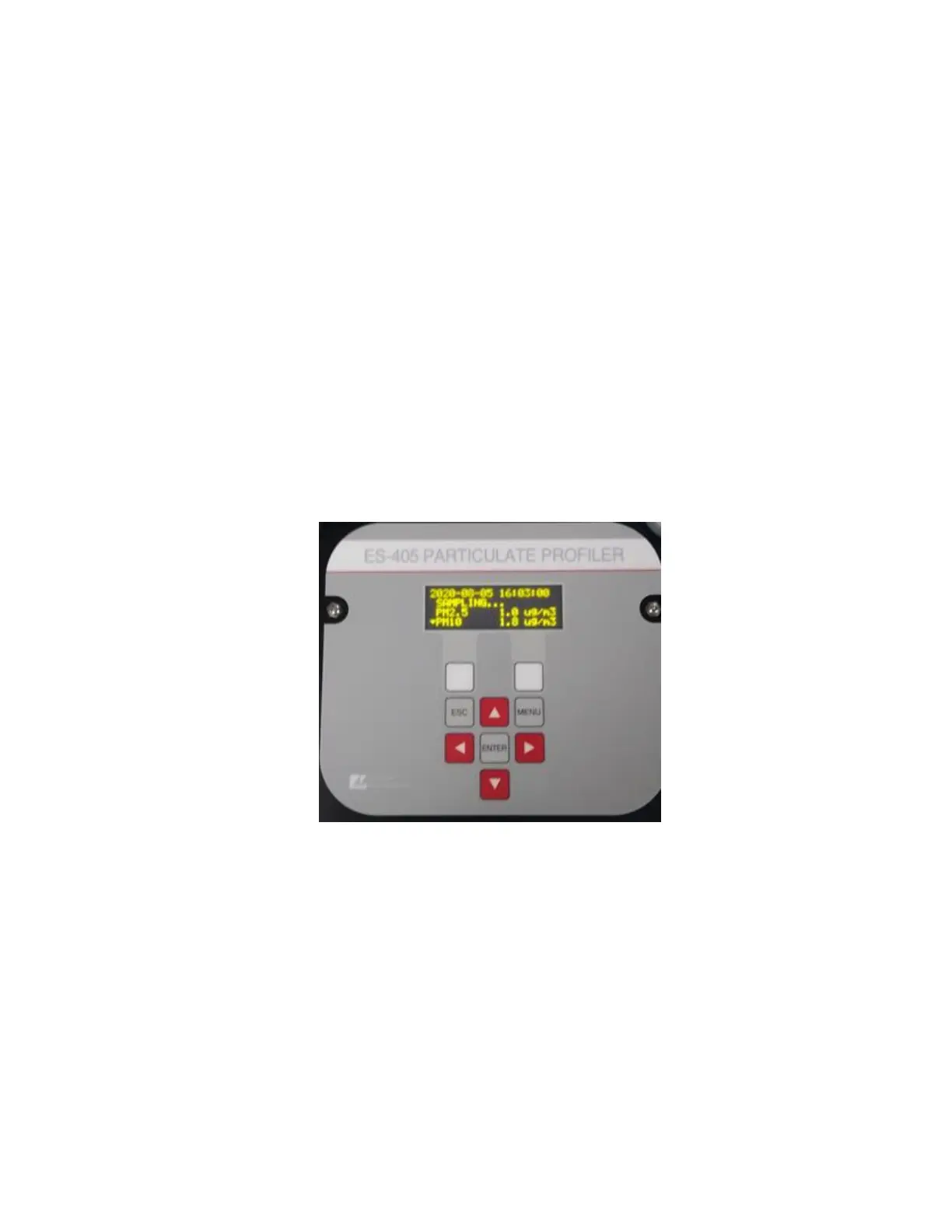
The ES-405 user interface consists of a 4x20 character organic light-emitting diode display
(OLED) and a dynamic keypad. The two white keys under the display are called “soft keys”. These
are dynamic keys which change in response to a menu option displayed directly above the key on
the bottom row of the display. The function of these keys depends on which menu is shown on the
display and are often used for functions such as “SAVE” and “EXIT”.
The four, red arrow (cursor) keys are used to scroll up, down, left, and right, to navigate in the
menu system, and to select items or change fields on the screen. The arrow keys are also often
used to change parameters or increment/decrement values in the menu system. The right arrow
key can be used to wake up the display if it has turned off to save power.
The MENU key is used to enter the main menu or to select an item in a list. The ESC key is used
to escape or exit out of a menu.
ES-405 Keypad and Display


 To Next Page