8
D. Optical Edge Cables
Optical Comparator Systems can be equipped with or without Optical Edge Sensor capability. The Mx200
is available either with or without the required electronics to support these sensors. This can be
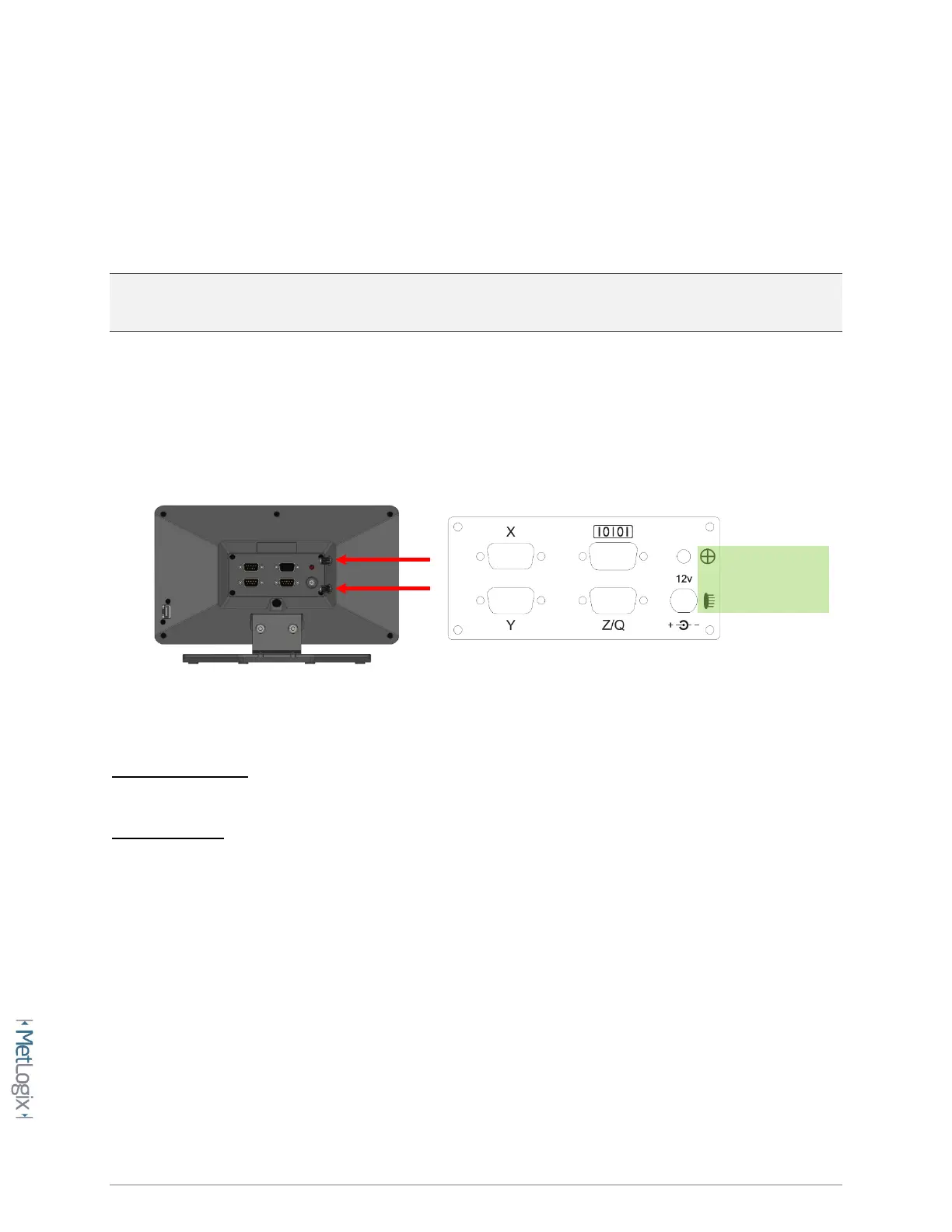
determined by inspecting the rear panel of the readout chassis and checking whether the (2) fiber optic
terminals are present.
NOTE: Please contact your Metlogix OEM or representative in the event you require optical edge
support but your Mx200 Readout is not equipped with the required optical edge interface.
• The Mx200 is equipped with (2) optical inputs for receiving light levels from the Optical
Comparator. Connect the Screen and Reference channel from the optical comparator to the
Mx200 Optical Inputs.
Reference Channel: The reference channel should be connected from the Comparators’ lamp housing
light source to the lower connector on the back of the readout.
Screen Channel: The screen channel should be connected from the fiber optic termination at the
Comparators’ measuring screen to the upper connector on the back of the readout.
Screen Sensor
Reference Sensor



 To Next Page