7
• Connect the supplies 2-wire line cord cable to a stable 110/220 AC power source.
• IMPORTANT: The Mx200 digital readout is NOT designed to be powered off instantaneously by
removal of the power supplied to the unit. As such the power supply to the Mx200 should be
connected directly to a power source, and not to an intermediary power switch. To power off
the Mx200 correctly long press the power button on the front keypad and press the “Power Off”
button displayed at the right side of the main Mx200 screen.
C. Encoder connections:
The Mx200 is designed to accept input from 1, 2, or 3 analog or TTL encoders. These encoders are
typically arranged according to the major axis of the measuring system in which they are mounted; X, Y,
and Z(or Q Rotary/Protractor).
IMPORTANT: All Mx200 readouts are designed to accept either TTL or Analog input from the connected
encoder. It is however critical that the correct signals be connected between the encoder and the
Mx200 to avoid damage to the MX200 and/or the encoder. Please ensure that the encoder connections
to the Mx200 have been verified as compatible by an authorized Metlogix OEM prior to installation.
• Ensure that the Mx200 is powered off prior to connecting any encoders.
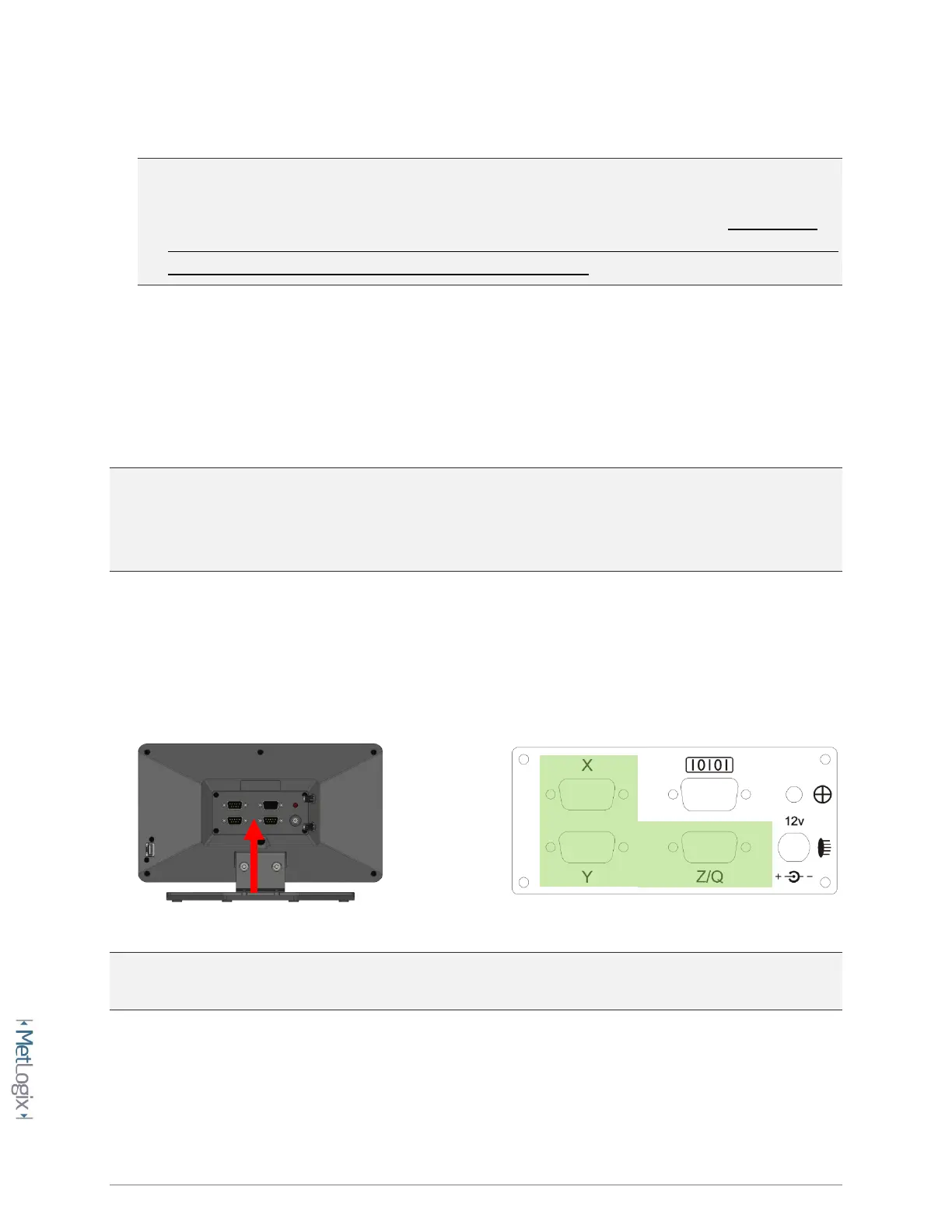
• Locate encoder terminations from the measuring system and connect them to the X, Y
and Z(Q) encoder inputs on the back of the Mx200 as seen below.
NOTE: Secure all encoder connections tightly to the standoffs at the input connector to ensure complete
communication between the encoder and the Mx200.



 To Next Page