20
mn-4203
4.4.1 Printer Setup Menu List
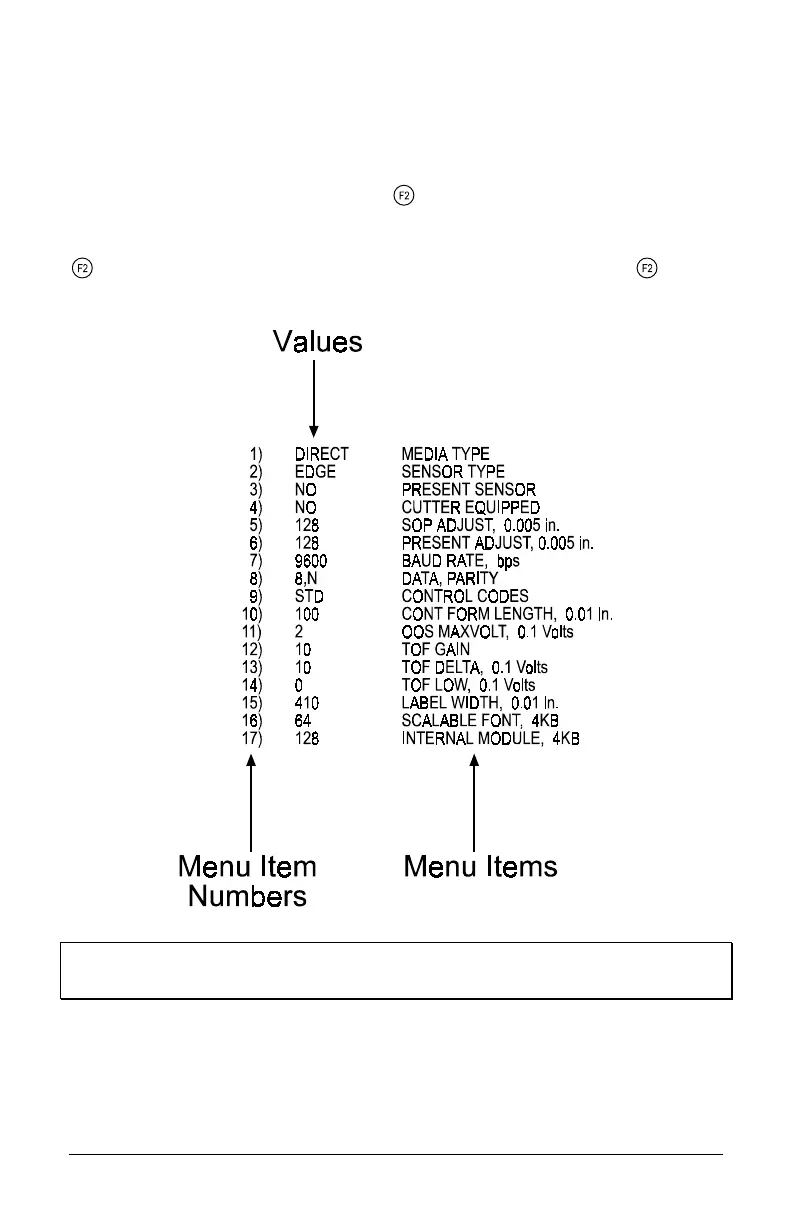
The sample label below is the Printer Setup Menu List. This label shows all of
the printer’s current values for each menu item that can be modified using the
front panel. The number far left of the Menu Item corresponds to its position in
the Menu List, for selection by pressing
.
For example to “Direct Select” the BAUD RATE Menu Item press and hold the
button for 7 flashes of the Fault light; for the TOF GAIN item hold for 12
flashes, etc.
Note: When using narrow media the ‘Menu Items’ column will be
truncated.


 To Next Page