26
mn-4203
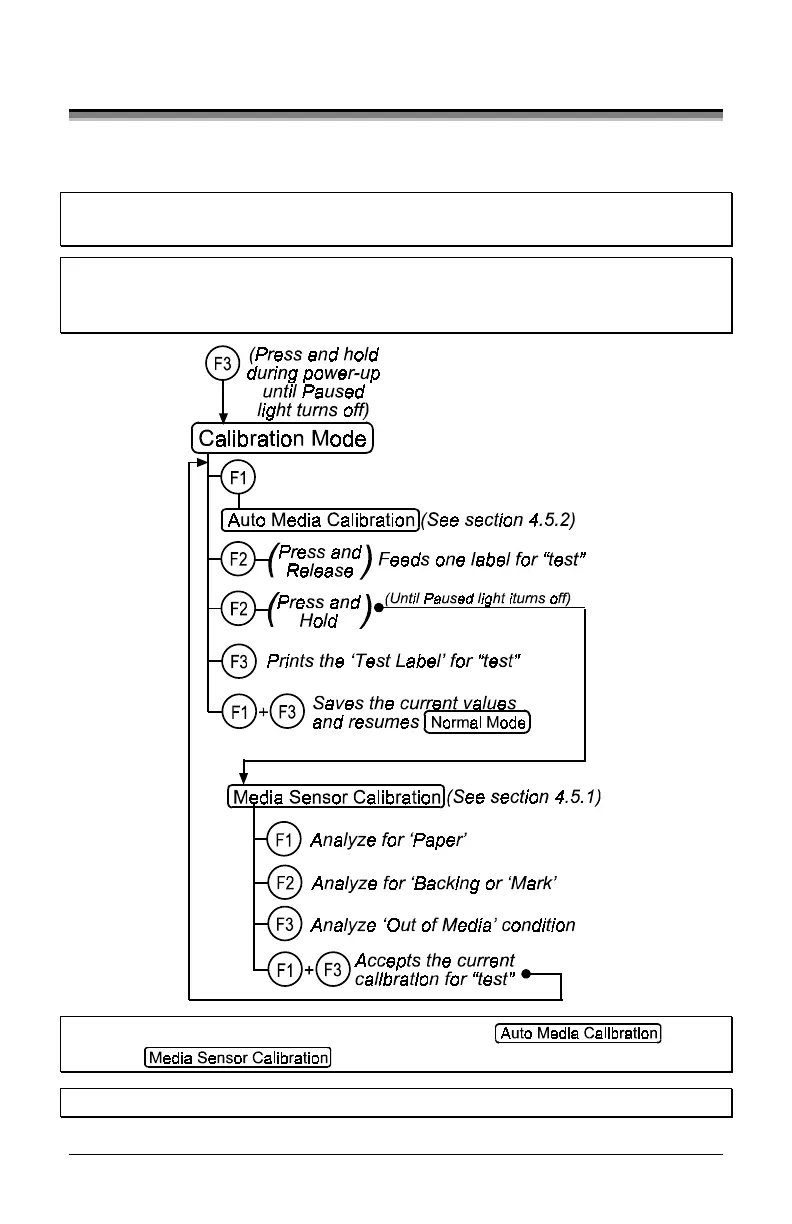
4.5 Calibration Mode
In ‘Calibration Mode’ the printer’s buttons allows the printer to ‘calibrate’ the
media for sensing of the Top of Form either automatically or manually.
Note: If at any time you wish to discard your changes and revert back to the
previous calibration simply turn off the printer.
Note: Before calibrating, be sure the media sensor is set for the appropriate
media type, see section 4.4.2, also be sure the printhead is latched down
and the cover is closed.
Note: Printer and cutter faults are disabled during
and
,
but can still occur while printing “test” labels.
Note: Factory Defaults can be restored, see section 5.7


 To Next Page