mn-4203
35
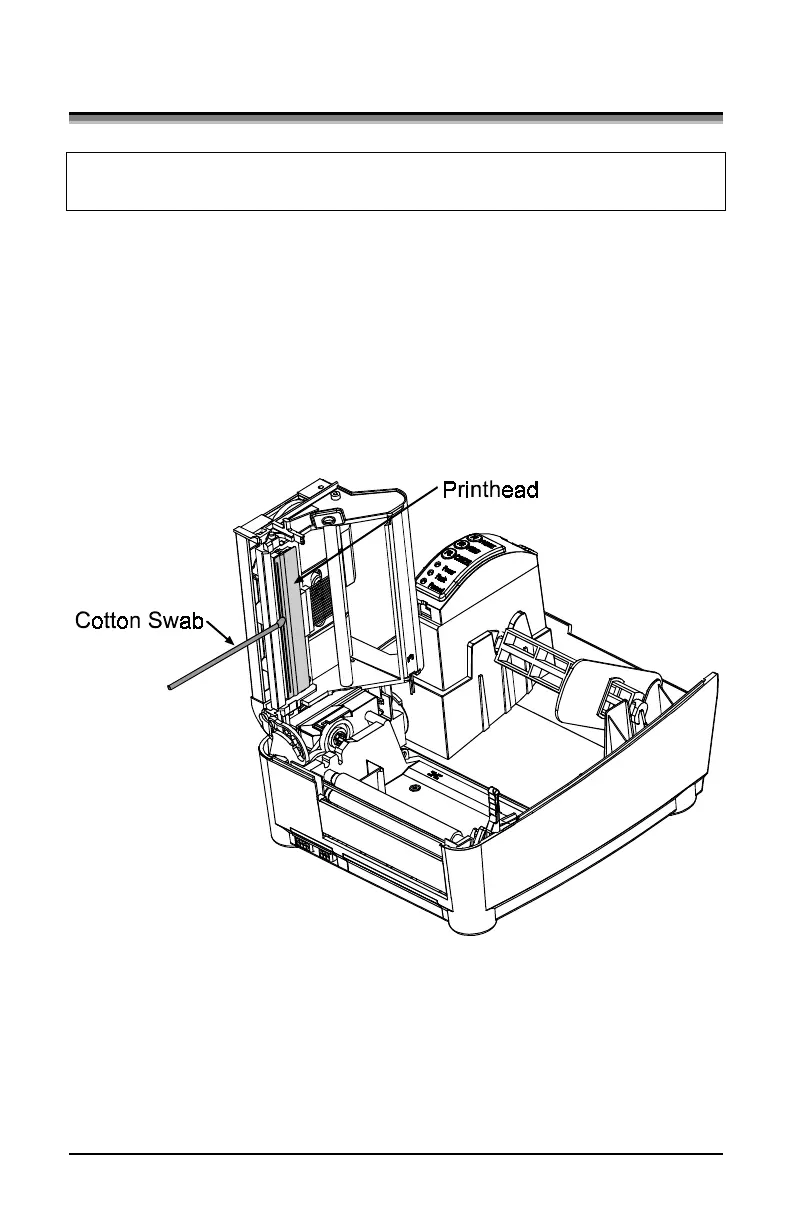
5.1 Cleaning the Printhead
Warning: Turn ‘off’ the printer and unplug the unit from the outlet
before cleaning the printhead.
1. Turn ‘off’ the printer and open the cover.
2. Push the printhead latch back toward the back of the printer and
raise the printhead carrier assembly.
3. Using a Cotton Swab dipped in isopropyl alcohol, rub the Cotton
Swab along the Printhead.


 To Next Page