mn-4203
39
5.5 Printhead Replacement
Removal:
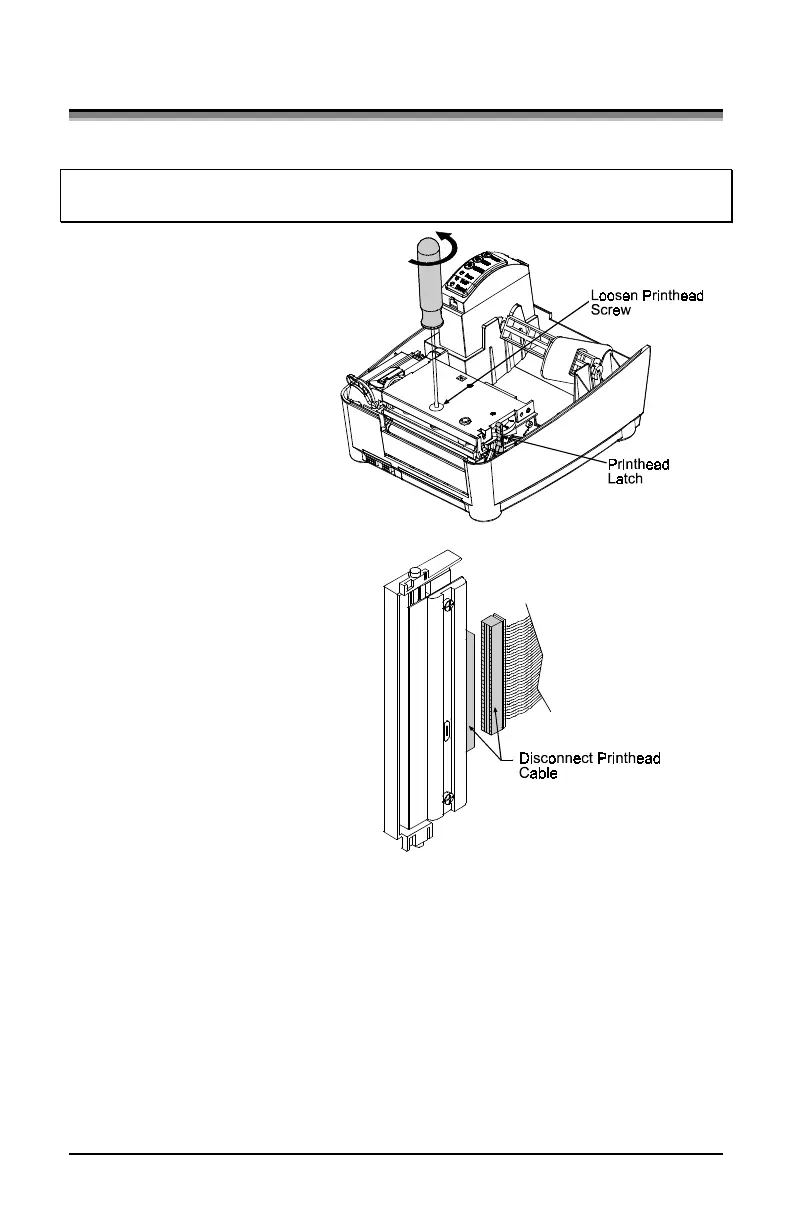
Note: It is not necessary to remove the Ribbon Handler Assembly, (if
equipped). An access hole in the assembly is provided for access.
1. Turn off the printer.
2. Loosen the Printhead
Screw until it is free
from the printhead.
Carefully unlatch the
printhead carrier
assembly and remove
the printhead.
3. Remove the printhead
cables from the back
of the printhead.
Replacement:
1. Connect the printhead cable to the new printhead.
2. Position the printhead on the printhead carrier assembly and tighten
the printhead screw.
3. Ensure that the printhead cable is not pinched and that the Printhead
is clean.


 To Next Page