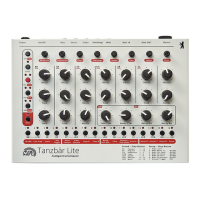
The resonance of both filters can be calibrated separately to adapt
for the desired sound characteristic via the MENU VCF Extra. The
compensating parameter QComp allows adjusting to what extend
the input signal will be attenuated with progressing resonance
values. A value of 00 will cause the highest attenuation.
VCF1 Reso: 00-31
VCF2 Reso: 00-31
VCF QComp: 00-31
Modulation
The MOD VCF and CONTOUR controls as well as the KEY button
adjust the filters’ modulations. KEY toggles between four key follow
intensities:
LED: off – off ¦ Red – 25% ¦ Green – 50% ¦ Red/Green – 100%
The assignment of the respective modulation sources and a possible
offset for the key follow function is set in MENU VCF1 Setting resp.
VCF2 Setting.
Contour: Env1, Inv1, Env2, Inv2, Env3, Inv3
Modulation: LFO1, Inv1, LFO2, Inv2, ModW, Velo
Key Follow: -32 to +31
Hint: Inv stands for the inverted signal of the respective envelope or
LFO.
Filter Output
The outputs of both filters VCF1 and VCF2 are being summed using
the MIX control. Set this control fully to VCF2 in serial mode, because
VCF1 is slightly offset in phase in this mode.
The STEREO button allows VCF1 and VCF2 to be spread in the stereo
panorama of the output signal. The button toggles between four
values:
LED: off – mono ¦ Red – 25% ¦ Green – 50% ¦ Red/Green – 100%


 To Next Page