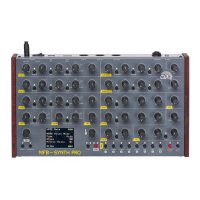
The lowermost display-row will show the last programmed step. After
entering step 16, record-mode is automatically ended and the
corresponding LED turns off.
If a sequence-length with less than 16 steps is required, programming
can be stopped at any time by pressing the RECORD button.
Subsequently, the sequence can be started and stopped by
pressing PLAY/REST.
In order to be able to let a sequence run independently, the clock
of SYNTH PRO needs to be set to internal. The clock can be changed
from Int to Ext via MENU MIDI in case an external clock of a DAW or
a drum machine needs to be used as reference.
Hint: A different sequence can be loaded while the sequencer is
running. The change will not occur until the current sequence has
been completed.
ARPEGGIATOR
The arpeggiator can be used as an alternative to the sequencer. By
pressing the MISC button ARP (6), SYNTH PRO changes to
arpeggiator-mode – the corresponding LED will be lit red. Press the
PLAY/REST button to enable the arpeggiator. The corresponding LED
will be lit green.
Repeated pressing of the ARP button changes between the
arpeggiator-modes. The lowermost display-row as well as the ARP-
LED will show the mode:
LED: off – off ¦ Red – Up ¦ Green – Down ¦ Red/Green – Up/Down
The arpeggiator will continue playing as long as MIDI-notes are
present at the input. By pressing the RECORD/HOLD button, the
arpeggio can automatically continue to play until the hold-function
is deactivated – the corresponding LED will be lit red.
Shuffle and Tempo
When using the internal clock, a tempo and shuffle for the
sequencer and arpeggiator can be set. To accept an input, SYNTH
PRO must not be in SEQ-/ARP-mode.


 To Next Page