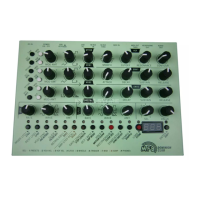
MFB Tanzbär Lite
MFB Tanzbär Lite
Record Mode – Programming Patterns
26 27
Record Mode – Programming Patterns
• Release Select.
• Press new step keys to set new sequence steps. These steps will automatically
adopt the sound, accent, and am settings as well as the impulse and sample
selection of the source step.
Please note: In this operation mode, the sound controls only access selected
(ashing) steps.
All ve LFO tracks are identical. In our example, we will focus on the bassdrum LFO track.
Programming the LFOs is done in a fairly similar fashion as setting the additional instru-
ment parameter. It is done using the shift function and the step keys.
Let‘s pretend a bassdrum track has already been programmed completely. The BD-LFO
track has been selected and the Step Record mode enabled (see page 22, programming
step 1). Please now proceed as follows:
• Press step key(s). The steps set will start ashing and tell you that they have been
activated for further editing.
• Hold Snd. The step keys 1-16 will start ashing, showing you that parameter values
between 1 to 8 („LFO Speed“), 9 to 12 („LFO Amount“) and 13 to 16 („LFO Wave“)
are now available.
• Keep Snd pressed + press step key 1-8 resp. 9-12 or 13-16 to select LFO speed,
amount and wave. The selected step key will light up permanently.
You may press several step keys consecutively to try out different settings.
The step key selected last will light up permanently.
Please keep in mind to select a sufcient LFO amount to make the modulation
effect audible.
• Release Snd. The step key set last will be ashing. Now you can select more steps
using Snd + Step(s) in order to assign different LFO settings to them.
• Press Select. The edited steps will now be de-selected and the parameter settings
„locked“ (when in doubt, please refer to page 25, programming step 8).
The key assignment for the LFO parameters works as follows:
Step 1 whole note Step 7 1/16th. triplet Step 13 sine up
Step 2 1/2th. note Step 8 1/16th. note Step 14 sine down
Step 3 1/4th. triplet Step 9 mod amount 1 Step 15 saw up
Step 4 1/4th. note Step 10 mod amount 2 Step 16 saw down
Step 5 1/8th. triplet Step 11 mod amount 3
Step 6 1/8th. note Step 12 mod amount 4
10. Programming LFOs
An LFO – low frequency oscillator – provides a continuously sweeping control voltage at a
low frequency (usually in sub-audio range). In other words, a slowly rising and falling vol-
tage that is used to modulate sound parameters. This is exactly what is happening inside
your Tanzbär Lite: Bass drum, toms, and both sampling instruments use dedicated LFO
tracks to control their respective pitch – in sync with the beat of your patterns! If so desired,
you can also program individual parameter settings for each LFO step.
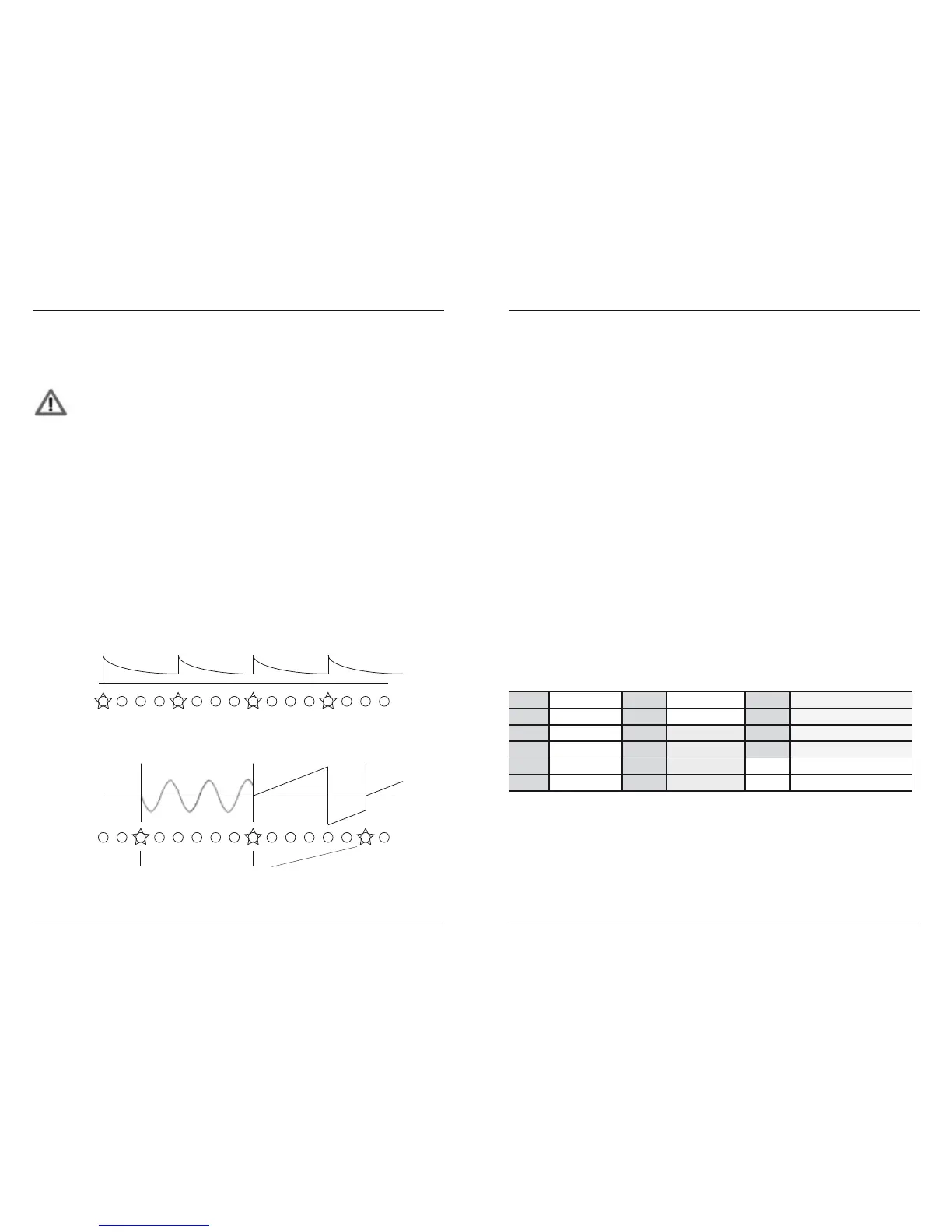
Instrument track and related LFO track work independently from each other. Whereas
steps on an instrument track trigger sounds, a set step on an LFO track triggers a modu-
lation waveform. This waveform oscillates at the selected „speed“, „wave“, and „amount“
settings until the next step set has been reached. Here, it will be triggered again, if desired
with different „speed“, „wave“, and „amount“ settings. The following chart shows the relati-
on between Instrument and LFO tracks:
BD
...
...
LFO
BOOM...
Instr.-Trigger
Speed: 8th. note
Wave: Sine
Amount: 75%
Speed: 4th. note
Wave: Sawtooth up
Amount: 100%
LFO-Trigger
BOOM... BOOM... BOOM...


 To Next Page