The MHZ/KHZ/CH button
Press this button to select to change the standby frequency or active frequency if direct
frequency mode is being used.
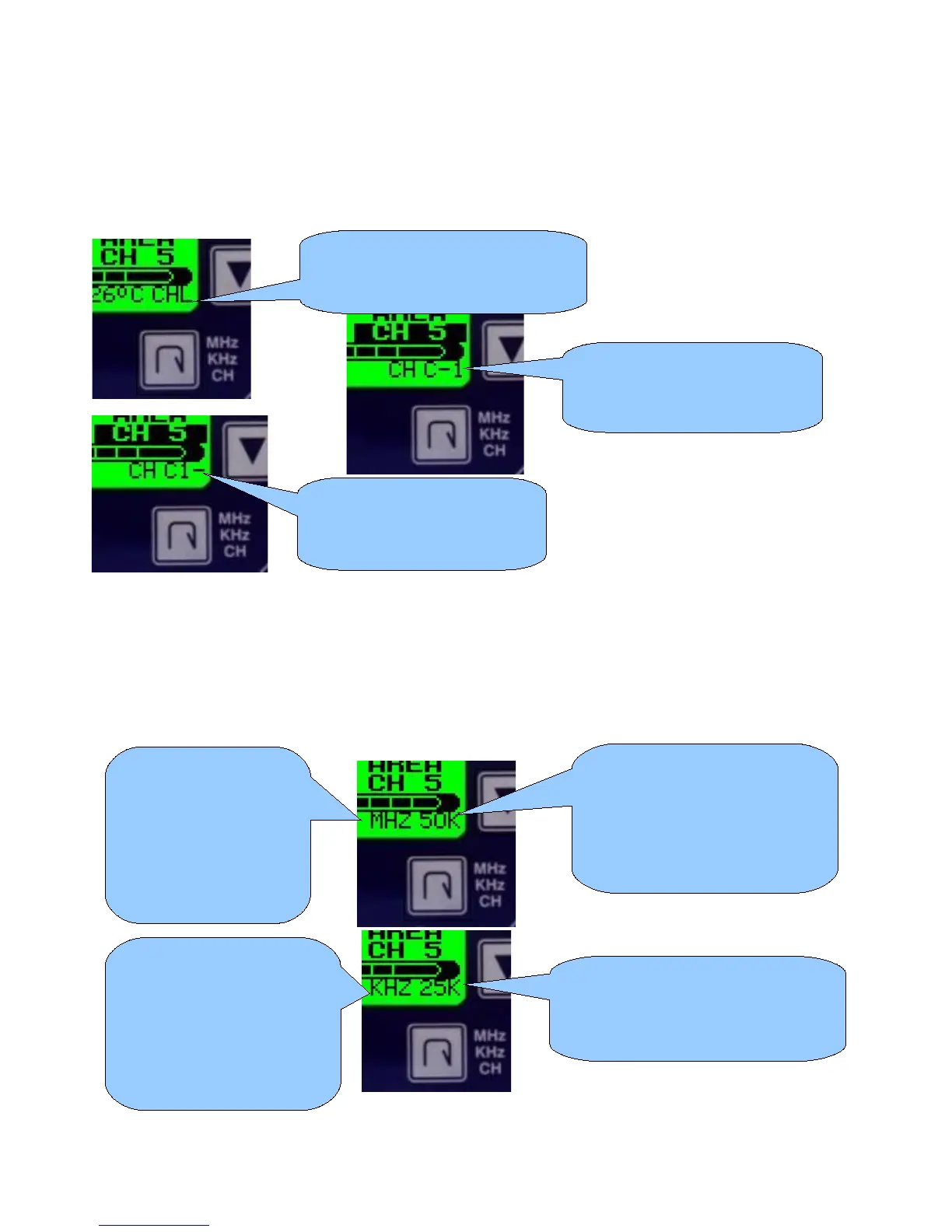
The V10 transceiver operates either in MHZ/KHZ or channel entry mode.
Holding the MHZ/KHZ/CH button down for two seconds changes the entry mode.
In MHZ/KHZ mode you use the MHZ/KHZ/CH button to change entry between MHZ or KHZ.
In Channel mode you use the MHZ/KHZ/CH button to change either channel number 10's or
channel number 1's.
When in either of the above two entry modes (channel 1's or channel 10's), pressing the
MHZ/KHZ/CH button briefly will flip the entry mode between 1's and 10's.
Pressing and holding down the MHZ/KHZ/CH button for one second will change the entry
mode to MHZ/KHZ.
Transceiver is in channel entery
mode. Pressing MHZ/KHZ/CH
will allow you to change channels
Pressing the up/down arrow
buttons will change channel
number 1's
Pressing the up/down arrow
buttons will change channel
number 10's
Pressing and holding the
MHZ/KHZ/CH button for one
second will change to 25KHZ
tuning steps (8.33KHZ for
European models).
Pressing and holding the
MHZ/KHZ/CH button for one
second will change to 50KHZ
tuning steps.
Pressing the up/down
arrow buttons will
change the MHZ of the
frequency being
entered. Pressing
MHZ/KHZ/CH will
change to KHZ entry.
Pressing the up/down
buttons will change the
KHZ of the frequency being
entered.
Pressing MHZ/KHZ/CH will
change to MHZ entry.



 To Next Page