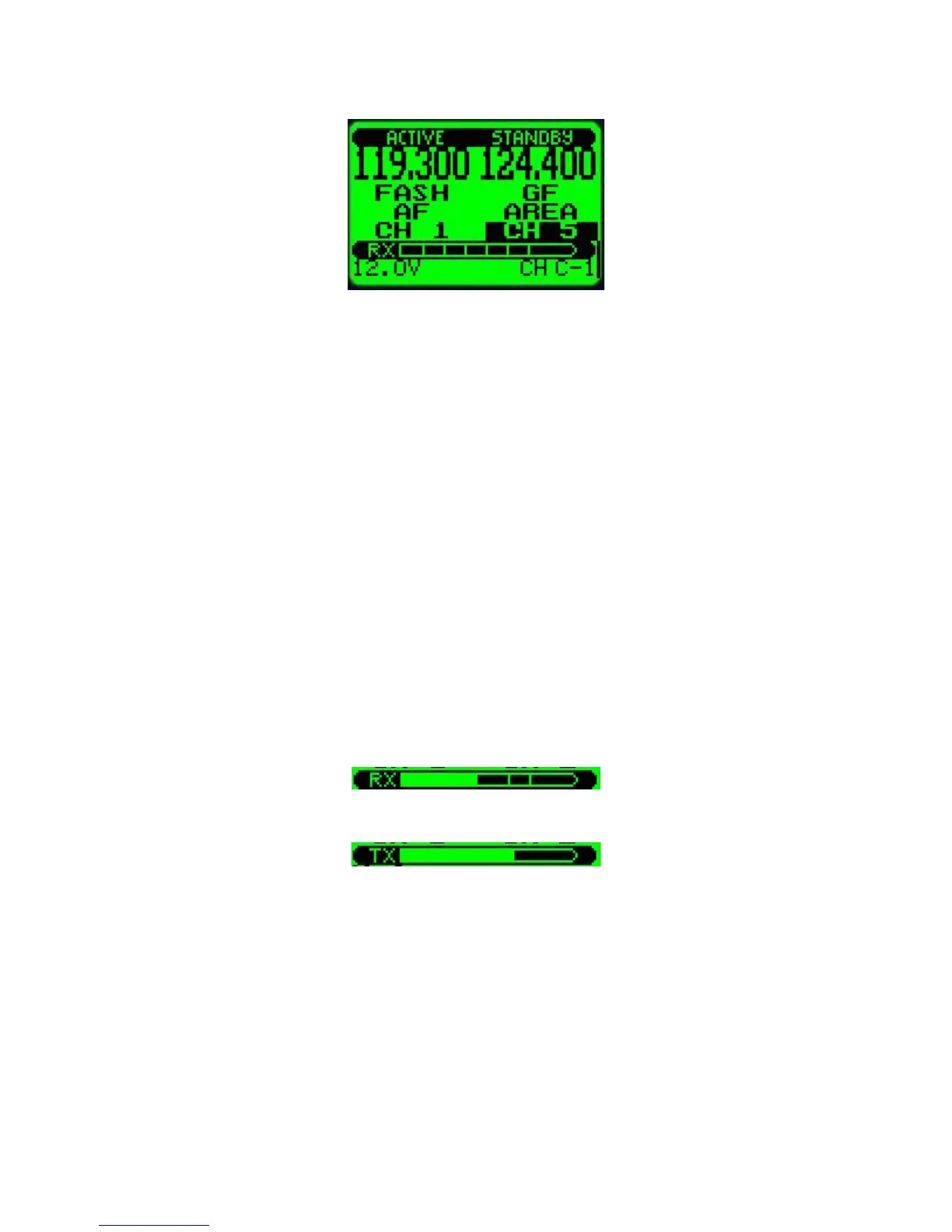
The RX/TX bargraph
The V10 transceiver contains a bargraph in its main display that during RX shows the relative
signal strength of a received transmission. Due to the good receiver sensitivity signals of
medium strength will be able to fill the bargraph.
During TX the bargraph shows your voice modulation of the actual transmit carrier. In effect
this is a visual side tone. Using this you have a tool to judge how well the signal from your
microphone is modulating the carrier. Note that this bargraph does not just show you the level
from your microphone – this is the actual signal that is being transmitted.
A good modulation will cause the bargraph to just touch the right hand side of the display for
the loudest part of your transmission, often this is achived with click (“T”) or “SHH” voice
sounds. The normal parts of your voice during transmission would show up around 50%
modulation level.
The modulation level should be adjusted using the microphone level adjustment in the menu.
If you change headsets to another type, check the microphone level first before you use it.
The microphone level adjustment menu function has a very convenient readout of your level
making adjustment easy and precise.
Receiving transmission of moderate strength
Transmitting with good modulation at louder parts of voice
The menu system
Entering the menu system is done by pressing the “Menu” button.
The menu consists of a two level system. Common use selections and setups are
concentrated in a first level menu system while rarely used setups are found under the “setup”
menu which is accessible as a first level menu item.



 To Next Page