Starting/Pausing Cleanup
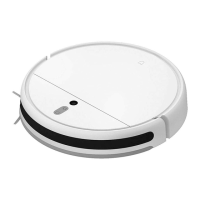
Turn on the vacuum-mop, then press the buon " " to start cleanup.
To pause cleanup while the vacuum-mop is working, press the buon " ".
Note: The vacuum-mop cannot be used to clean up liquids. If the vacuum-mop is low on baery and cannot start cleaning, recharge it to a sufficient level before cleaning. If
the vacuum-mop starts to run low on baery during a cleaning task, it will automatically return to the charging dock. Once its baery level is sufficient, the vacuum-mop will
automatically resume cleaning where it le off. Before cleaning, tidy up any loose cables on the floor (including the charging dock power cord) to prevent the vacuum from
dragging or geing caught on them, which could accidentally shut off electrical appliances or cause damage to objects or cables.
Turning On/Off
Press and hold the buon " " for 3 seconds to turn on the vacuum-mop. The indicator will turn white and you will hear a voice
message indicating that the vacuum-mop is in standby mode.
To turn off the vacuum-mop, press and hold the buon " " while it is stationary. A voice message will indicate that the
vacuum-mop is turning off.
Note: The vacuum-mop cannot be turned off while charging. If the vacuum-mop is unable to turn on due to low baery, manually place the vacuum-mop onto the charging
dock to recharge.
Starting/Pausing Docking
Auto mode: The vacuum-mop will automatically return to the charging dock aer it finishes cleaning.
Manual mode: Press the buon " " to manually send the vacuum-mop to the charging dock.
When returning to the charging dock, the vacuum-mop's indicator blinks white, or blinks orange if the vacuum-mop runs low
baery.
The indicator slowly blinks white while charging, and stays white when fully charged.
Note: If the vacuum-mop is unable to return to the charging dock due to an error, make sure there are no obstacles around the charging dock, then manually place the
vacuum-mop onto the dock to recharge.
12


 To Next Page