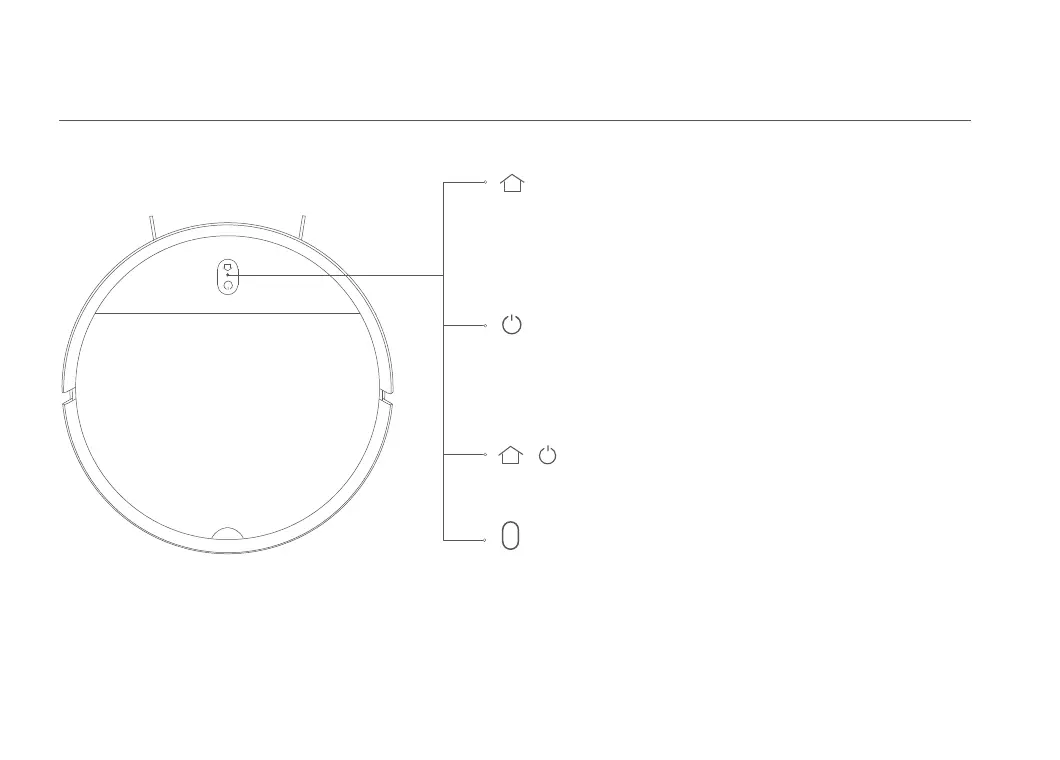
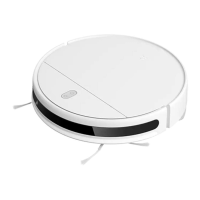
Blinking orange: Error/Returning to dock to charge when
running low baery.
Slowly blinking orange: Charging (the baery level is low)
Slowly blinking white: Charging (the baery level is more
than 20%).
Blinking white: Returning to dock to charge/Paused
White: Cleaning/Fully charged.
Status Indicator
Product Overview
Vacuum-Mop
Dock
Press to send vacuum-mop back to charging dock.
Press again to pause.
Press and hold for 5 seconds. Aer hearing a voice message,
press and hold for 5 more seconds to restore factory seings.
Power/Cleanup Buon
Press and hold for 3 seconds to turn the vacuum-mop on or
off when the vacuum-mop is not charging.
Press to start or pause cleaning.
Simultaneously press and hold both buons
for 3 seconds to reset Wi-Fi.
+
05


 To Next Page