Cleanup Modes
Adjusting Suction Power
Four suction modes are available in the app: Silent, Standard, Medium, and Turbo. The default mode is Standard.
Adjusting Water Output
You can use the app to adjust the amount of water the vacuum-mop uses when mopping. Three water output modes are available:
Low (1), Medium (2), and High (3). The default mode is Medium (2).
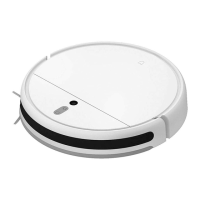
Upon cleaning up all, the vacuum-mop will methodically clean in the S-shape paern and generate a real-time map in the Mi Home/
Xiaomi Home app.
Note: Avoid moving the vacuum-mop while it is working, as this may cause the vacuum-mop to lose its position and remap its surroundings, which will reduce the
vacuum-mop's cleaning efficiency.
1. Edge Cleanup
Enable the edge cleanup mode in the app. The vacuum-mop will clean along edges and walls for 30 minutes, then return to the
charging dock.
2. Spot Cleanup
You can use the app to tell the vacuum-mop to clean a specific area on the map. Upon tapping Spot cleanup, the vacuum-mop will
automatically navigate there and clean a 1×1 m area.
3. Scheduled Cleanup
You can schedule cleaning times in the app. The vacuum-mop will automatically start cleaning at the scheduled times, then return
to the charging dock aer the cleanup is completed.
13


 To Next Page