EasyManua.ls Logo

Micom 3R - MICOM-3 T Front Panel

Default Icon
164 pages
Print Icon
To Next Page IconTo Next Page
To Previous Page IconTo Previous Page
Loading...
Familiarization with MICOM-3 Radios
5
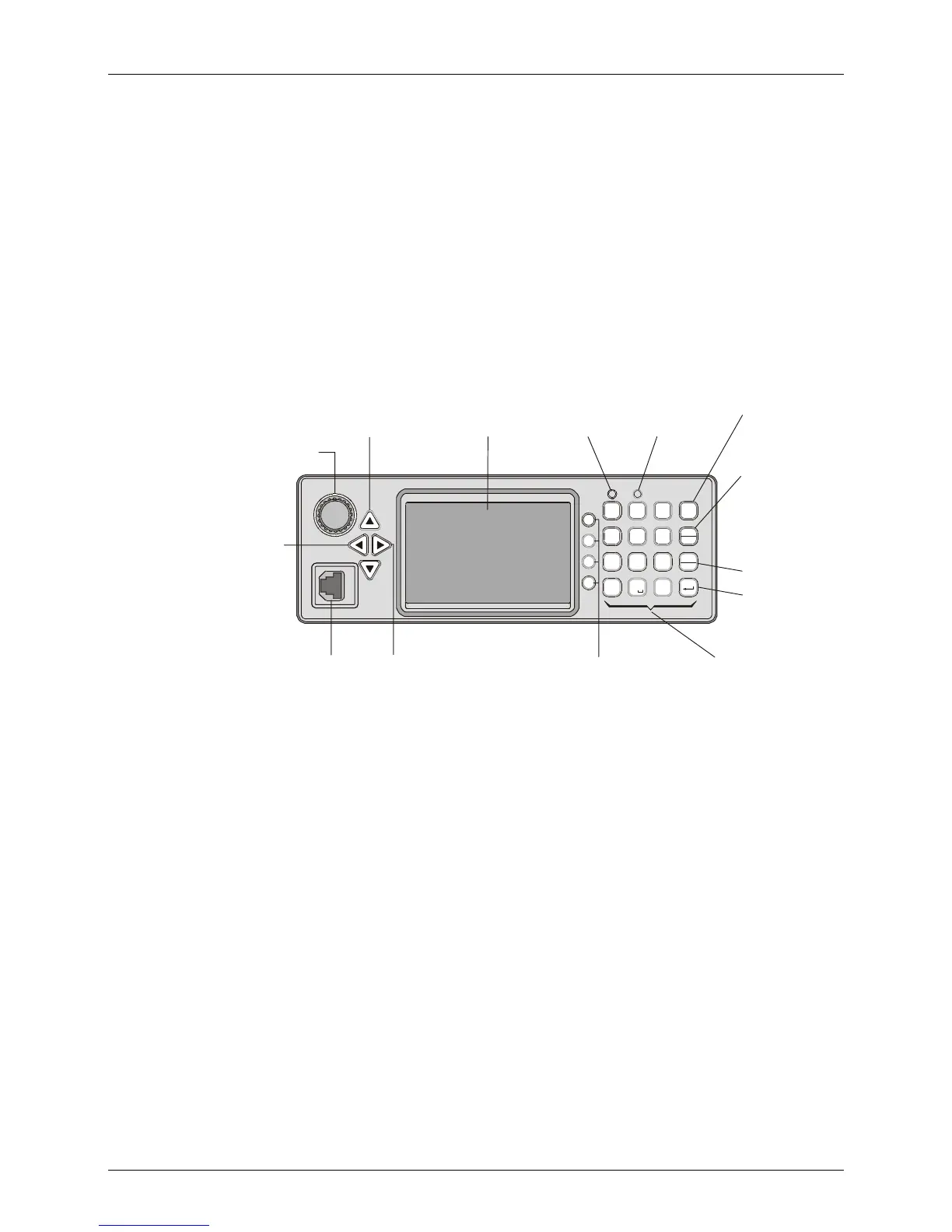
MICOM-3T Front Panel
MICOM-3
1
?
@
/
G
P
H
R
I
S
4
7
*
Q
J
M
KN
L
O
5
6
T
U
V
89
A
D
B
E
C
F
23
0
#
Y
W
Z
X
MENU
Esc
P
GPS
ALA RM
F1
F2
F4
F3
Cancels the
last action
and reverts to
the previous
screen
Not used
Saves the
selection
and/or value
ENTER Key
ESC Key
Keypad
A set of keys
used to enter
alphanumeric
data
Function Keys
Activate different
functions, as
displayed next
to each key
Microphone
Connector
Connector for
microphone
with PTT and
cable to RSS
Move
cursor to
the left
Displays the
main menu
Display
Tx Indicator
Lights when
radio is
transmitting
Up/Down Keys
Used to scroll
values
ON/OFF & Volume Control
Turns radio on and off
and controls the
speaker volume
Not used
MENU Key
MORE Key
Displays additional
menu options when
appear in the display.
Also serves to move
the cursor to the right
Û

Table of Contents

Related product manuals