Basic Operating Instructions
27
Frequency Mode Options
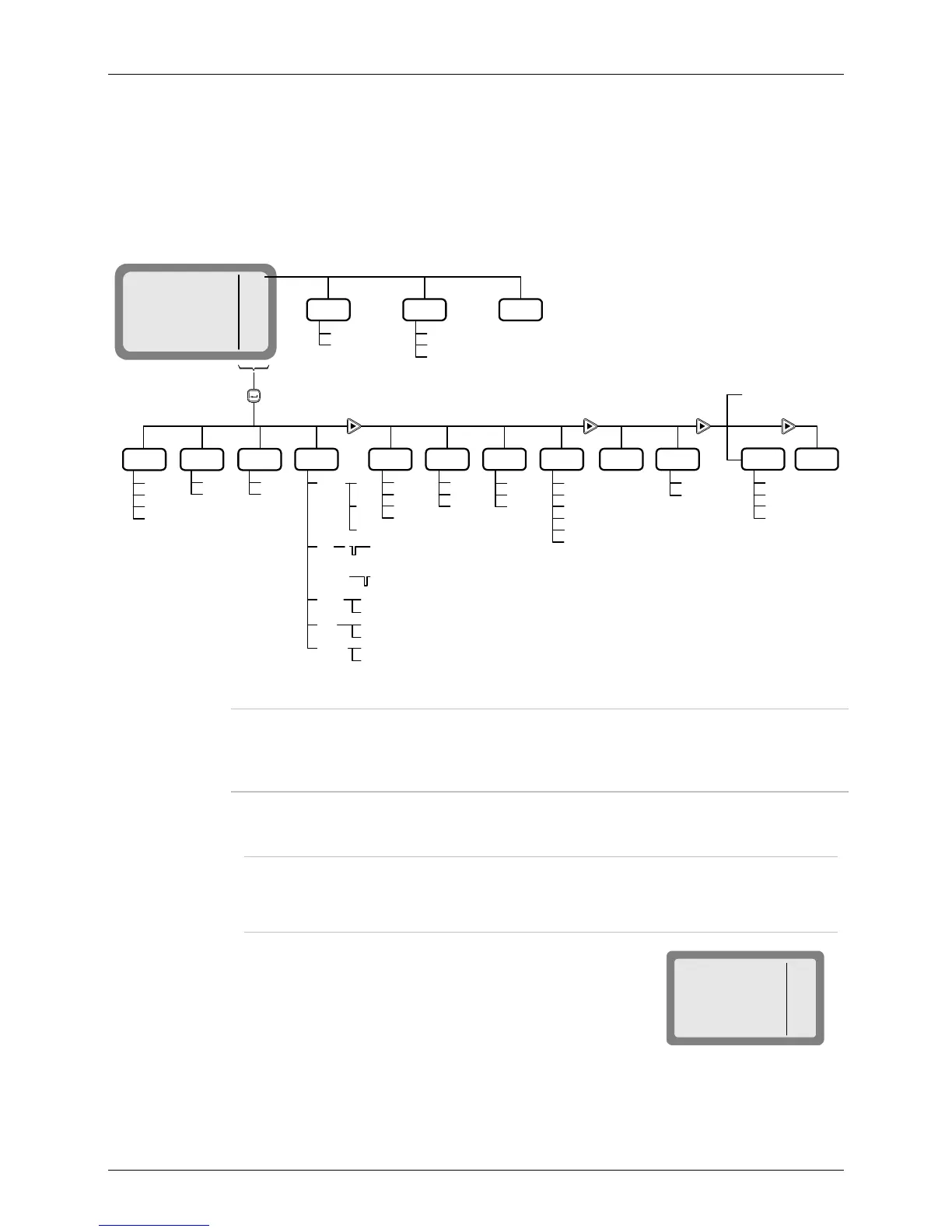
In the Frequency mode, you can operate a variety of functions and options which can eliminate noise
or otherwise assist reception and/or transmission. The display reflects the options selected. Refer to
Figure 3 for a concise description of the options available in the Frequency mode. Additional options
are available for MICOM-3 with the GPS receiver option (see the Using the MICOM-3 GPS Receiver
section starting on page 104).
MICOM-3
T/R
BAND
SQ
DSP
FREQ
F 15,000.00
I
USB
SQ
Enter
BAND
DSP PWR
CLAR
ON
OFF
SQ
ON
OFF
MODE AGC
SLOW
FAST
OFF
More
BW
2.1
2.7
3.0
3.3
LSM
CW
RCLV
More
STOR
BACK
CLR
More
LSB
USB
SSB
AME
PLT
ON
OFF
ON
OFF
-200
OFF
+200
.
.
.
.
.
.
.
.
.
.
.
.
.
.
.
.
CLIP
NB
ATTN
.
.
.
.
NF
Note 1
T/R
A/B
A/B
A=B
<− −
− −>
LOW
MED
HIGH
MAX
SMPX
DPLX
RXO
TXO
VP
PVT#
CLR
VP-116 only
VCD
PVT#
DGTL
CLR
Vocoder only
T/R
Select
options
GPS
More
Frequency
Change
− − >
< − −
Note 2
Figure 3. Frequency (FREQ) Menu
Notes
1. The RCLV item appears only if the received signal level display is not
permanently enabled using MENU>PROG>RAD>PRMT>RCLV.
The GPS item appears only if your radio includes the GPS option.
➤ To select frequency mode options:
T/R (F1) selects the transmit and receive frequencies and frequency type.
Note
For a MICOM-3 with the VP-116 option, this position displays PVT or CLR (for the
vocoder option, you may also see DGTL) respectively. Pressing F1 then toggles the
operating mode of the VP-116 or vocoder.
BAND (F2) toggles between upper sideband (USB) and lower
sideband (LSB).
MICOM-3
FREQ
BAND USB
USB
SQ
BAND
SQ
DSP
I



 To Next Page