EasyManua.ls Logo

Micom 3T - User Manual

Default Icon
164 pages
Print Icon
To Next Page IconTo Next Page
Loading...
Owner’s Guide
Part I - Operation & Installation
6886867J01A
MICOM-3F/3T/3R
HF-SSB Transceivers

Table of Contents

Questions and Answers

Summary

Introduction to MICOM-3 HF-SSB Transceivers

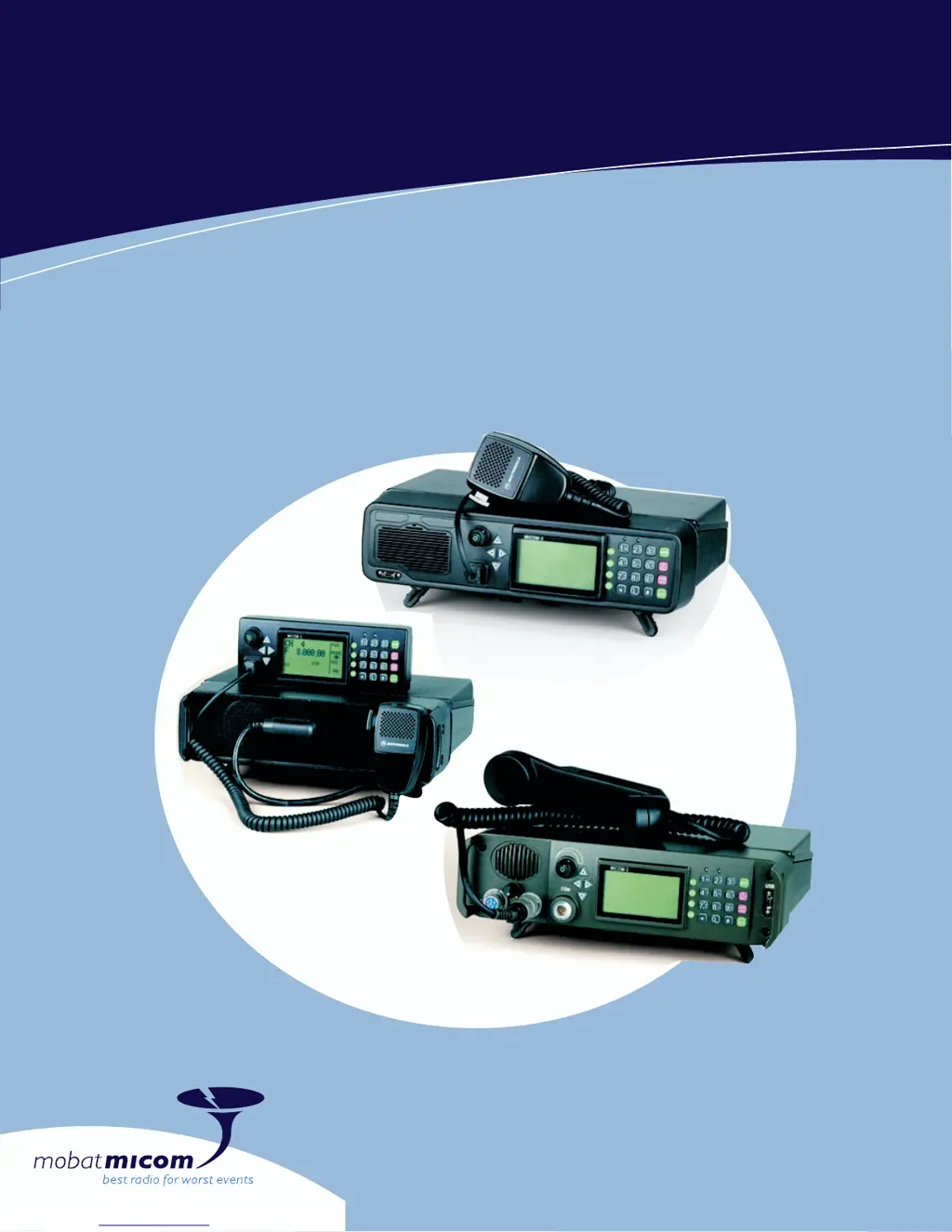
MICOM-3 Model Overview

Brief descriptions of the MICOM-3F, MICOM-3T, and MICOM-3R models.

Manual Structure Overview

Explains the division of the manual into Part I (Operation & Installation) and Part II (Manual Programming).

MICOM-3 HF-SSB Radio Features and Capabilities

Key Radio Features

Lists core features like DSP, BITE, ALE, channel capacity, and MIL-STD compliance.

Transmitter and Receiver Performance

Details on output power, duty cycle, thermal protection, and receiver functions.

Frequency Sources and Options

Describes standard DTCXO and optional OCXO frequency sources for accuracy.

Familiarization with MICOM-3 Radio Components

MICOM-3 Front Panel Layout

Identifies controls and indicators on the front panels of MICOM-3F, MICOM-3T, and MICOM-3R.

Rear Panel Connectors

Details the functions of connectors located on the rear panel of all models.

LCD Display Indicators and Functions

Explains display organization, modes, and various operational indications.

General Operating Procedures for MICOM-3

Using the Keypad and Navigation

Explains how to use the keypad and navigation keys for menu selection and data entry.

Understanding Function and Special Keys

Details the usage of Function Keys (F1-F4), MORE key, and scroll keys.

Editing and Display Modes

Covers Alphanumeric Edit, Numeric Edit, and View modes for data input and display.

Basic Operation: Power, Transmit, and Receive

Powering the Radio On and Off

Step-by-step instructions for turning the radio on, including self-test.

Transmitting and Receiving Calls

Explains PTT operation, voice transmission, and how to receive calls.

Channel and Frequency Modes

Describes how to enter and use the Channel and Frequency modes.

Automatic Link Establishment (ALE) Operations

ALE Capabilities and Features

Details ALE functions like scanning, sounding, selective calling, and LQA.

ALE Addressing and Call Types

Explains addressing methods (individual, net, group, wildcard) and call types.

Using ALE Functions in Channel Mode

Describes how to use ALE calls and functions while operating in Channel mode.

Configuring ALE Parameters

ALE Mode Options Overview

Lists programmable ALE features such as NET, DIR, AMD, OPT, and AUTO.

Setting Net and Directory Parameters

Instructions for configuring net options and managing the ALE address directory.

ALE Options Configuration

Details on configuring options like PTOT, MLQA, QCAL, and AADR.

VP-116 Mini Voice Privacy Unit Operation

VP-116 Unit Connection and Parameters

Explains connecting the unit and specific parameters for privacy operation.

Using VP-116 in Different Modes

Describes how to use the VP-116 in Channel, Frequency, and ALE modes.

VP-116 Testing Modes

Covers Local Loopback (LLB) and Built-In-Test (BIT) modes for the VP-116 unit.

Vocoder Functionality and Configuration

Vocoder Modes and Keys

Explains PVT, DIG, and CLR modes and how to select vocoder keys.

Programming the Vocoder

Details on programming PVT keys, viewing configuration, and erasing stored keys.

MICOM-3 GPS Receiver Operation and Data

GPS Receiver Functions and Data Formats

Describes GPS data acquisition and LLA/ECEF format options.

GPS Antenna Installation and Placement

Guidance on antenna description, selection, and proper installation location.

Sending Position Data via ALE

Instructions for sending position reports and requesting positions from other stations.

Radio Installation Procedures

General Installation Planning

Covers government regulations, inspection, and site selection for installation.

MICOM-3 R and MICOM-3 F Installation

Details the installation procedure for MICOM-3R and MICOM-3F in vehicles.

DC Power and Ground Connections

Explains proper DC power and ground connections for vehicular installation.

MICOM-3 Radio Maintenance Guidelines

Preventative Maintenance Checks

Routine checks for system integrity and periodic calibration requirements.

Using the Built-In Test (BIT) Function

Guides on performing self-tests to identify malfunctions and check unit operation.

Troubleshooting MICOM-3 Radio Issues

Common Problems and Corrective Actions

Troubleshooting chart identifying common problems and their solutions.

Interpreting Fault Messages

Lists potential error codes and their probable causes for quick diagnosis.

Service and Support Information

Radio Checks Before Service Request

Basic checks to perform before contacting service representatives.

Appendix A: micomTrooper 3 Backpack Transceiver

micomTrooper 3 Overview and Features

Introduces the micomTrooper 3, its purpose, and key functional descriptions.

Preparing micomTrooper 3 for Operation

Covers unpacking, harness installation, battery setup, and accessory connection.

Preparing micomTrooper 3 for Static Operation

Instructions for connecting dipole or long-wire antennas for static operations.

micomTrooper 3 Battery Charger (FLN9541) Operation

Charger Purpose and Operating Instructions

Details the purpose and step-by-step instructions for using the FLN9541 charger.

List of Procedures and Manual Navigation

Procedure Reference Guide

An index of procedures with corresponding page numbers for quick access.

Micom 3T Specifications

General IconGeneral
BrandMicom
Model3T
CategoryTransceiver
LanguageEnglish

Related product manuals