Micro-Air, Inc. Page 7 EasyTouch Operations Manual
Rev 3.0 4/3/17
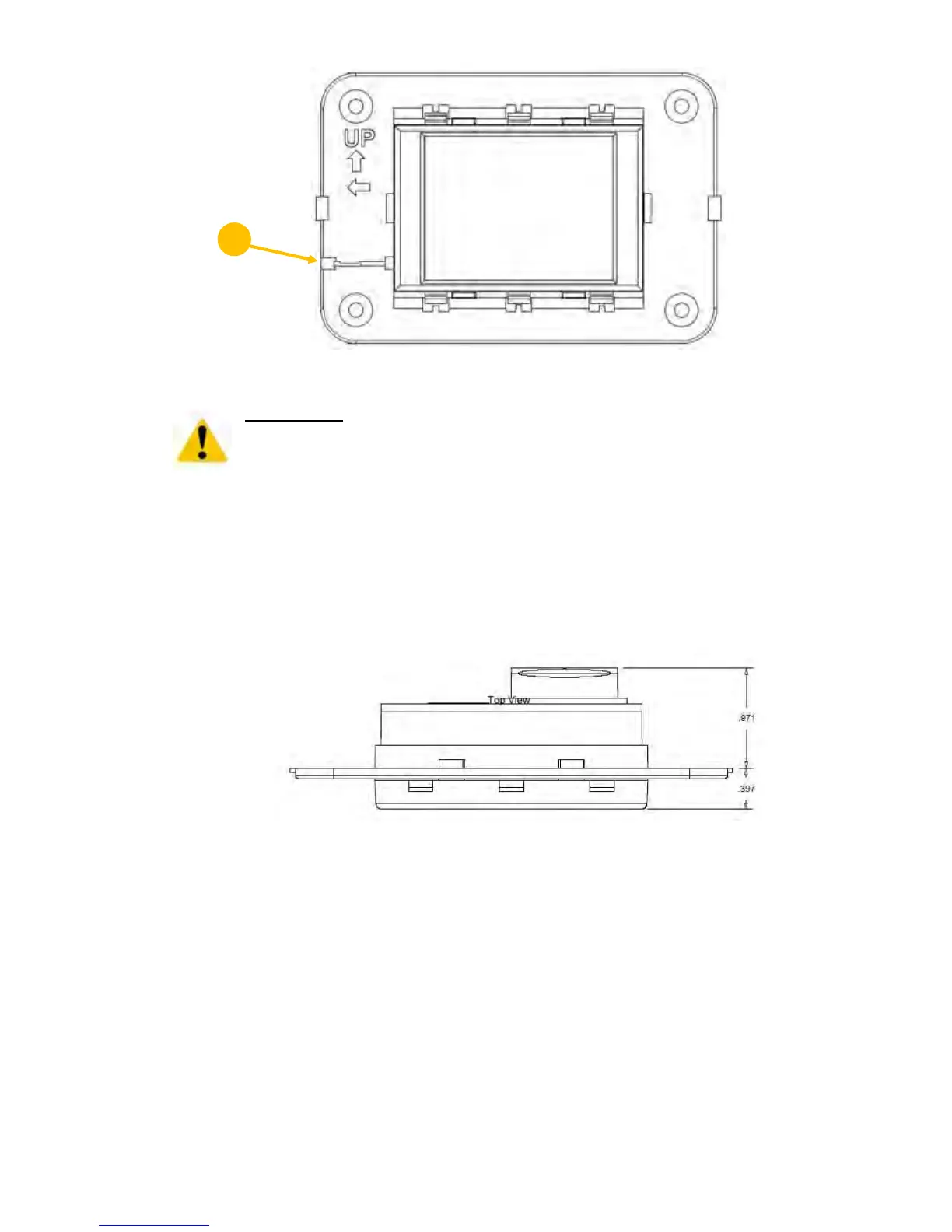
Figure 4 – EasyTouch Display Front Panel
IMPORTANT:
Do not mount the display in direct sunlight, near any heat-producing appliances or in a
bulkhead where temperatures radiating from behind the panel may affect performance. Do
not mount the display in the supply-air stream. Do not mount the display above or
below a supply-air or return-air grille. Do not mount the display behind a door, in a corner,
under a stairwell or any place where there is no freely circulating air. If you cannot mount
the display in a suitable location for accurately sensing room temperature, install the
optional remote air sensor as explained in section 6.1.
5.3 Mounting the Display
1. Choose a wall location that has adequate depth (at least 1”/25.4mm) behind the wall itself. See
Figure 5 for the depth dimensions of the display.
Figure 5 – EasyTouch Display Top View Mounting Dimensions
2. Make the cut-out for the display panel as shown in Figure 6. Cut-out size is 2.900” (74mm) wide
by 2.165” (55mm) tall.



 To Next Page