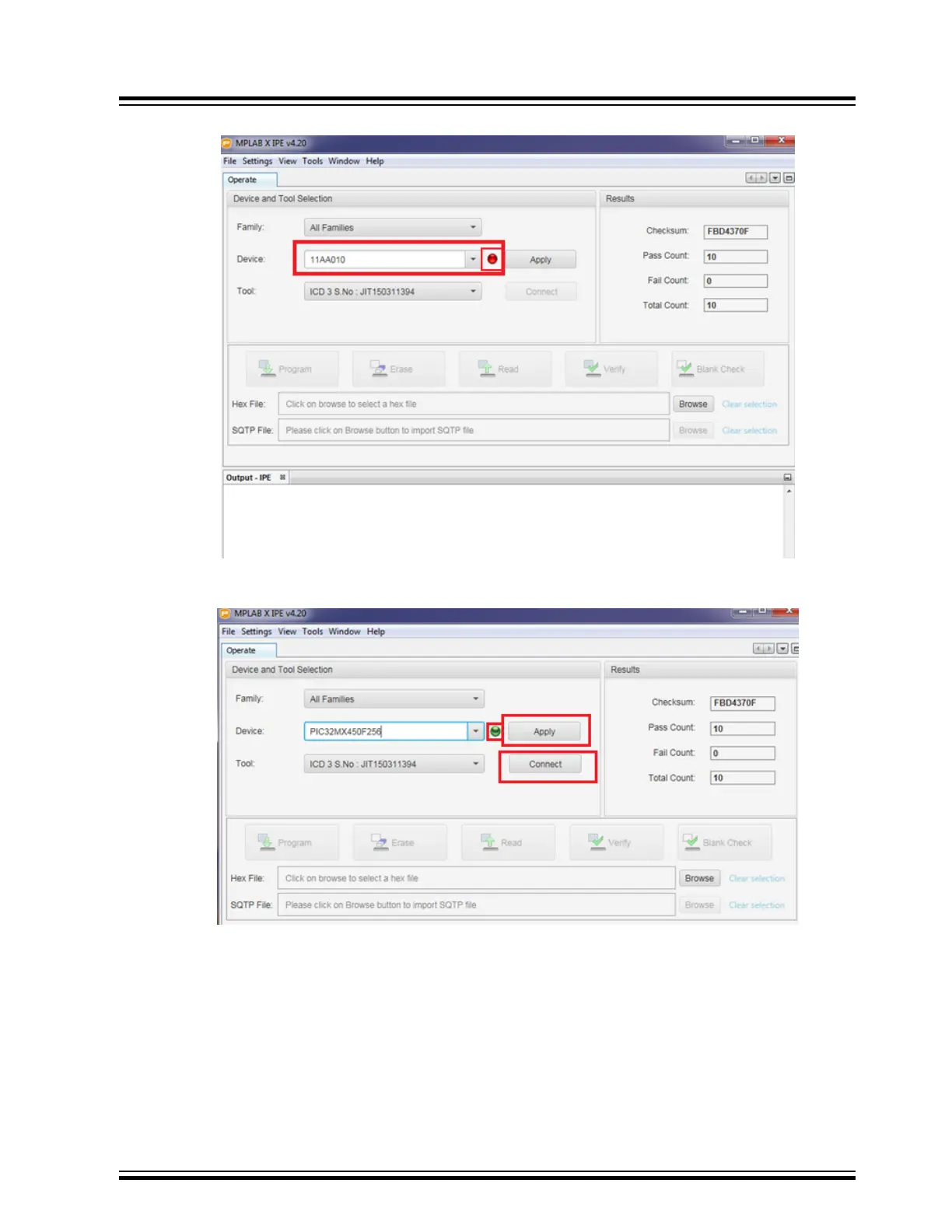
Figure 11-2. MPLAB X IPE Window
7. Successful device connection is indicated by a green dot. Click Apply followed by Connect.
Figure 11-3. Search for On-board Microcontroller
8. After the connection is established, click Browse and locate the MCU firmware file from the software folder.
Then click Program as shown in the following figure.
BM83 EVB
Appendix E: Updating PIC32 MCU Parameters
© 2019 Microchip Technology Inc.
User Guide
DS50002902A-page 60




 To Next Page