11. Appendix E: Updating PIC32 MCU Parameters
Perform the following steps to load the .Hex file to the MCU:
1. Set SW200 switch to 5V_DC position.
2. Plug the 15V DC power adapter into the P200 jack for supplying power to the host MCU.
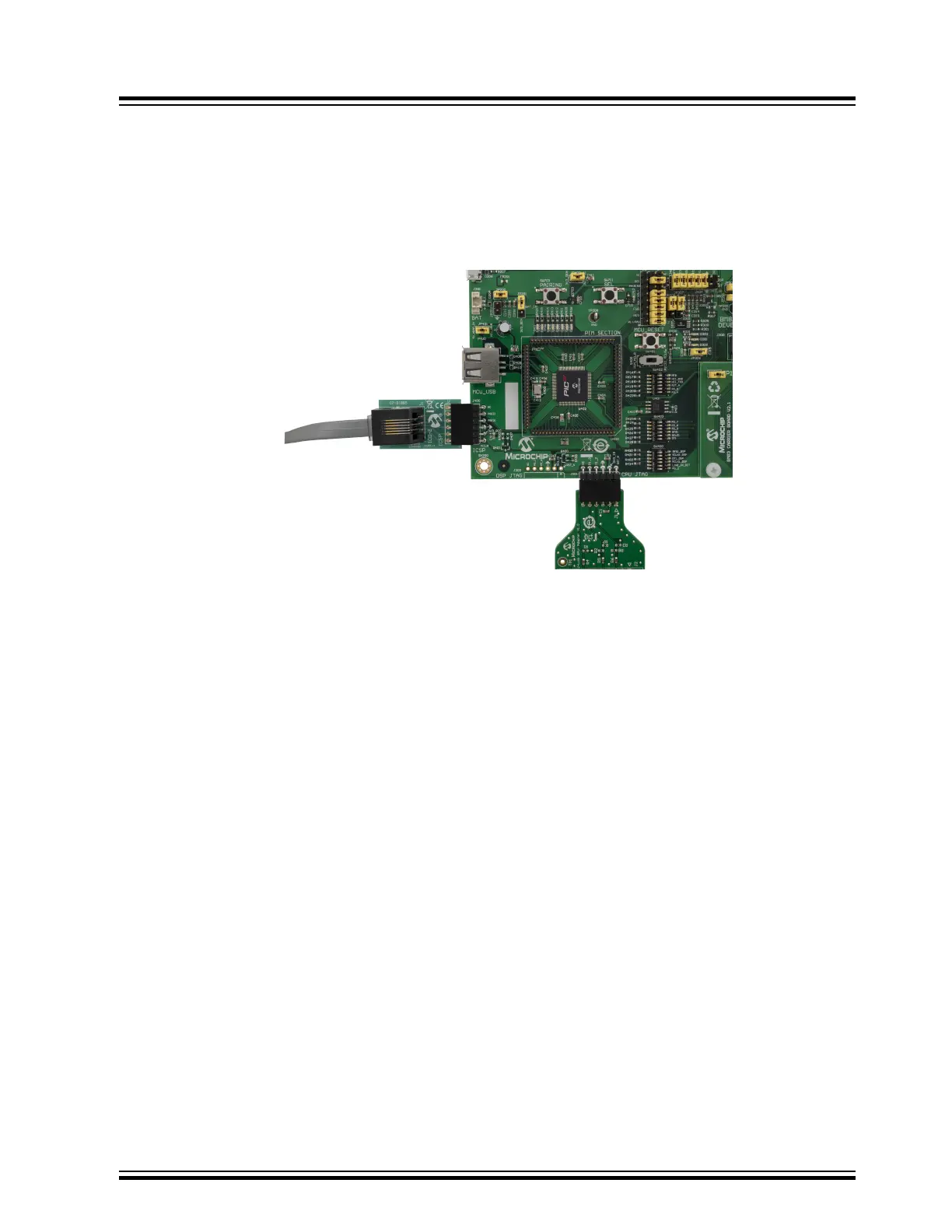
3. Connect the MPLAB ICD 3 to ICSP header J400 and PC.
Figure 11-1. ICD 3 Interface at the ICSP Header
4. Ensure that jumpers on JP400 and JP401 are mounted.
Note: Download and install the latest version of MPLAB X IDE tool, which is available at www.microchip.com/
mplab/mplab-x-ide.
5. Open the MPLAB X IPE tool.
6. Under the Device drop-down menu, select the MCU (PIC32MX450F256L) that is present on the BM83 EVB.
The red dot indicates that the selected device does not match.
BM83 EVB
Appendix E: Updating PIC32 MCU Parameters
© 2019 Microchip Technology Inc.
User Guide
DS50002902A-page 59




 To Next Page