26
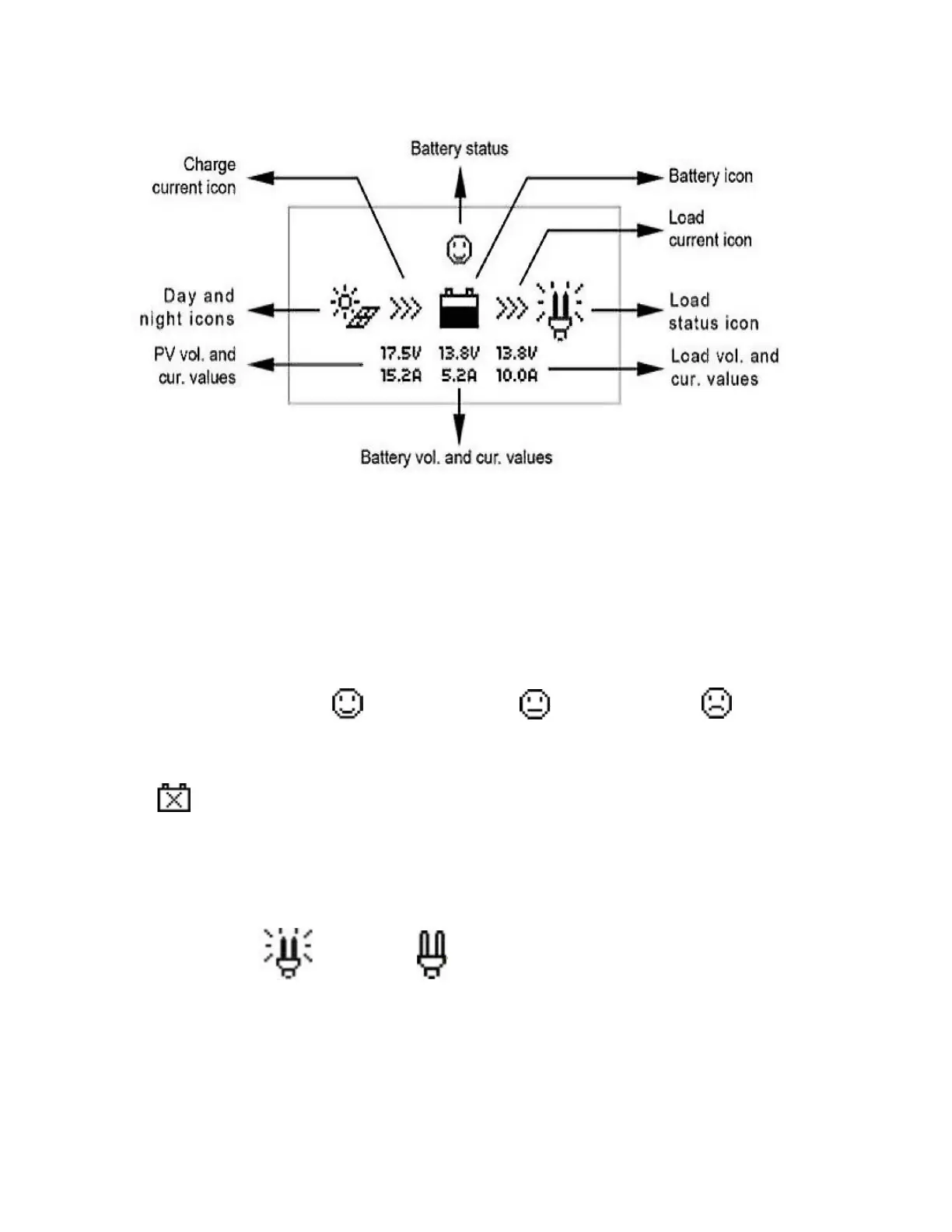
The icons on the screen are explained below.
Figure: DC meter display elements
Day and night icons: when solar panel voltage is above 1V, this will automatically switch to day. When solar
panel voltage is below 1V, it will automatically switch to night.
Charge current icon: dynamically displays charge current.
Battery status icon: normal voltage under voltage over discharged
Battery icon: dynamically displays battery capacity remaining. If the battery is overdischarged, the icon will
change to
Load current icon: dynamically displays discharge current. (MINI DC output only)
Load status icon: load on load off -NOTE: this applies to the MINI only, and the load is
switched on/off by the “OK” button on the display.


 To Next Page