27
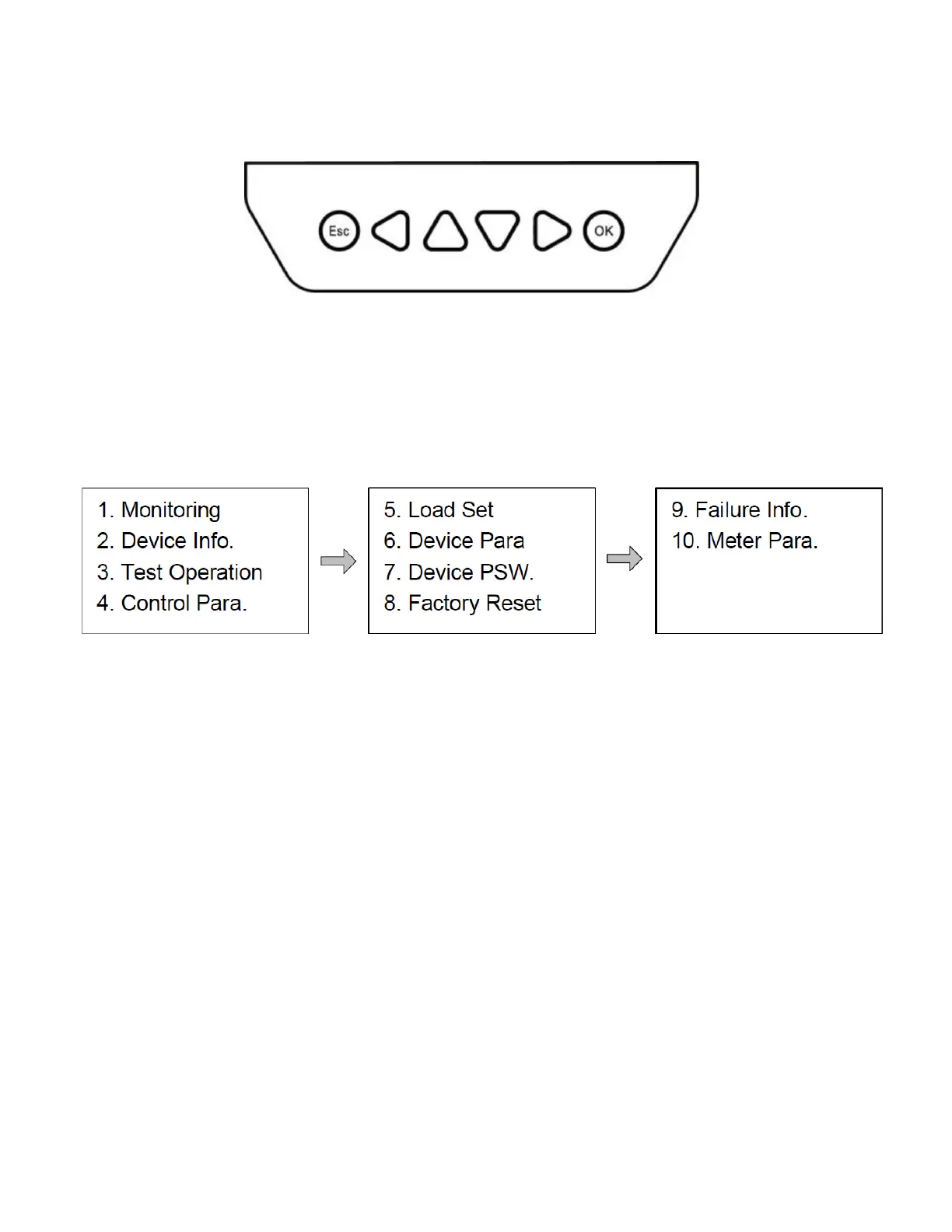
The AC meter has 6 buttons under the display screen, as shown in the diagram below:
From the default display screen, push ESC to enter the main menu. Use the Up and Down buttons to move
the cursor and the OK and ESC buttons to enter or exit menu items. The main menu is shown below. For the
average user, Monitoring will be the only item of interest. Monitoring provides more detailed information such
as: charging and discharging energy today / this month / total to date; battery temperature and max/min
voltages; solar power in W; and other parameters that may be of interest.
Use caution when accessing other menu items - improper changes to the settings may disrupt performance.
It is recommended that users wishing to change the default settings first review the full manual provided by
the manufacturer of the DC meter.


 To Next Page