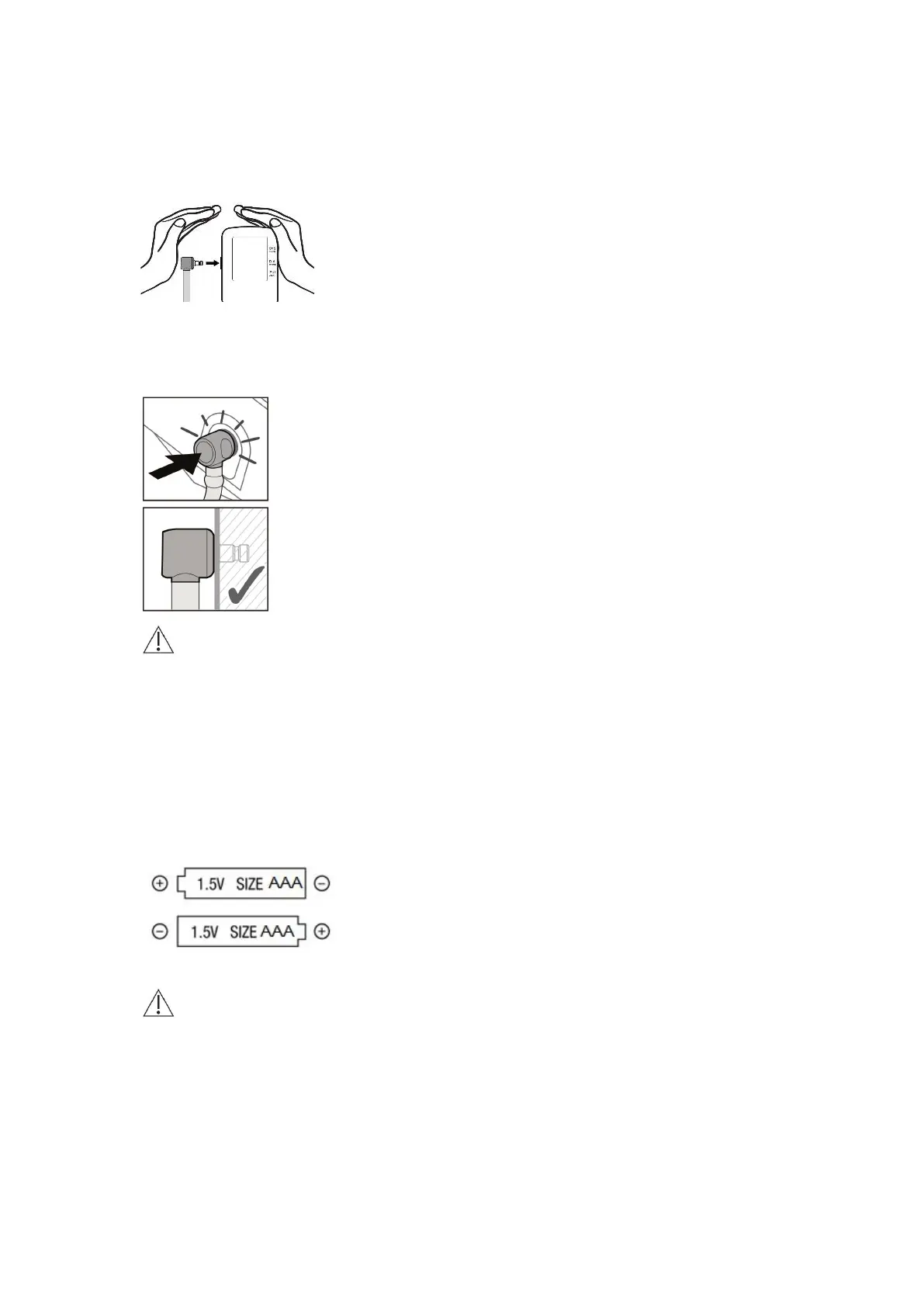
Connecting the cuff to the device
Tube connection: Push the cuff connector into the cuff socket by palm as far as it will go.
Make sure the cuff connector is securely inserted into the cuff socket of your blood pressure monitor
(a soft “click” may be heard when fully inserted).
Caution: A loose connection will result in inaccurate readings, and an error message (Err 3).
Inserting the batteries
After you have unpacked your device, first insert the batteries. The battery compartment is on the
bottom of the device. Insert the batteries (4 x 1.5 V, size AAA) in the orientations following the polarity
symbols marked on the battery compartment (see the below picture) to put batteries by correct
orientation.
Caution: Inserting the batteries in incorrect polarity orientations may lead to short circuiting and
damage the device!
Setting the date and time
1. After the new batteries are fitted, the year number flashes in the display. You can set the year by







 To Next Page