How do I evaluate my blood pressure?
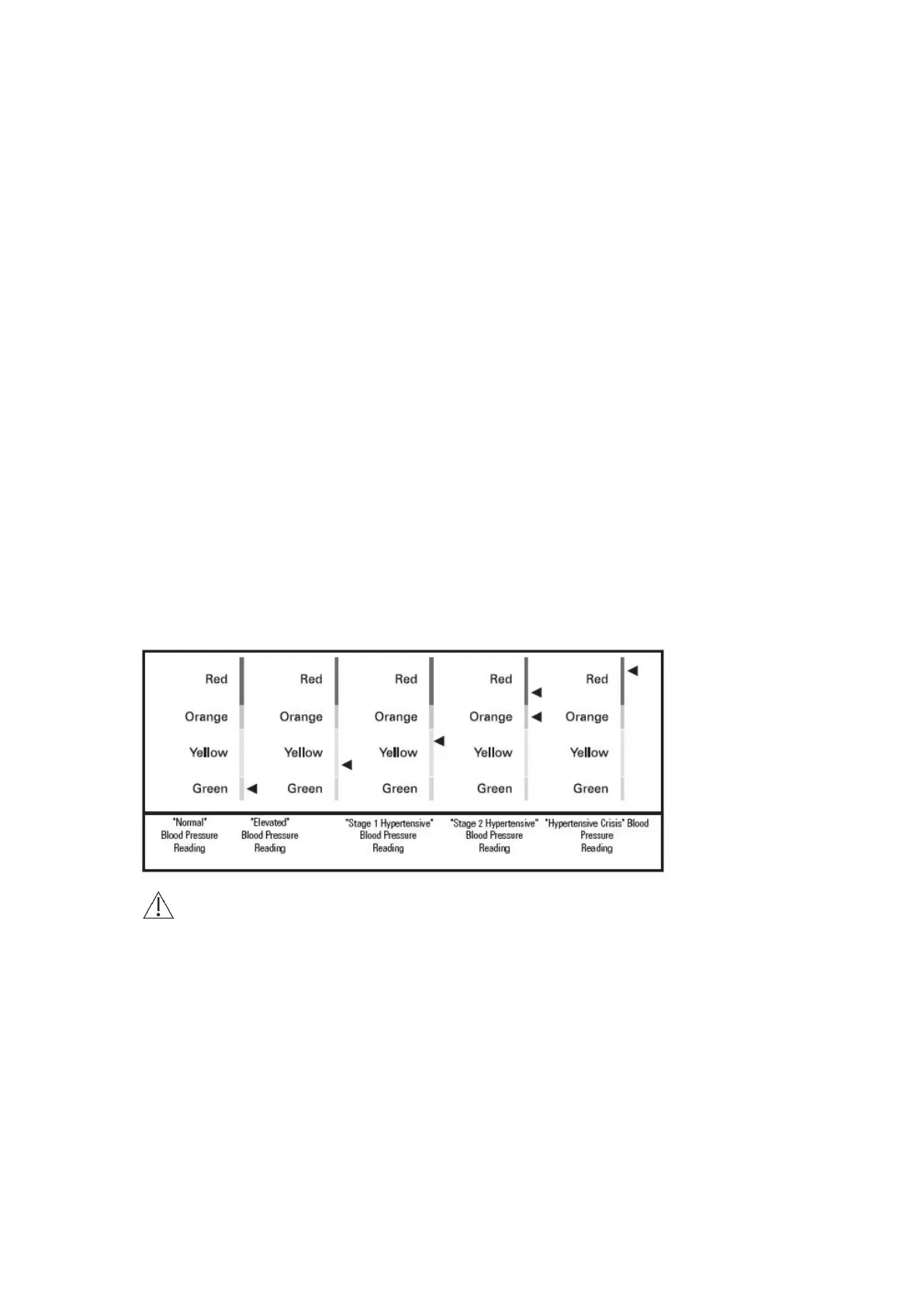
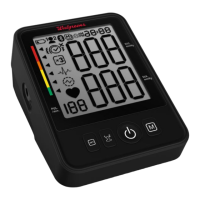
The triangle on the left-hand edge of the display points at the range within which the measured
blood pressure value lies. The colored indicator on the left-hand edge of the display has been
designed to provide a quick visual representation of your blood pressure. Once a
measurement has been completed, a black triangle will display onscreen next to the colored
hypertension indicator. The height of the black triangle will show if the measurement is within
the normal (green), borderline (yellow/orange) or danger (red) range.
This classification is based on standards established by the American Heart Association (AHA)
and American College of Cardiology (ACC) in 2017.
If the black triangle is in the:
•green zone, your measurement is "Normal."
•lower yellow zone, it is "Elevated."
•upper yellow zone, it is "Stage 1 Hypertensive."
•orange zone, it is "Stage 2 Hypertensive.”
•lower red zone, it is "Stage 2 Hypertensive.”
•upper red zone, it is "Hypertensive Crisis."0
Caution: The blood pressure classification is a general guide of blood pressure levels,
but diagnosis of hypertension should be made by a healthcare profession based on specific
conditions of the patient. Consult with your doctor for questions about the interpretation and
classification of your blood pressure values.







 To Next Page