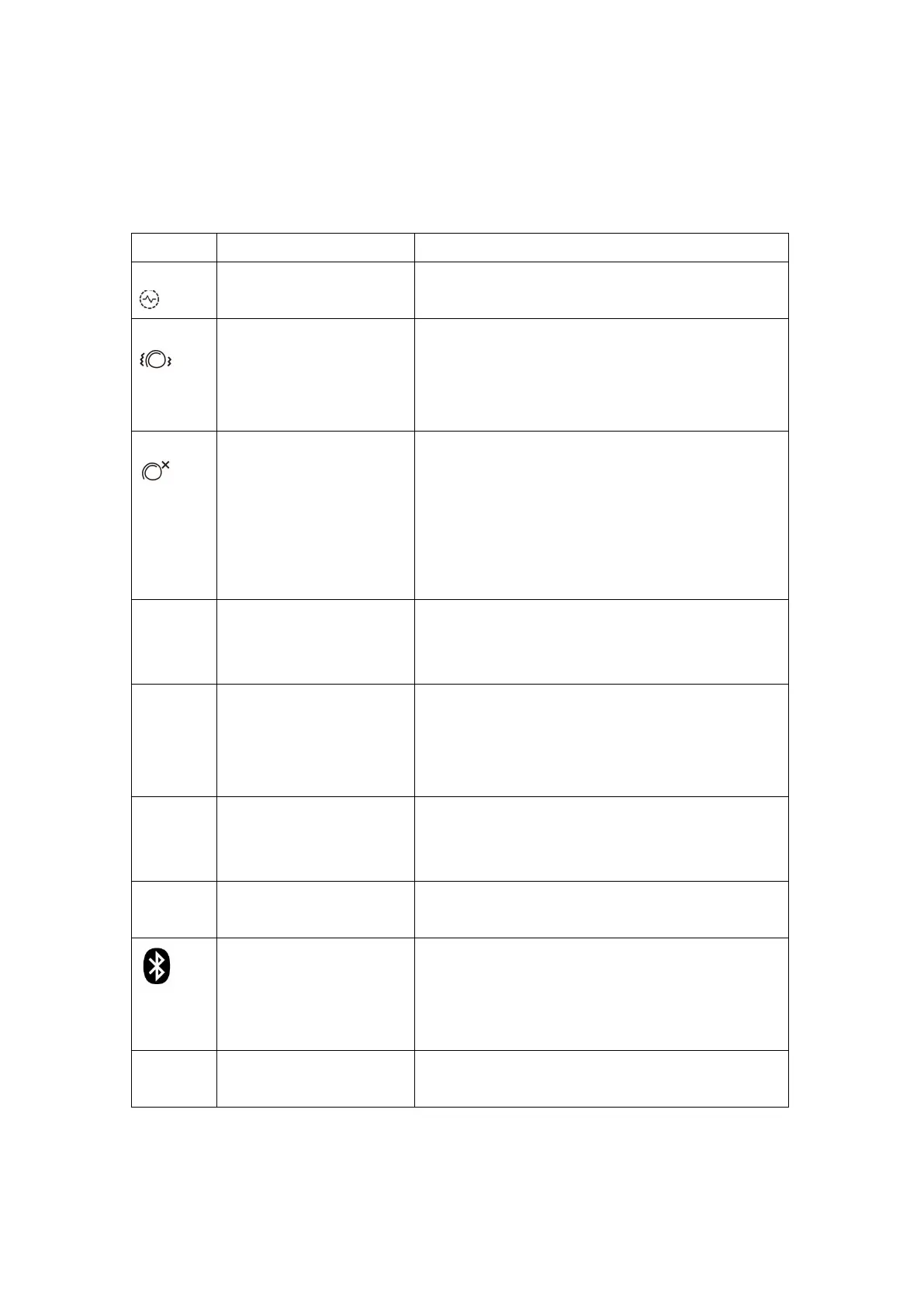
Error Messages & Troubleshooting
If an error occurs during the measurement, the measurement is interrupted and an error message, e.g.
«Err 3», is displayed.
Potential cause and remedy
The pulse signals on the cuff are too weak. Re-position the
cuff, ensure a tight, snug fit, and repeat the measurement.*
During the measurement, error signals were detected by the
cuff, caused for instance by movement or muscle tension.
Repeat the measurement, while keeping your arm and body
still and refrain from speaking.
An adequate pressure cannot be generated in the cuff. A leak
may have occurred. Check that the cuff is correctly connected
and is not too loose. Replace the batteries if necessary. Repeat
the measurement.
Please follow the procedure described in “Tube connection”
to ensure the cuff is properly connected.
The measuring signals are inaccurate and no result can
therefore be displayed. Read through the checklist for taking
reliable measurements and then repeat the measurement. *
There were too many errors during the measurement in MAM
mode, making it impossible to obtain a final result. Read
through the checklist for performing reliable measurements
and then repeat the measurement. *
Pulse or cuff pressure too high
The pressure in the cuff is too high (over 299 mmHg) OR the
pulse is too high (over 200 beats per minute). Relax for 5
minutes and repeat the measurement. *
The pulse is too low (less than 40 beats per minute). Repeat
the measurement. *
Bluetooth® symbol (13) blinks
rapidly
Bluetooth® connection error. Turn off the device and close the
app on the smartphone. Wait for 1 minute, open the app on
the smartphone and manually activate Bluetooth® on the
device to retry Bluetooth connection and data transfer.
Bluetooth® self check error
Bluetooth® is malfunctioning. Contact your local Microlife
distributor.
* Consult with your local pharmacy or Microlife distributor.







 To Next Page