VacPrep 061 Operation
Feb 2013 2-1
2. OPERATION AND SAMPLE PREPARATION
Operation
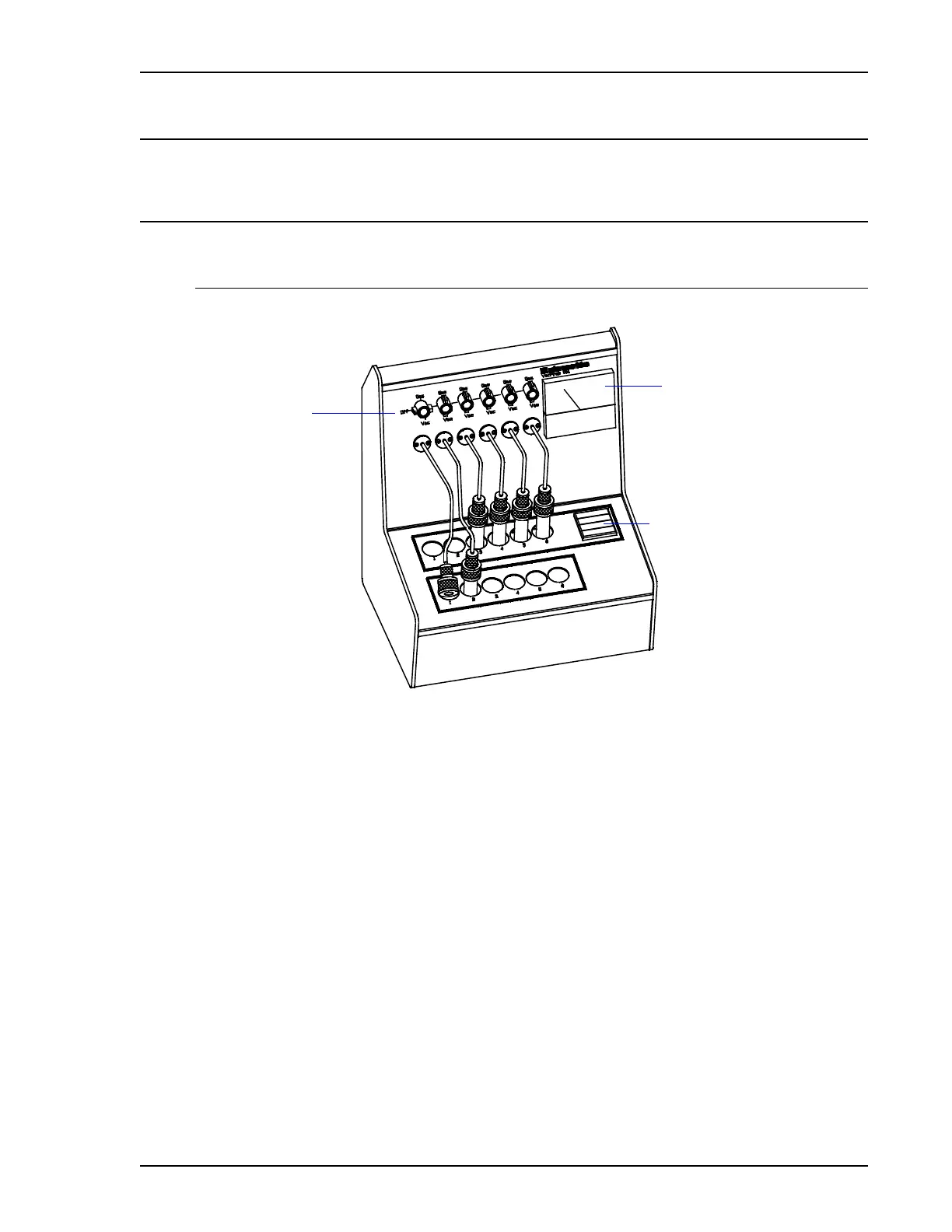
Front Panel Features
VACUUM/GAS
Control Knobs
Vacuum Gauge
Temperature Controller
Temperature Controller The temperature controller displays both the set point and the
current temperature of the heating stations and enables you to
change the temperature set point. Refer to Controlling the
Temperature of Heating Stations, page 2-3 for instructions.
VAC/GAS Control Knobs Each heating station has a valve that selects vacuum or gas
for each station. Turn the control knob to the up position to
open the valve for gas delivery, the down position for
vacuum, and the center position for sample isolation.
Vacuum Gauge The vacuum gauge displays the level of vacuum available.
The scale is labeled in millitorr (1 millitorr = 1 mHg) and
millibar.



 To Next Page