VacPrep 061 Operation
Feb 2013 2-3
Controlling the Temperature of Heating Stations
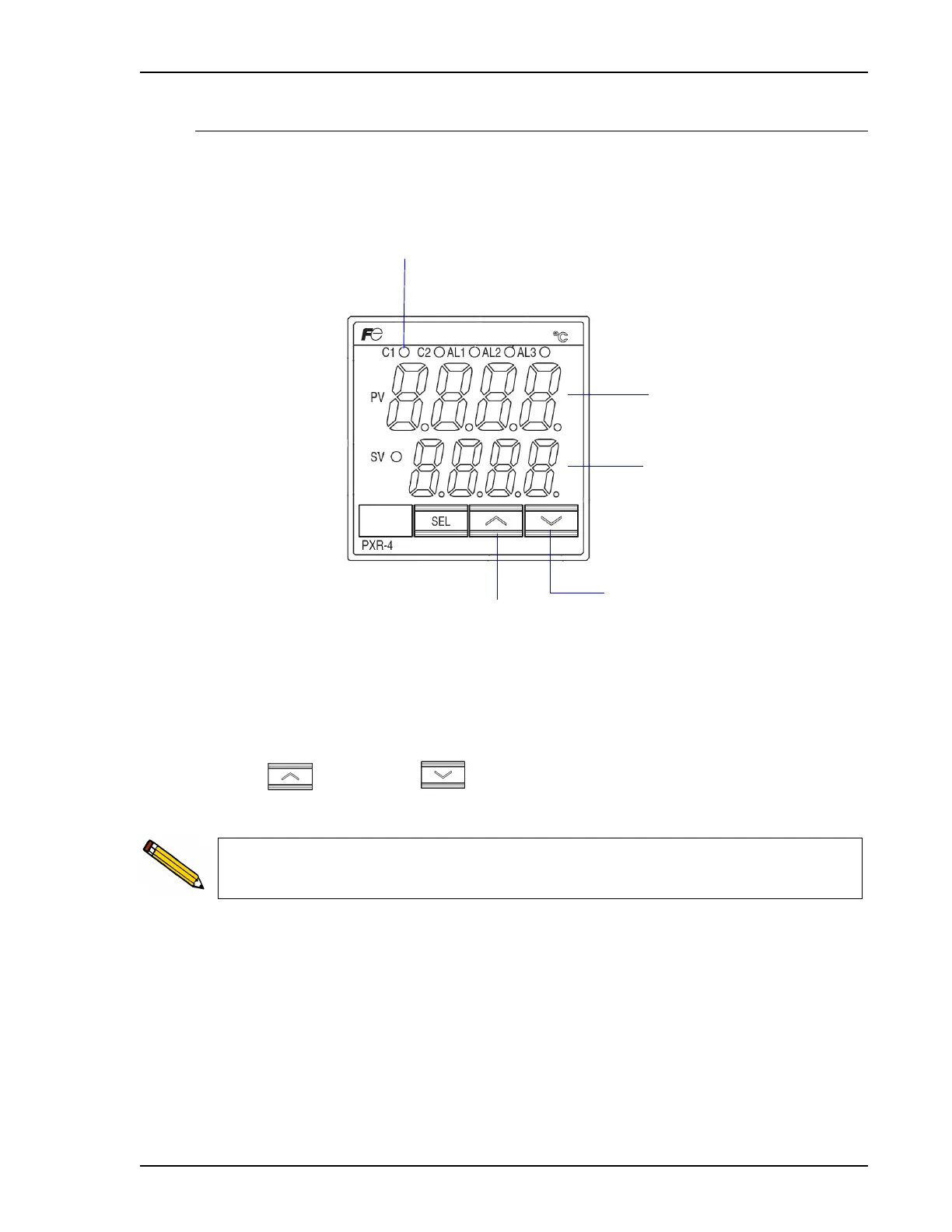
The temperature controller, shown below, enables you to specify the temperature of the heat-
ing stations and displays the current temperature.
The controller always displays the current temperature (PV = Process Value) and the set point
(SV = Set Value).
Press to increase or to decrease the value until the desired temperature set
point is displayed. The keys may be held down to rapidly increase or decrease the setting.
Lights when power is being
applied to heating stations
Increases set
point temperature
Decreases set
point temperature
Displays current temperature
Displays set point temperature
The set point is retained when the degasser is turned off and turned back on.



 To Next Page