⑦
、
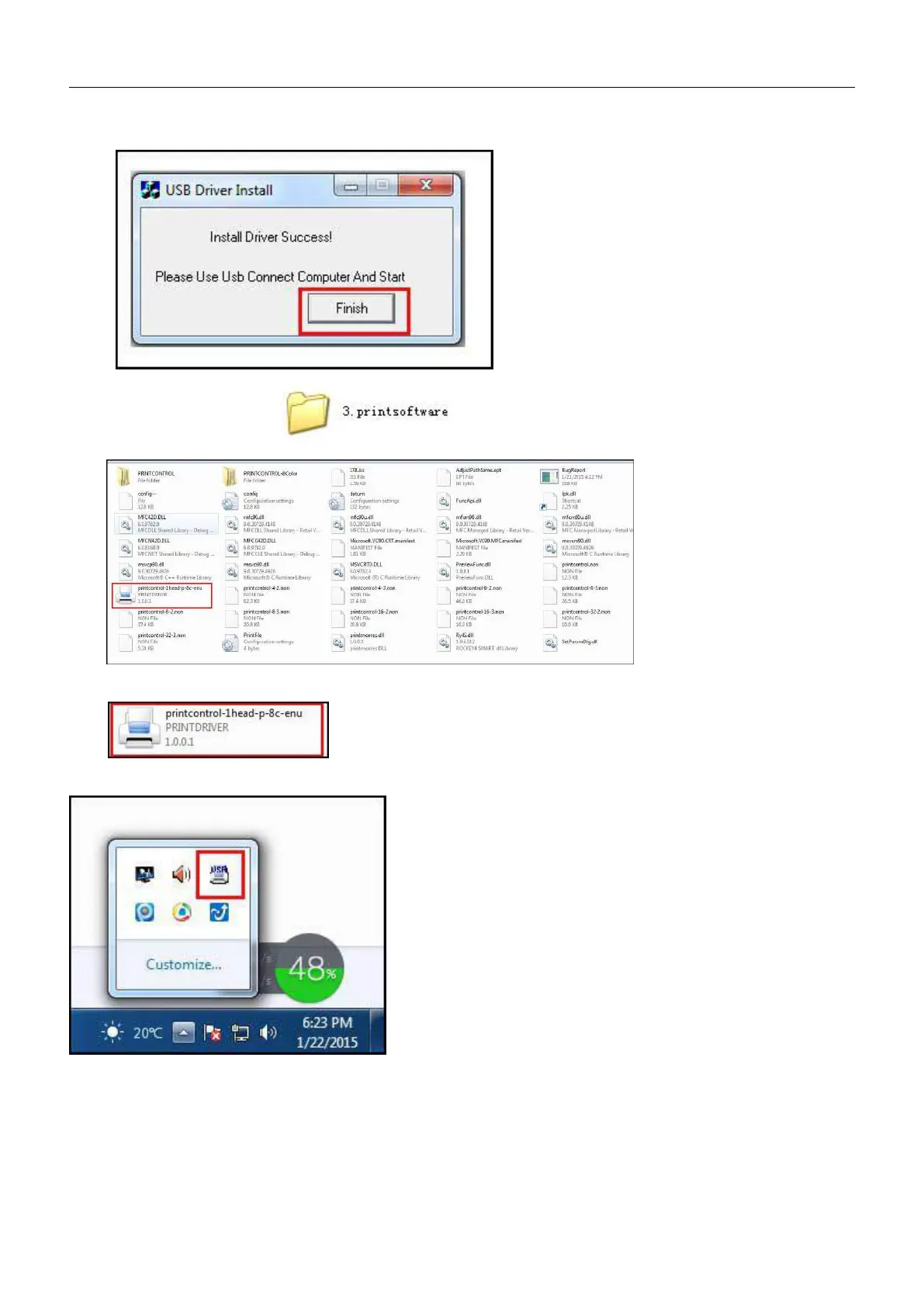
The install options will pop up after installation and click Finish:
⑧
、
Open the file folder after USB driver installation:
After installation of USB driver ,double click the working procedure in English version in the
folder , A same sign will appear on the lower right corner of the computer (As shown
below) after double click:
At the same time, the carriage will move rightwards to the right limit switch of the printer. Then the limit switch will
turn red and the platform will move toward to limit switch on the back. The platform stops moving when the limit
switch turns red. So the printer is get connected:


 To Next Page