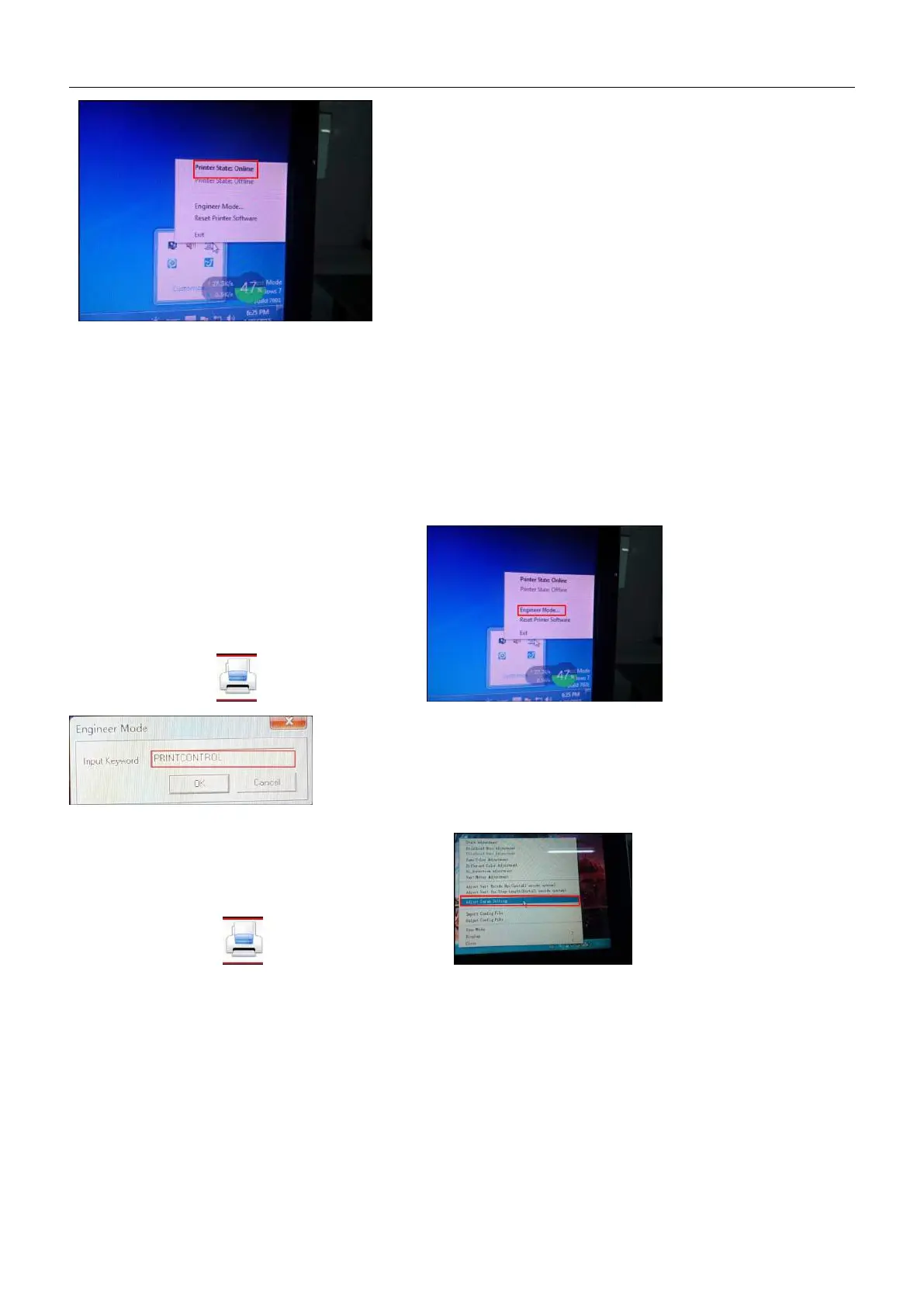
Click the right button of mouse to check the connection status of the computer and printer and the settings of the
engineering mode:
⑨、Then 64BIT driver installation is finished. Pls click trust and allow the driver installation when there is prompt by
anti-virus and firewall reminding you the program being installed is virus:
2.8.6 Driver Engineering Mode:
、Right-click ,
then choose the option , click on Engineer Mode,
enter the password: PRINTCONTROL then click the OK.
、Right-click , then choose the option, click the Adjust
Param Setting.......enter the engineering mode.
、
Engineering mode Setting



 To Next Page