Xpress Basics 15
The Xpress Desktop
Important icons and other parts of the desktop
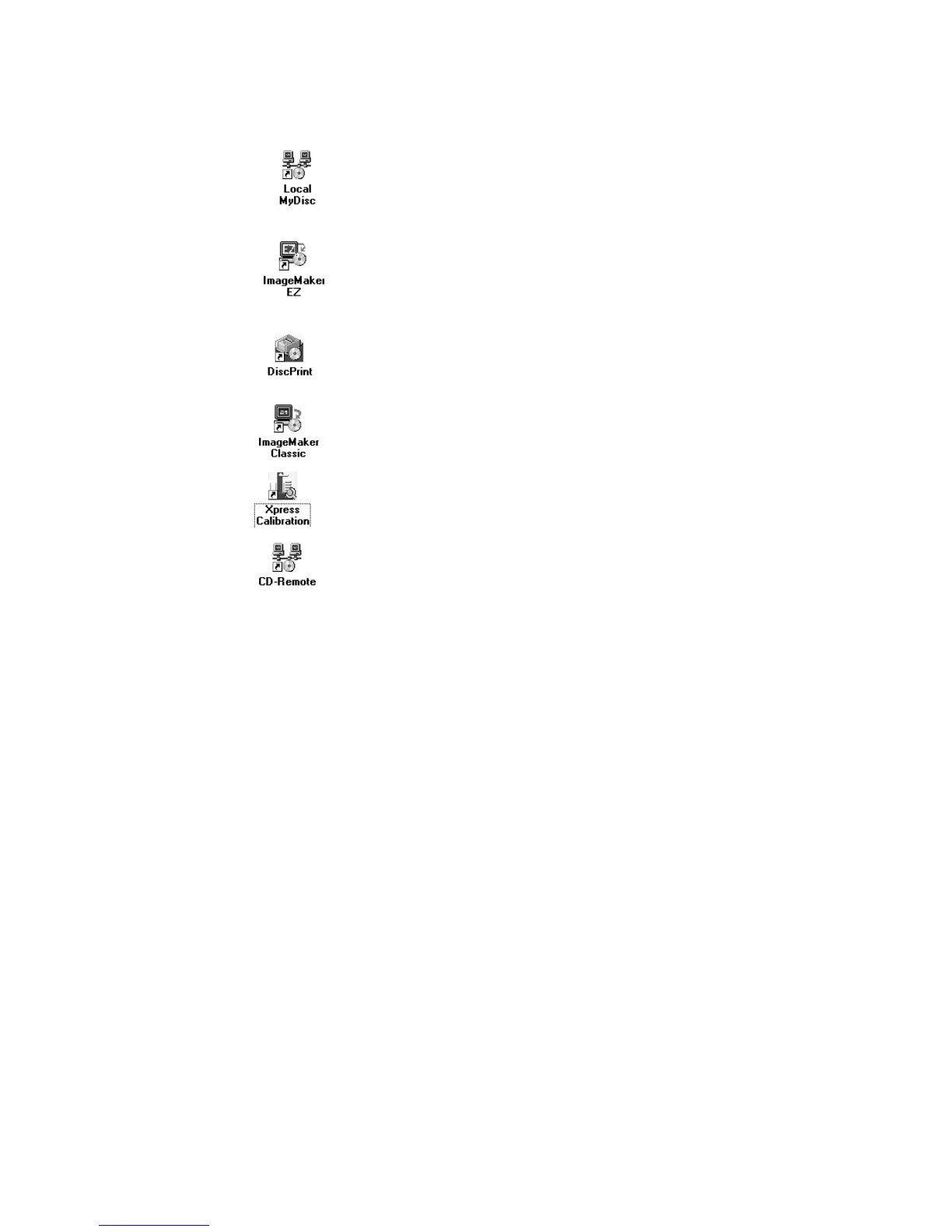
The MyDisc icon
Starts the standard MyDisc program used to create master images of
custom discs from which to make copies. Using MyDisc for making discs
is covered in the software manual.
The ImageMaker EZ icon
Starts the disc duplication program used to make disc copies.
Instructions for using ImageMaker EZ are covered in the software
manual.
The DiscPrint icon
Starts the DiscPrint program, the “stand-alone” version of the
ImageMaker EZ disc layout editor, used to create and modify disc
printing layouts.
The ImageMaker MJ (“Classic”) icon
Starts the optional ImageMaker MJ software for disc duplication. Please
refer to the software manual.
The Xpress Calibration icon
Starts the Xpress calibration utility used for calibrating the system.
The CD-R
EMOTE icon
Starts the CD-R
EMOTE background process and is only necessary should
you need to restart the process. CD-R
EMOTE starts automatically when it
is needed.
The Windows taskbar
When a program is started (e.g. MyDisc), a button for that program will
appear in the taskbar (located at the bottom of the deskstop screen). If a
program has been minimized (still running, but not displayed on screen),
or if it has disappeared behind another program’s window, clicking its
taskbar button will make it appear on screen.


 To Next Page