Setting up Xpress 9
Xpress Assembly Procedures
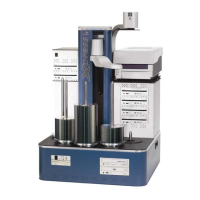
Base Unit
1. Place Base Unit on Work surface.
2. Set keyboard, mouse, Software Key, and cables aside for later
connection.
Drive Enclosure
1. Remove thumbscrews (2) from the back of the Drive Enclosure –
set aside.
2. Remove back plate of Drive Enclosure.
3. Place Drive Enclosure on top of Base Unit (back of enclosure fits
flush with back of the Base Unit.)
Caution – do not pinch any wires!
4. Finger-tighten thumbscrews (6) inside Drive Enclosure to secure
it to Base Unit.
Elevator
1. Place Elevator securely onto pegs on Base Unit (center of Drive
enclosure).
Caution – do not pinch any wires!
2. Finger-tighten thumbscrews (2) inside Drive Enclosure to secure
Handler Module to Drive Enclosure.
Cabling
1. Drive Power Cable (indicated by blue dot) – connect the Drive
Power cable to port with the corresponding blue dot.
2. Fan Power Cable (indicated by yellow dot) – connect the Fan
Power Cable to port with the corresponding yellow dot.
3. Control Cable (indicated by red dot) –- connect the Control
Cable to port with the corresponding red dot.
4. Connect two ribbon cables from under fans to the Arm located
on the Elevator – Undo the twist-tie holding them together –
push into connectors firmly until connector locks.
5. Connect Drive Cables (4)
6. Replace back of Drive Enclosure.
7. Replace and tighten thumbscrews.


 To Next Page