- 14 -
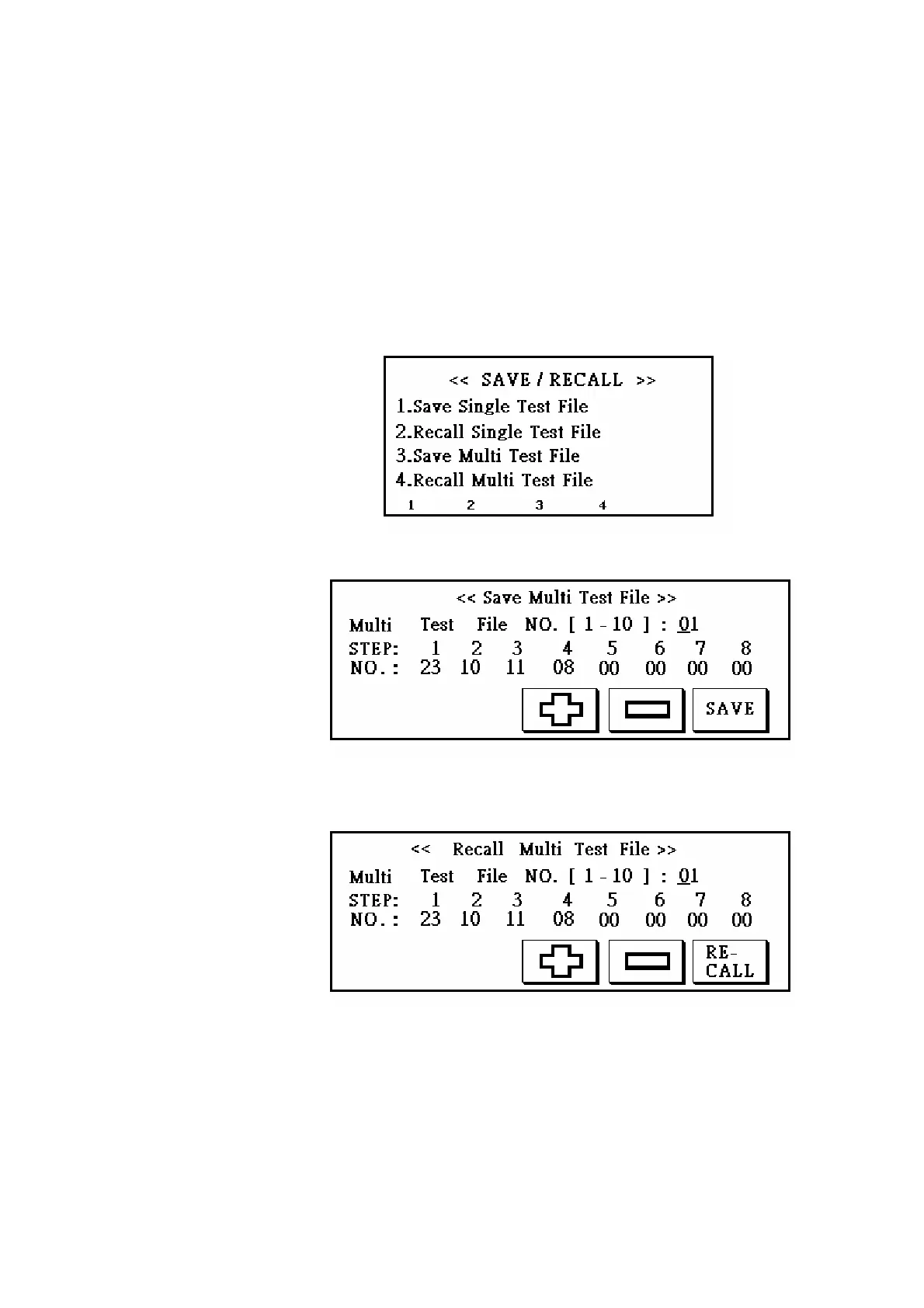
procedure is to press S3 to enter multi test file setting display as figure 10; and then set a
multi test file number, press ENTER to move cursor to next row, and key in single test file
number. Please follow STEP sequence to set single file number (If only set STEP 1 and
3, the tester will only test STEP1). When complete one STEP, please press ENTER to
move to next one. When all are completed, please press S5 (SAVE on the display) to
save files.
Option 4 is to recall multi test file. Press S4 to enter multi test file recalling display as
figure 11. Please key in file number and press ENTER to preview the file. When settings
are done, press S5 to recall the file (RE-CALL on the display).
Figure 9
Figure 10
Figure 11
(5) CONFIG button:
Press this button to enter system configuration display as figure 12.
Option 1 is AC high voltage calibration. Calibration procedure is, first, to press S1 in the
display which will show up “High Voltage will output”, and disconnect test leads to
prevent inaccuracy caused by output loading. Press ENTER to get into AC high voltage



 To Next Page