EasyManua.ls Logo

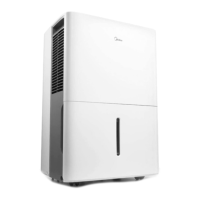
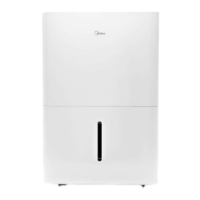
Midea MAD20C1AWS - User Manual

Midea MAD20C1AWS
36 pages
Print Icon
To Next Page IconTo Next Page
Loading...
Dehumidifier
www.midea.com
USER MANUAL
en
MDP
Warning notices: Before
using this product, please
read this manual carefully
and keep it for future
reference.
The design and
specifications are subject to
change without prior notice
for product improvement.
Consult with your dealer or
manufacturer for details.
Rated voltage: 115V
Frequency: 60Hz
MAD20C1AWS
MAD25C1AWS
MAD30C1AWS
MAD35C1AWS
MAD50C1AWS

Questions and Answers

  • T
    Travis BarrettAug 10, 2025
    What to do if my Midea MAD20C1AWS Dehumidifier does not start?
    • F
      francojorgeAug 11, 2025
      If your Midea Dehumidifier isn't starting, there are several things to check: * Ensure the dehumidifier's plug is firmly connected to the wall outlet. * Check your house's fuse or circuit breaker box. * The dehumidifier may have reached its preset level, or the bucket might be full. * Make sure the water bucket is correctly positioned.
  • I
    Isaiah GainesAug 16, 2025
    Why is my Midea MAD20C1AWS Dehumidifier not drying the air properly?
    • C
      Carrie HowardAug 16, 2025
      If your Midea Dehumidifier isn't drying the air as expected, consider the following: * Allow sufficient time for moisture removal. * Ensure curtains, blinds, or furniture aren't blocking the front or back of the unit. * The humidity control setting might be too high. * Verify that all doors, windows, and openings are securely closed. * The room temperature may be too low, specifically below 5°C (41°F). * Check for any sources of water vapor in the room.
  • J
    jgravesAug 21, 2025
    What to do if I see water on the floor near my Midea MAD20C1AWS?
    • Q
      qpaceAug 21, 2025
      If you find water on the floor near your Midea Dehumidifier, check these: * Ensure the hose connection is not loose. * If using the bucket to collect water, make sure the back drain plug is properly installed.
  • M
    Melanie DudleyAug 26, 2025
    Why does frost appear on the coils of my Midea MAD20C1AWS Dehumidifier?
    • B
      Beth RyanAug 26, 2025
      The appearance of frost on the coils of your Midea Dehumidifier is normal. It indicates that the unit's auto-defrost feature is working.
  • H
    hamptonadrianAug 30, 2025
    What does it mean when the pump operation light blinks at 1 Hz on my Midea MAD20C1AWS?
    • S
      Sandra LongAug 30, 2025
      If the pump operation light on your Midea Dehumidifier is blinking at 1 Hz: * Clean the pump filter. * Check the pump hose for blockages or leaks. * Empty the water bucket.
  • E
    Elizabeth CaseySep 5, 2025
    What to do if my Midea Dehumidifier is making a loud noise?
    • S
      Sean JacksonSep 5, 2025
      If your Midea Dehumidifier is operating loudly, check these potential issues: * The air filter may be dirty. Clean it by referring to the Care and Cleaning section. * Ensure the unit is upright and not tilted. * Confirm that the floor surface is level.

Midea MAD20C1AWS Specifications

General IconGeneral
BrandMidea
ModelMAD20C1AWS
CategoryDehumidifier
LanguageEnglish

Related product manuals