EasyManua.ls Logo

Midea MAD35S1QWT - User Manual

Midea MAD35S1QWT
25 pages
Print Icon
To Next Page IconTo Next Page
Loading...
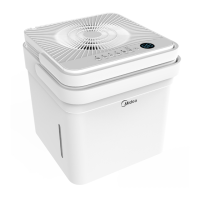
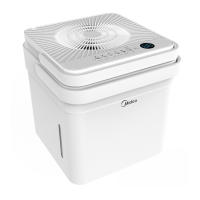
Cube Dehumidifier
version A - 12 - 2020
MAD20S1QWT
MAD35S1QWT
MAD50S1QWT
MAD50PS1QWT
MAD50PS1QGR
www.midea.com
USER MANUAL
en
MAD
Warning notices: Before using
this product, please read this
manual carefully and keep it
for future reference.
The design and specifications
are subject to change without
prior notice for product
improvement.
Rated voltage: 115V
Frequency: 60Hz
version E - 09 - 2022

Questions and Answers

Summary

Safety Precautions

Understanding Safety Symbols

Explains warning, caution, and notice symbols used in the manual.

General Warnings and Cautions

Lists critical warnings about electrical hazards, modifications, and usage.

Grounding and Electrical Safety

Details requirements for proper grounding and safe electrical connections.

Usage Environment and Handling

Covers safe operating locations and handling procedures to prevent damage.

Flammable Refrigerant Safety

Explains precautions related to the flammable refrigerant used in the unit.

Unit Specifications and Features

Setup and Installation

Operating Instructions

Control Panel Overview

Explains the functions of buttons and indicators on the control panel.

Removing Collected Water

Troubleshooting Tips

Unit Operation Issues

Addresses problems like unit not starting or poor dehumidification.

Warranty Information

Overview

This document is a user manual for the Midea Cube Dehumidifier (MAD series).

Function Description

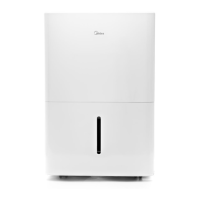
The Midea Cube Dehumidifier is designed to remove moisture from the air in indoor residential applications. It can operate in various modes including Set mode (runs until a set humidity is reached), Max mode (continuous operation on high fan), and Continuous run mode (continuous operation with adjustable fan speed). The unit can collect water in a removable bucket or drain continuously via an attached hose. Some models also feature a pump draining option for vertical drainage. The dehumidifier is equipped with an Auto Defrost function to prevent frost buildup on coils and an Auto-Restart function to resume operation with previous settings after a power interruption. It also offers smart control capabilities via a mobile app.

Important Technical Specifications

  • Rated Voltage: 115V
  • Frequency: 60Hz
  • Models Covered: MAD20S1QWT, MAD35S1QWT, MAD50S1QWT, MAD50PS1QWT, MAD50PS1QGR
  • Refrigerant: Flammable refrigerant R32
  • Operating Environment Temperature: 5°C/41°F to 35°C/95°F
  • Bucket Fill Levels (Approximate Weights):
    • MAD20S1QWT:
      • Level 1: 1.5 gallons (17 lb)
      • Level 2: 2 gallons (21 lb)
      • Level 3: 2.75 gallons (27.5 lb)
      • Level 4: 3 gallons (29.5 lb)
    • MAD35S1QWT, MAD35PS1QGR, MAD50S1QWT, MAD50PS1QWT, MAD50PS1QGR:
      • Level 1: 2.25 gallons (24 lb)
      • Level 2: 3 gallons (30 lb)
      • Level 3: 3.75 gallons (36.5 lb)
      • Level 4: 4.23 gallons (40.5 lb)
  • Pump Draining (some models): Max pump height: 14 ft.
  • Wireless Module (for smart control):
    • Unit Model: MAD50PS1QWT
    • WIFI Module Model: US-SK105
    • Standard: IEEE 802.11b/g/n
    • Antenna Type: Printed PCB Antenna
    • Frequency Band: 2400-2483.5MHz
    • Operation Temperature: 0°C~45°C/32°F~113°F
    • Operation Humidity: 10%~85%
    • Power Input: DC 5V/300mA
    • Maximum TX Power: <20dBm
  • Safety Certifications: FCC ID:2ADQOMDNA21, IC:12575A-MDNA21 (complies with Part 15 of FCC Rules and Innovation, Science and Economic Development Canada's licence-exempt RSS(s)).

Usage Features

  • Control Panel: Features a Power Button (connect), Fill Level Button and Indicators, Filter Indicator, Network Connection Indicator, Timer Button and Indicator, Bucketless LED Display Indicator, Fan Button and Indicators (reset filter), Up/Down Buttons, Mode Button and Indicators, and Pump Indicator (some models).
  • Modes: Set mode (humidity setpoint), Max mode (continuous high fan), Continuous run mode (continuous with adjustable fan speed).
  • Fill Level Selection: Allows users to choose desired water level before the bucket-full switch activates, with four options corresponding to different approximate volumes.
  • Bucketless Mode: Enables operation without the bucket, requiring a drain hose to be attached and sloped for continuous drainage. Activated by pressing and holding the up and fill level buttons for 3 seconds.
  • Continuous Draining: Water can be automatically emptied into a sink or drain using the included hose.
  • Pump Draining (some models): Allows water to be pumped vertically into a sink or drain using a dedicated pump hose. Activated by holding up and down arrows for three seconds.
  • Timer Function: Sets a time for the unit to turn on or off, adjustable in 0.5-hour increments up to 10 hours, then 1-hour increments up to 24 hours.
  • Caster Installation: Optional casters can be installed on the bucket for easier mobility.
  • Smart Control: The unit can be controlled via the MSmartHome app on smartphones (iOS 10+ or Android 5+). Requires a 2.4 GHz wireless router and WPA-PSK/WPA2-PSK encryption. The app allows for remote operation and monitoring.
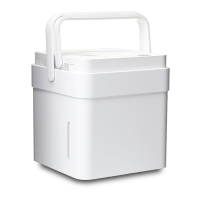
  • Nesting and Storing: The dehumidifier unit can be nested inside the bucket for compact storage.

Maintenance Features

  • Cleaning the Grill and Case: Use water and a mild detergent; avoid bleach or abrasives. Do not splash water directly on the unit. Clean air intake and outlet with a vacuum cleaner or brush.
  • Cleaning the Bucket: Clean thoroughly every few weeks with clean water and mild detergent. Do not use a dishwasher.
  • Cleaning the Air Filters: Filters can be pulled out, washed with clean water, dried, and re-installed. A filter indicator light reminds users to clean the filter after 250 hours of operation. The unit should not be operated without filters.
  • Long-Term Storage: Before storing, allow the unit to rest for a full day to dry naturally. Clean the unit, water bucket, and air filters. Ensure the power cord is tucked into its storage channel. Nest the unit inside the bucket, cover it with a plastic bag, and store upright in a dry, well-ventilated area.
  • Pump Filter Cleaning: If the pump operation light blinks, check and clean the pump filter, ensure the drain hose is clear, and verify hose connections.
  • Troubleshooting Tips: The manual provides a list of common problems and solutions, including issues with starting, drying performance, noise, frost, water on the floor, and error codes (EH60, EH61, EHOb, P2, Eb).
  • Service: For support or issues, contact the Service Center at 1-866-646-4332. The unit should only be serviced by a Midea authorized servicer.

Midea MAD35S1QWT Specifications

General IconGeneral
BrandMidea
ModelMAD35S1QWT
CategoryDehumidifier
LanguageEnglish

Related product manuals