EasyManua.ls Logo

Midea MAD50P1ZWS - User Manual

Midea MAD50P1ZWS
21 pages
Print Icon
To Next Page IconTo Next Page
Loading...
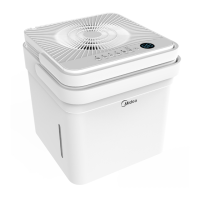
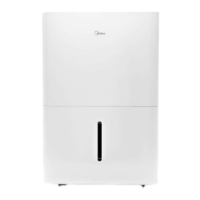
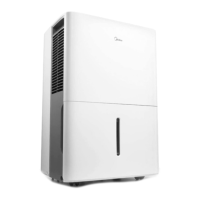
DEHUMIDIFIER
Owner’s Manual &
Installation Manual
IMPORTANT NOTE:
Read this manual carefully before installing or
operating your new machine.
Make sure to save this manual for future reference.

Questions and Answers

  • J
    Jennifer FreemanJul 28, 2025
    What to do if my Midea MAD50P1ZWS does not start?
    • B
      Brenda VelezJul 29, 2025
      If your Midea Dehumidifier isn't starting, make sure the plug is fully inserted into the outlet. Also, check your house's fuse or circuit breaker box. The dehumidifier might have reached its preset level, or the bucket could be full. Finally, ensure the water bucket is correctly positioned.
  • D
    dandrewsAug 2, 2025
    Why does frost appear on the coils of my Midea MAD50P1ZWS Dehumidifier?
    • T
      Tracy ShermanAug 2, 2025
      The appearance of frost on the coils of your Midea Dehumidifier is normal. It indicates that the unit's auto-defrost feature is working.
  • L
    Luis AndersonAug 7, 2025
    Why Midea Dehumidifier does not dry the air as it should?
    • J
      Joe JacksonAug 7, 2025
      Your Midea Dehumidifier might not be drying the air properly if enough time hasn't been allowed for moisture removal. Check that curtains, blinds, or furniture aren't blocking the front or back of the unit. The humidity control setting may be too high. Ensure all doors, windows, and openings are securely closed. Also, room temperature might be too low (below 5°C or 41°F), or there could be a source of water vapor, like a kerosene heater, in the room.
  • C
    cevansAug 12, 2025
    Why is there water on the floor near my Midea MAD50P1ZWS?
    • B
      Barbara ReynoldsAug 12, 2025
      If you find water on the floor near your Midea Dehumidifier, the hose connection may be loose. Alternatively, if you're using the bucket to collect water, check that the back drain plug is properly installed.
  • M
    Mark PetersenAug 17, 2025
    What to do if the pump operation light blinks at 1Hz on my Midea MAD50P1ZWS Dehumidifier?
    • A
      Ashley GillAug 17, 2025
      If the pump operation light is blinking at 1Hz on your Midea Dehumidifier, you should clean the pump's filter. Also, check the pump hose for kinks or blockages, and ensure the water bucket is empty.
  • J
    Jenna RobertsonAug 22, 2025
    What to do if my Midea Dehumidifier makes a loud noise when operating?
    • K
      Kristina RichardsAug 22, 2025
      If your Midea Dehumidifier is making loud noises, check if the air filter is clogged. Ensure the unit is upright and not tilted. Also, make sure the floor surface is level.

Summary

Safety Precautions

Preparation

Identification of Parts

Lists and illustrates the various components of the dehumidifier for user reference.

Design Notice

States that product design specifications may change without prior notice for improvement.

Positioning the Unit

Provides guidelines on where and how to place the dehumidifier for optimal operation.

When Using the Unit

Details initial operation, environmental conditions, and setup for using the dehumidifier.

Accessories

Lists and describes the accessories included with the dehumidifier.

Operating Instructions

Control Panel Features

Explains the functions and indicators of the dehumidifier's control panel.

Button Operations and Unit Settings

Details button functions, unit features, error codes, timer settings, and auto-restart.

Timer Settings and Auto-Restart

Explains how to set Auto Start/Stop timers and the Auto-Restart function.

Bucket Water Removal

Details how to remove collected water from the unit's bucket.

Continuous and Pump Draining

Details the continuous and pump draining features for water removal.

Care and Maintenance

Cleaning the Dehumidifier

Provides instructions for cleaning the grille, case, bucket, and air filter.

Long-Term Storage

Details steps for storing the unit when not in use for extended periods.

Troubleshooting Tips

Common Problems and Solutions

Lists common issues and their potential solutions for the dehumidifier.

Midea MAD50P1ZWS Specifications

General IconGeneral
BrandMidea
ModelMAD50P1ZWS
CategoryDehumidifier
LanguageEnglish

Related product manuals