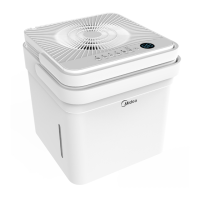
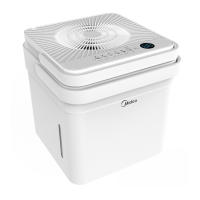
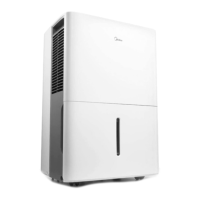
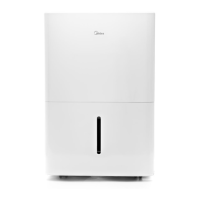
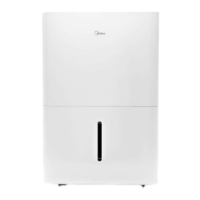
This document is the owner's manual for a Midea Dehumidifier, model series MAD. The specific models covered are MAD22C1AWS, MAD35C1AWS, MAD50C1AWS, MAD50P1AWS, and MAD50PS1WS.
Function Description
The Midea Dehumidifier is designed to remove excess moisture from indoor residential spaces, helping to prevent issues like mold, mildew, and general dampness. It is not intended for outdoor, commercial, or industrial use. The unit operates by drawing in air, removing moisture, and then expelling drier air. It features various operating modes including comfort dehumidifying, continuous dehumidifying, and an auto defrost function to maintain efficiency in cooler conditions. Some models include a pump feature for continuous draining. The dehumidifier can be controlled via its integrated control panel or through the MSmartHome app, offering remote management capabilities.
Important Technical Specifications
- Rated Voltage: 115V
- Frequency: 60Hz
- Operating Temperature Range: 5°C/41°F to 32°C/90°F
- Humidity Set Control Range: 35% RH to 85% RH (in 5% increments)
- Refrigerant: R32 (flammable, A2L ISO 817 classification)
- Wireless Module (US-SK105):
- Dimensions: 41 x 24 x 5 (mm)
- Antenna Type: Printed PCB Antenna
- Frequency: WLAN 2400-2483.5 MHz
- Maximum Transmitted Power: <20dBm Max
- Operation Temperature (Wireless Module): 0°C ~ 45°C / 32°F ~ 113°F
- Operation Humidity (Wireless Module): 10% ~ 85%
- Power Input (Wireless Module): DC 5V/300 mA
- Security Protocols: WPA-PSK / WPA2-PSK / WPA3-SAE
- Continuous Drain Hose (not included): ID ≥ Ø 5/16”, female threaded end (ID: M = 1”)
- Pump Drain Hose (supplied with pump models): Ø OD = 1/4”
Usage Features
Control Panel:
The control panel includes various indicator lights and buttons:
- Pump Indicator Light: Indicates pump operation.
- Auto Defrost Operation On Indicator Light: Illuminates when auto defrost is active.
- Comfort Dehumidifying Operation On Indicator Light: Indicates comfort mode is active.
- Clean Filter Indicator Light: Flashes after 250 hours of operation as a reminder to clean the air filter.
- Wireless Indicator: Indicates wireless connection status (on some models).
- Continuous Operation On Indicator Light: Indicates continuous dehumidifying mode.
- Bucket Full Indicator Light: Illuminates when the water bucket is full or incorrectly positioned.
- High Fan Indicator Light: Indicates high fan speed.
- Timer On/Off Indicator Light: Indicates timer function is active.
- LED Display: Shows set humidity level (35-85% RH), auto start/stop time (0-24 hours), and actual room humidity (30-90% RH).
- Buttons: Pump, Comfort, Filter (3 seconds for Wireless connection), Continue, Turbo, Timer, Up/Down arrows, Power.
Operating Modes and Settings:
- Humidity Set Control: Users can set the desired humidity level between 35% RH and 85% RH in 5% increments using the Up/Down buttons.
- Comfort Dehumidifying: Activates a mode where the humidity level cannot be manually selected. Pressing Up/Down buttons may cancel this function on some models.
- Continuous Dehumidifying: The unit operates continuously, and the humidity set point cannot be changed manually.
- Turbo Speed: Controls fan speed for maximum moisture removal. Recommended to turn off once preferred humidity is reached.
- Timer Function: Allows setting Timer ON and Timer OFF from 0 to 24 hours in 0.5-hour increments (up to 10 hours) and then 1-hour increments (up to 24 hours).
- Auto Shut Off: The unit automatically turns off when the bucket is full, removed, or when the set humidity level is reached. The fan motor continues to operate when the set humidity is reached.
- Auto Defrost: Automatically runs when frost builds up on evaporator coils, cycling off the compressor.
- 3-Minute Compressor Operation Delay Protection: Prevents immediate restart after stopping, protecting the compressor.
- Auto-Restart: Restarts the unit with previous settings after a power cut.
Water Removal Methods:
- Using the Bucket: The unit will indicate "P2" on the display and the bucket full light will illuminate when full. Users must manually empty the bucket.
- Continuous Draining: Allows water to drain automatically into a floor drain using a water hose (not included). The hose connects to the back drain outlet after removing a plastic cover.
- Pump Draining (Pump Models Only): Water is automatically pumped to a suitable drainage facility using the supplied pump drain hose. The pump activates when the bucket is full.
Error Codes and Protection Codes:
- AS: Humidity sensor error.
- ES: Tube temperature sensor of the evaporator error.
- P2: Bucket is full or not in the right position (for units without pump) or bucket is full (for units with pump).
- EC: Refrigerant leakage detection.
- Eb: Bucket is removed or not in the right position (for units with pump).
App Instructions (MSmartHome App):
- Connectivity: The unit can be connected to the MSmartHome app via Wi-Fi. The app is available for iOS and Android.
- Pairing Process: Scan a QR code or search for the app, log in or create an account, then add the device by tapping "Smart devices discovered nearby" or manually selecting "Dehumidifier."
- Control: After successful pairing, users can control basic functions like changing humidity and turning the device on/off, with additional features and settings available within the app.
Maintenance Features
- Grill and Case Cleaning: Use water and a mild detergent. Avoid bleach or abrasives. Do not splash water directly onto the unit. Use a vacuum cleaner or brush for air intake and outlet.
- Bucket Cleaning: Clean the water bucket every few weeks with clean water and mild detergent to prevent mold, mildew, and bacteria growth. Do not use a dishwasher.
- Air Filter Cleaning: The filter can be pulled out, washed with clean water, dried, and re-installed. The "Clean Filter" indicator light reminds users to clean the filter after 250 hours of operation. Reset the counter by pressing the Filter button.
- Storage (Long Periods):
- Allow the unit to rest for one full day to dry out the system naturally.
- Clean the unit, water bucket, and air filter.
- Wrap the power cord with the provided power cord buckle.
- Cover the unit with a plastic bag.
- Store upright in a dry, well-ventilated area.
- Pump Filter Cleaning (Pump Models Only): If the pump operation light blinks at 1 Hz, clean the pump filter by removing the bucket, taking down the pump, and cleaning the filter. Also, check the drain hose for debris and ensure proper fitment.



 To Next Page
 General