EasyManua.ls Logo

Midea MAD35PS1QGR - User Manual

Midea MAD35PS1QGR
46 pages
Print Icon
To Next Page IconTo Next Page
Loading...
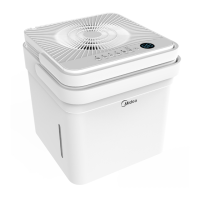
Cube Dehumidifier
version A - 12 - 2020
USER MANUAL
en
MAD
Warning notices: Before using
this product, please read this
manual carefully and keep it
for future reference.
The design and specifications
are subject to change without
prior notice for product
improvement.
Rated voltage: 115V
Frequency: 60Hz
version C - 11 - 2021
MAD35S1QWT
MAD35PS1QGR
MAD20S1QWT
MAD50S1QWT
MAD50PS1QWT
MAD50PS1QGR

Questions and Answers

  • J
    James McbrideAug 6, 2025
    What to do if water collects around the bottom of Midea Dehumidifier in bucketless mode?
    • A
      aaron97Aug 6, 2025
      If water is collecting around the bottom of your Midea Dehumidifier when operating in bucketless mode: * Ensure the unit is level and the surface is free of debris. * Check the drain hose connection to ensure it is properly seated in the outlet.
  • J
    Julia LeonAug 10, 2025
    Why is there water on the floor near my Midea MAD35PS1QGR Dehumidifier?
    • J
      Justin EvansAug 10, 2025
      If you find water on the floor near your Midea Dehumidifier, check the following: * Ensure the hose connection is secure: The hose to connector or the hose connection may be loose. * Verify the drain plug: If you intend to use the bucket, ensure the back drain plug is installed.
  • S
    sara83Aug 14, 2025
    Why does frost appear on the coils of my Midea MAD35PS1QGR?
    • S
      Shelly AlexanderAug 14, 2025
      The appearance of frost on the coils of your Midea Dehumidifier is normal. The unit has an auto-defrost feature.
  • R
    Robert CarlsonAug 18, 2025
    What to do if the pump operation light blinks on my Midea Dehumidifier?
    • V
      Victoria MartinezAug 18, 2025
      If the pump operation light is blinking at 1 Hz on your Midea Dehumidifier: * Clean the pump filter. * Check the pump hose for blockages or leaks. * Empty the water bucket.
  • L
    Laura JimenezAug 23, 2025
    Why is my Midea MAD35PS1QGR Dehumidifier not drying the air properly?
    • R
      rossjaredAug 23, 2025
      Several factors can prevent your Midea Dehumidifier from effectively drying the air: * Insufficient time: Allow enough time for the dehumidifier to remove moisture. * Obstructions: Ensure curtains, blinds, or furniture aren't blocking the front or back of the unit. * Humidity setting: Lower the humidity control setting. * Openings: Verify all doors, windows, and other openings are securely closed. * Low temperature: Room temperature may be too low (below 5°C or 41°F). * Vapor source: Identify and eliminate any water vapor sources in the room.
  • U
    umyersAug 27, 2025
    How to troubleshoot Midea MAD35PS1QGR that does not start?
    • M
      Michelle MyersAug 27, 2025
      There are several reasons why your Midea Dehumidifier might not be starting: * Check the power connection: Ensure the dehumidifier's plug is firmly connected to the wall outlet. * Inspect the fuse/breaker: Check your house's fuse or circuit breaker box. * Check settings: The dehumidifier may have reached its preset humidity level, or the bucket might be full. * Bucket position: Make sure the water bucket is correctly positioned.
  • A
    Alison ShannonAug 31, 2025
    Why is my Midea MAD35PS1QGR Dehumidifier making a loud noise?
    • S
      sandra86Sep 1, 2025
      A loud noise during operation of your Midea Dehumidifier can be caused by: * Dirty air filter: Clean the filter, referring to the Care and Cleaning section. * Incorrect positioning: Ensure the unit is upright and not tilted. * Uneven surface: Place the unit on a level floor surface.

Summary

Safety Precautions

General Safety Warnings and Cautions

Details hazards like electric shock, fire, and minor injuries, with relevant warnings and cautions.

Electrical Safety and Grounding

Covers grounding, power cords, extension cords, and safe unplugging practices.

Environmental and Operational Safety

Advises on placement, stability, child supervision, lifting, and proper bucket usage for safe operation.

Set Up Instructions

Initial Setup Steps

Guides through separating the unit, aligning, and connecting the dehumidifier and bucket for operation.

Installation Instructions

Operating Instructions

Key Pad Features Overview

Identifies and explains the function of each button and indicator on the control panel.

Error Codes and Troubleshooting

Lists common error codes (AS, ES, P2, EC, E3, Eb) and their remedies.

Troubleshooting Tips

Unit Not Starting

Solutions for when the dehumidifier fails to start, checking power, bucket position, and settings.

Poor Dehumidification

Addresses issues where the unit doesn't dry air effectively, checking airflow, settings, and room conditions.

Water Leakage Issues

Solutions for water on the floor, checking hose connections and drain plug removal.

Error Code Display

Guidance on interpreting error codes (AS, ES, P2, EC, E3, Eb) and their remedies.

Midea MAD35PS1QGR Specifications

General IconGeneral
BrandMidea
ModelMAD35PS1QGR
CategoryDehumidifier
LanguageEnglish

Related product manuals