EasyManua.ls Logo

Midea MAD22S1AWWT - User Manual

Midea MAD22S1AWWT
28 pages
Print Icon
To Next Page IconTo Next Page
Loading...
MAD
Dehumidifier
MAD22S1AWWT
MAD35S1AWWT
MAD50PS1AWBL
USER MANUAL
Warning notices: Before using this product, please read this manual carefully and keep it for future reference.
The design and specifications are subject to change without prior notice for product improvement.
Consult with your dealer or manufacturer for details.
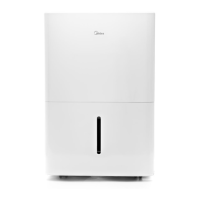
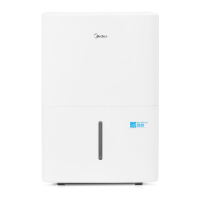
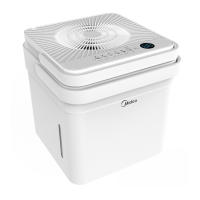
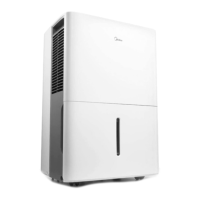
The diagram above is just for reference. Please take the appearance of the actual product as the standard.
Download the app
& activate product

Questions and Answers

  • A
    Ann MorrisAug 10, 2025
    What to do if my Midea MAD22S1AWWT Dehumidifier won't start?
    • R
      Robert NelsonAug 10, 2025
      If your Midea Dehumidifier isn't starting, first ensure the plug is fully inserted into the outlet. Then, check your house's fuse or circuit breaker box. Also, the dehumidifier might have reached its preset level, or the bucket could be full. Another possibility is that the side access tank isn't correctly positioned.
  • B
    bradyandersonAug 16, 2025
    What to do if water is leaking from my Midea MAD22S1AWWT Dehumidifier?
    • J
      Joseph RobinsonAug 16, 2025
      If water is leaking from your Midea Dehumidifier onto the floor, check if the hose connection is loose. Another reason may be that you intended to use the bucket to collect water, but the back drain plug was removed.
  • B
    Bryce VaughnAug 21, 2025
    What to do if the pump operation light is blinking on my Midea Dehumidifier?
    • C
      Cindy MercadoAug 21, 2025
      If the pump operation light on your Midea Dehumidifier is blinking, try cleaning the pump's filter. Also, check the pump hose for blockages or leaks. Finally, ensure the side access tank is empty.
  • A
    April MathisAug 27, 2025
    Why is my Midea MAD22S1AWWT Dehumidifier not drying the air properly?
    • S
      Stephanie PooleAug 27, 2025
      Your Midea Dehumidifier might not be drying the air effectively due to several reasons. Ensure enough time has passed for it to remove moisture. Check that curtains, blinds, or furniture aren't blocking the front or back of the unit. The humidity control setting may be too high. Verify that all doors, windows, and openings are securely closed. Also, the room temperature might be too low (below 5°C or 41°F), or there could be a source of water vapor, like a kerosene heater, in the room.
  • H
    Heather AdamsSep 2, 2025
    Why is my Midea MAD22S1AWWT making a loud noise?
    • R
      Ryan RamirezSep 2, 2025
      A loud noise from your Midea Dehumidifier could be due to a dirty air filter; cleaning it might help. The unit might also be tilted instead of upright, or the floor surface may not be level.

Summary

SAFETY PRECAUTIONS

Explanation of Symbols

Explains symbols like WARNING and CAUTION used in the manual.

WARNING Instructions

Lists critical safety instructions regarding installation and operation.

CAUTIONARY GUIDELINES

ELECTRICAL SAFETY AND SYMBOLS

Electrical Work WARNING

Emphasizes turning off power before electrical work and handling flammable materials.

Cautionary Symbols Explained

Explains symbols related to reading manuals and handling equipment.

REFRIGERANT SAFETY

INSTALLATION GUIDELINES

Positioning the Unit

Provides requirements for safe placement and air circulation around the unit.

OPERATIONAL PREPARATION

CASTER INSTALLATION

Installation WARNINGS

Critical warnings about tilting angle and resting time after caster installation.

CONTROL PANEL OPERATIONS

POWER AND TIMER FEATURES

DEHUMIDIFIER MODES

ADVANCED FEATURES

WATER REMOVAL METHODS

Bucket Handling Warning

Cautionary advice on handling the bucket to prevent damage or injury.

CONTINUOUS WATER DRAINAGE

PUMP DRAINAGE SYSTEM

SMART HOME APP SETUP

CLEANING AND MAINTENANCE

Filter Operation Caution

Warning against operating the unit without an air filter.

TROUBLESHOOTING GUIDE

Malfunction Diagnosis Chart

A chart to diagnose common problems and their potential solutions.

WARRANTY TERMS AND CONDITIONS

Midea MAD22S1AWWT Specifications

General IconGeneral
ModelMAD22S1AWWT
TypeDehumidifier
Dehumidifying Capacity22 pints per day
Energy Star CertifiedYes
Weight36.5 lbs
Dimensions15.4 x 11.8 x 24.2 inches
Noise Level51 dB
ColorWhite
Voltage115V
Operating Temperature41°F to 95°F

Related product manuals